In the world of competitive gaming, performance has always been king. But why should top-tier performance come in a boring black box? The rise of the Pink Gaming Mouse proves that gamers no longer have to choose between aesthetics and accuracy. What was once a niche novelty is now a mainstream powerhouse, with leading brands offering their most advanced technology in stunning shades of pink. Whether you’re building a kawaii-inspired setup or simply want a splash of color, a pink gaming mouse is the perfect way to express your style without sacrificing a single ounce of competitive edge.
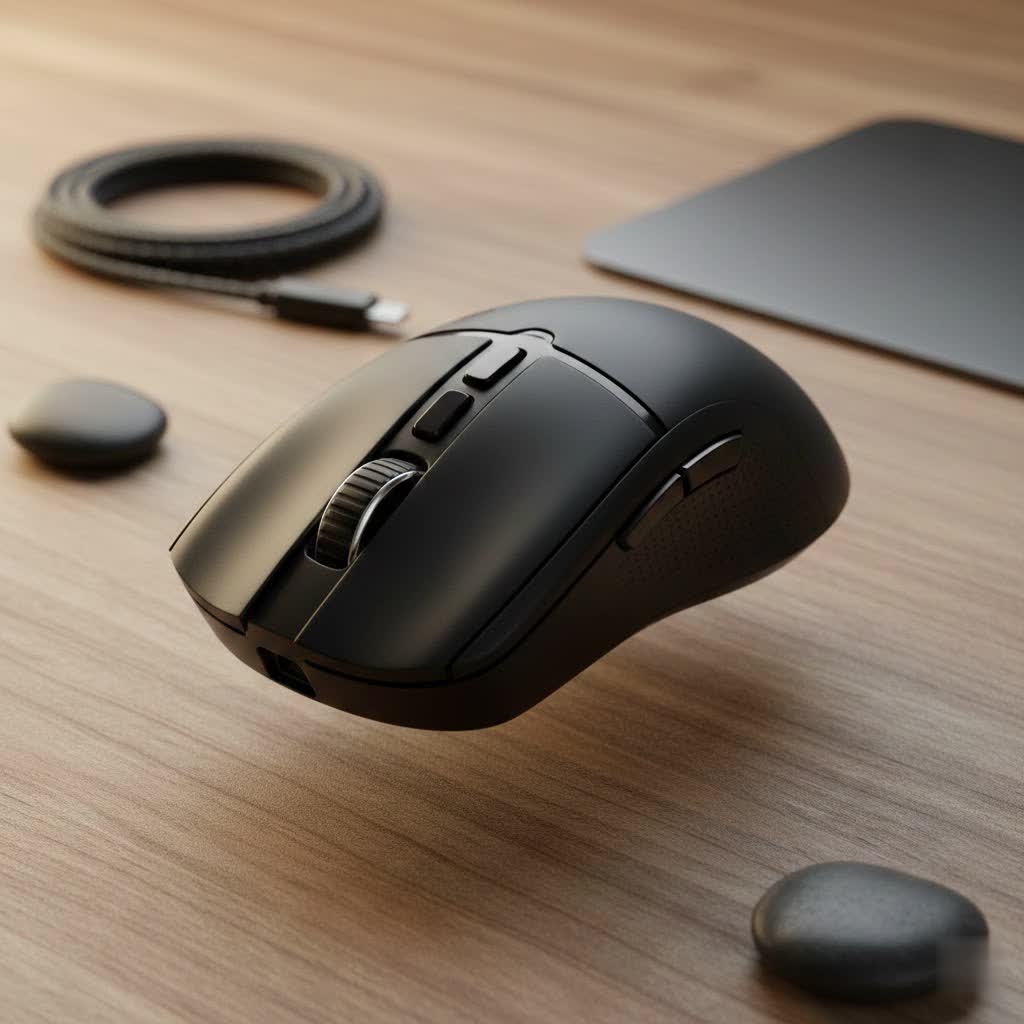
This guide, brought to you by the experts at Cyexx, will navigate the vibrant world of pink peripherals. We’ll break down the best models on the market, explain the critical tech specs, and help you find the perfect mouse to match your gameplay and personality.
Why a Pink Gaming Mouse is More Than Just a Color
Choosing a pink peripheral isn’t just an aesthetic decision; it’s a statement. It represents a shift in gaming culture towards greater personalization and inclusivity. More importantly, manufacturers have recognized this demand, ensuring their pink models are packed with the same cutting-edge features as their traditional counterparts.
You get access to ultra-lightweight designs, flawless wireless connectivity, and top-of-the-line optical sensors—all wrapped in a stylish package. It’s about creating a gaming environment that feels uniquely yours, which can genuinely enhance your mood and overall gaming experience.
The Best Pink Gaming Mice for Any Setup
Finding the right pink gaming mouse depends on your grip, game style, and budget. We’ve tested the top contenders to highlight the best options available.
For the Wireless Champion: Razer Viper V2 Pro
Razer’s “Quartz” pink lineup is legendary, and the Viper V2 Pro is its crown jewel. This mouse is engineered for esports professionals, boasting an incredibly lightweight 59g frame that feels almost weightless. It features Razer’s Focus Pro 30K Optical Sensor for pixel-perfect tracking and third-generation optical switches for lightning-fast, double-click-free actuation. If you want zero compromises on wireless performance and a sleek, ambidextrous design, this is the one to beat.
- Weight: 59g
- Sensor: Focus Pro 30K Optical
- Connectivity: Razer HyperSpeed Wireless
- Best for: Competitive FPS players who need speed and precision.
|
Our Picks for the Best Gaming Mouse in 2026
As an Amazon Associate I earn from qualifying purchases.
|
||
| Num | Product | Action |
|---|---|---|
| 1 | Razer Basilisk V3 Customizable Ergonomic Gaming Mouse: Fastest Gaming Mouse Switch - Chroma RGB Lighting - 26K DPI Optical Sensor - 11 Programmable Buttons - HyperScroll Tilt Wheel - Classic Black |

|
| 2 | Logitech G PRO X SUPERLIGHT Wireless Gaming Mouse, Ultra-Lightweight, HERO 25K Sensor, 25,600 DPI, 5 Programmable Buttons, Long Battery Life, Compatible with PC / Mac - Black |
|
| 3 | Razer Basilisk V3 X HyperSpeed Customizable Wireless Gaming Mouse: Mechanical Switches Gen-2-5G Advanced 18K Optical Sensor - Chroma RGB 9 Programmable Controls 535 Hr Battery Classic Black |
|
| 4 | Razer Naga V2 HyperSpeed Wireless MMO Gaming Mouse: 19 Programmable Buttons - HyperScroll Technology - Focus Pro 30K Optical Sensor - Mechanical Mouse Switches Gen-2 - Up to 400 Hr Battery Life |
|
| 5 | Razer Viper V3 HyperSpeed Wireless Esports Gaming Mouse: 82g Lightweight - Up to 280 Hr Battery - 30K DPI Optical Sensor - Gen-2 Mechanical Switches - 8 Programmable Controls - Classic Black |
|
| 6 | Logitech G502 Lightspeed Wireless Gaming Mouse with Hero 25K Sensor, PowerPlay Compatible, Tunable Weights and Lightsync RGB - Black |
|
| 7 | Razer DeathAdder Essential Gaming Mouse: 6400 DPI Optical Sensor - 5 Programmable Buttons - Mechanical Switches - Rubber Side Grips - Classic Black |
|
| 8 | Razer Viper V3 Pro Wireless Esports Gaming Mouse: Symmetrical - 54g Lightweight - 8K Polling - 35K DPI Optical Sensor - Gen3 Optical Switches - 8 Programmable Buttons - 95 Hr Battery - Black |
|
| 9 | Logitech G703 Lightspeed Wireless Gaming Mouse W/Hero 25K Sensor, PowerPlay Compatible, Lightsync RGB, Lightweight 95G+10G Optional, 100-25, 600 DPI, Rubber Side Grips - Black |
|
| 10 | Logitech G502 X Plus Wireless Gaming Mouse - LIGHTSPEED Optical, LIGHTFORCE Switches, LIGHTSYNC RGB, HERO 25K Sensor for PC/Mac - Black |
|
For the Lightweight Enthusiast: Glorious Model O
Glorious PC Gaming Race burst onto the scene with its innovative, ultra-light honeycomb shell design, and the Model O in matte pink remains a fan favorite. It’s exceptionally light, promoting fast flicks and reducing wrist fatigue during long sessions. Equipped with a reliable Pixart sensor and a super-flexible “ascended” cable, the wired version feels almost wireless. It’s a perfect blend of eye-catching design and nimble performance.
- Weight: 67g (Wired)
- Sensor: Pixart PMW3360
- Connectivity: Wired
- Best for: Gamers who prioritize a lightweight feel and a comfortable ambidextrous shape.
For the Ergonomic Purist: Pulsar Xlite V2
If comfort is your priority, an ergonomic mouse is non-negotiable. The Pulsar Xlite V2 in its pink edition offers a right-handed ergonomic shape that provides excellent support for palm and claw grippers. Its unique design cuts weight without resorting to a full honeycomb pattern, maintaining structural integrity while tipping the scales at just 59 grams. It’s a top-tier wireless performer that prioritizes long-term comfort.
- Weight: 59g
- Sensor: PAW3370
- Connectivity: 2.4GHz Wireless
- Best for: Right-handed gamers looking for a comfortable, ultra-light wireless option.
For the Budget-Conscious Gamer: Logitech G203 Lightsync
You don’t have to break the bank to add a splash of color to your desk. The Logitech G203, available in several vibrant colors including a lovely lilac/pink hue, offers incredible value. It features a reliable 8,000 DPI sensor, a classic and comfortable egg-shaped design, and customizable Lightsync RGB. While it’s a wired mouse, its performance is solid and dependable for casual and aspiring gamers alike.
- Weight: 85g
- Sensor: Gaming-Grade 8K DPI Sensor
- Connectivity: Wired
- Best for: New PC gamers or anyone seeking a reliable, affordable option.
Key Features to Consider in a Pink Gaming Mouse
Before you make your choice, let’s decode the technical jargon. Here’s what truly matters for performance.
Sensor and DPI
The sensor is the heart of the mouse. A high-quality optical sensor, like those from Pixart or the proprietary ones from Razer and Logitech, ensures 1:1 tracking without acceleration or jitter. DPI (Dots Per Inch) measures sensitivity. While manufacturers boast high numbers (30,000+), most pros play between 400-1600 DPI. What’s more important is a reliable sensor, not an astronomical DPI number.
Weight
The trend in gaming mice is “lighter is better,” especially for fast-paced shooters. A lightweight mouse (under 70g) is easier to move quickly and can reduce strain over time. However, some players prefer the control of a slightly heavier mouse for MMOs or general use, so this comes down to personal preference.
Connectivity: Wired vs. Wireless
Modern wireless technology from top brands is now flawless, offering latency indistinguishable from wired connections. Wireless provides a cleaner setup and unrestricted movement. However, wired mice are generally more affordable, never need charging, and can be slightly lighter as they don’t contain a battery.
“We’ve reached a point where color and performance are no longer a trade-off. Brands are putting their flagship technology into pink, white, and other colorways because they understand that a gamer’s setup is an extension of their personality. A pink mouse can be just as deadly in the right hands as a black one.” – Daniel Chen, Senior Hardware Analyst at Cyexx.com
Grip Style
How you hold your mouse is crucial for comfort and aim.
- Palm Grip: Your entire palm rests on the mouse. Best suited for larger, ergonomic mice.
- Claw Grip: Your palm touches the back, but your fingers are arched. A versatile grip that works with most shapes.
- Fingertip Grip: Only your fingertips touch the mouse. Best for small, lightweight, and often ambidextrous mice.
Frequently Asked Questions (FAQ)
Are pink gaming mice less durable?
Not at all. The color is purely aesthetic. A pink Razer Viper uses the exact same high-quality materials and internal components as the black version. Durability is determined by the brand and model, not the color.
How do I keep a pink gaming mouse clean?
Light-colored peripherals can show dirt more easily. To clean your mouse, unplug it and wipe it down with a microfiber cloth slightly dampened with water or an isopropyl alcohol solution. Use a small brush or compressed air to clean seams and crevices.
Is there a performance difference between pink and other color mice?
Absolutely not. The performance of a gaming mouse is determined by its internal components: the sensor, switches, and processor. The plastic shell’s color has zero impact on its tracking, click latency, or overall functionality.
Can I get a full pink gaming setup?
Yes! Many brands offer entire product lines in pink, including keyboards, headsets, and mousepads. You can easily coordinate your entire setup for a cohesive and stylish look.
What is the best pink gaming mouse for small hands?
For gamers with smaller hands, the Logitech G203’s compact shape is a great fit. The Razer Viper Mini, if available in pink or a custom shell, is also a legendary choice for its small, comfortable form factor.
The Final Click
Choosing a pink gaming mouse is the ultimate fusion of self-expression and competitive hardware. You no longer have to settle for bland peripherals to get the best performance. Brands like Razer, Glorious, and Pulsar are delivering their most advanced technology in designs that stand out. By focusing on the core features—sensor, weight, shape, and connectivity—you can find a mouse that not only completes your setup’s aesthetic but also helps you dominate the competition. Now go on, add that splash of personality to your desk and play in style.
