The Logitech G502 X gaming mouse successfully modernizes one of the most beloved designs in gaming history, addressing previous weight concerns while introducing significant technological upgrades like LIGHTFORCE hybrid switches. This ground-up redesign retains the iconic G502 shape but features a lighter 89-gram frame and refined ergonomics, making it a top-tier choice for versatile, high-performance gaming.
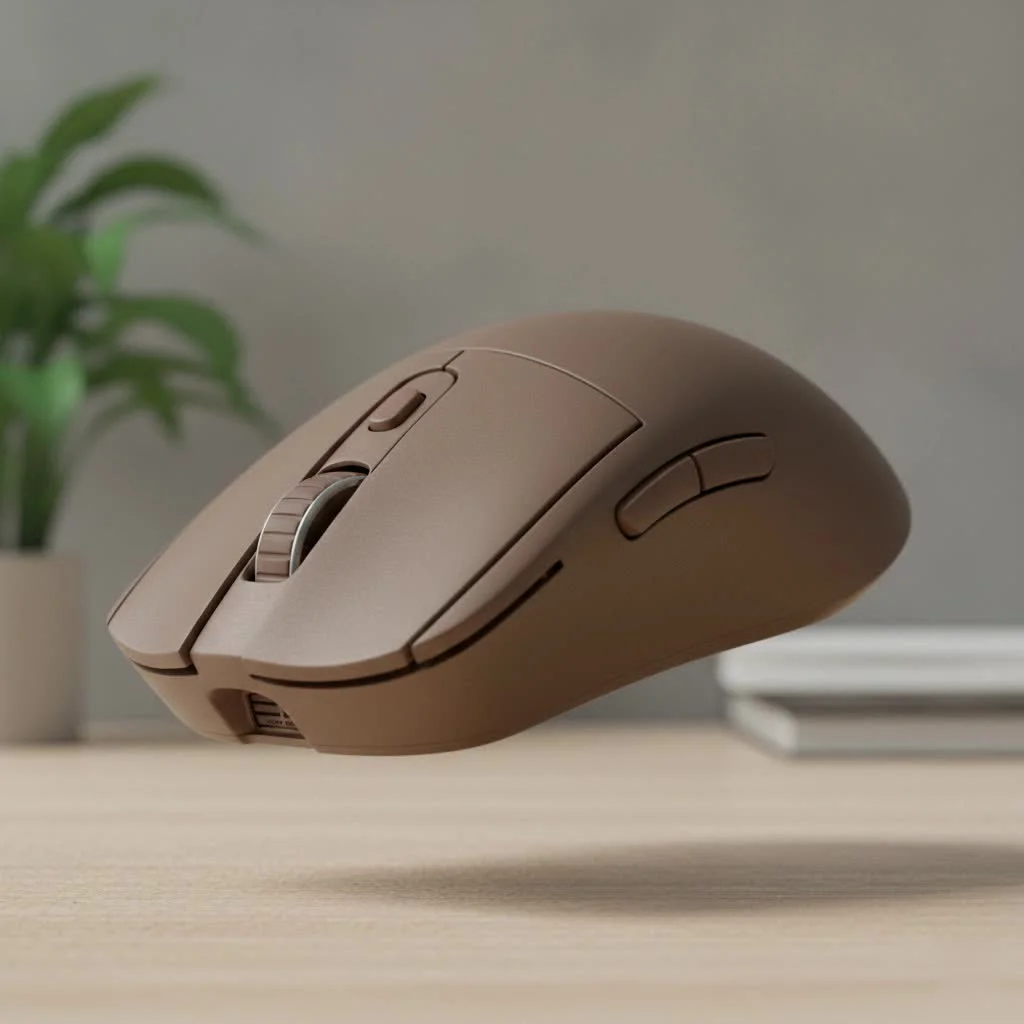 gaming mouse on a desk with a keyboard” style=”margin: 20px auto;width: 800px;max-width: 100%;height: auto” />
What’s New with the Logitech G502 X?
At first glance, the G502 X is unmistakably a G502, retaining its signature ergonomic shape and button layout. However, the improvements are significant, focusing on speed, durability, and comfort to meet the demands of modern gaming. For browse all reviews articles on this site.
LIGHTFORCE Hybrid Switches: A major upgrade
The single most important upgrade is the introduction of LIGHTFORCE hybrid optical-mechanical switches. This innovation combines the lightning-fast actuation of optical switches with the satisfying, crisp click of mechanical ones.
- Optical Speed: By using a beam of infrared light to register a click, actuation is nearly instantaneous. This eliminates the debounce delay found in purely mechanical switches, providing a tangible speed advantage in competitive games.
- Mechanical Feel: Despite the optical speed, Logitech has engineered the switch to provide the tactile, satisfying “click” that gamers expect. This delivers the performance of light speed with the feel of a classic mechanical switch.
“The LIGHTFORCE switches are a genuine innovation,” states our lead hardware analyst, Marcus Thorne. “They solve a long-standing dilemma for gamers. The result is a click that feels both incredibly responsive and reliable, which can make all the difference in a high-stakes match.”
The HERO 25K Sensor: Precision Perfected
The G502 X is equipped with Logitech’s top-tier HERO 25K sensor, renowned for its flawless, 1:1 tracking accuracy. With zero smoothing, filtering, or acceleration across its entire DPI range (100 to 25,600), it delivers pro-grade precision. This ensures perfect fidelity whether making microscopic adjustments or executing rapid 180-degree turns.
A Lighter, More Refined Design
One of the few criticisms of older G502 models was their weight. Logitech listened: the standard wired Logitech G502 X gaming mouse weighs just 89 grams, a significant reduction from its predecessor’s 121 grams. This weight reduction makes the mouse feel more agile and reduces fatigue during long gaming sessions, which is crucial for FPS and other fast-paced genres. To achieve this, several changes were made:
- Thinner Exoskeleton: A new thin-wall exoskeleton design reduces material without sacrificing rigidity or build quality.
- Lighter Scroll Wheel: The iconic metal scroll wheel has been replaced with a lighter plastic version that still retains the beloved dual-mode hyper-fast scrolling functionality.
- No More Weights: The adjustable weight system has been removed in favor of a fixed, optimized weight that appeals to a broader range of gamers, especially those in the competitive scene.
How Does It Feel in Hand? Ergonomics and Performance
The G502 X builds upon the legendary ergonomic shape of the original, making subtle tweaks for even better comfort. The classic right-handed shape with its sculpted thumb rest provides excellent support for palm and claw grip styles. The buttons have been refined for better accessibility, and the overall feel is one of control and stability. The PTFE feet provide an exceptionally smooth glide across almost any mousepad, enhancing the feeling of agility from the weight reduction.
In-game, the performance is stellar. The combination of the lightweight frame, the flawless HERO sensor, and the instant actuation of the LIGHTFORCE switches makes the G502 X a formidable tool. Aiming feels snappy and precise, and every click registers with immediate feedback.
Customization: Making the G502 X Your Own
The G502 legacy was built on customization, and the G502 X proudly carries that torch. With 13 programmable controls, you can tailor the mouse to your exact needs for any game or workflow.
G HUB Software and Onboard Memory
|
Our Picks for the Best Gaming Mouse in 2026
As an Amazon Associate I earn from qualifying purchases.
|
||
| Num | Product | Action |
|---|---|---|
| 1 | Logitech G502 X Plus Wireless Gaming Mouse - LIGHTSPEED Optical, LIGHTFORCE Switches, LIGHTSYNC RGB, HERO 25K Sensor for PC/Mac - Black |

|
| 2 | Logitech G703 Lightspeed Wireless Gaming Mouse W/Hero 25K Sensor, PowerPlay Compatible, Lightsync RGB, Lightweight 95G+10G Optional, 100-25, 600 DPI, Rubber Side Grips - Black |
|
| 3 | Razer Viper V3 Pro Wireless Esports Gaming Mouse: Symmetrical - 54g Lightweight - 8K Polling - 35K DPI Optical Sensor - Gen3 Optical Switches - 8 Programmable Buttons - 95 Hr Battery - Black |
|
| 4 | Logitech G PRO X SUPERLIGHT Wireless Gaming Mouse, Ultra-Lightweight, HERO 25K Sensor, 25,600 DPI, 5 Programmable Buttons, Long Battery Life, Compatible with PC / Mac - Black |
|
| 5 | Razer Basilisk V3 Customizable Ergonomic Gaming Mouse: Fastest Gaming Mouse Switch - Chroma RGB Lighting - 26K DPI Optical Sensor - 11 Programmable Buttons - HyperScroll Tilt Wheel - Classic Black |
|
| 6 | Razer Naga V2 HyperSpeed Wireless MMO Gaming Mouse: 19 Programmable Buttons - HyperScroll Technology - Focus Pro 30K Optical Sensor - Mechanical Mouse Switches Gen-2 - Up to 400 Hr Battery Life |
|
| 7 | Logitech G502 Lightspeed Wireless Gaming Mouse with Hero 25K Sensor, PowerPlay Compatible, Tunable Weights and Lightsync RGB - Black |
|
| 8 | Razer Basilisk V3 X HyperSpeed Customizable Wireless Gaming Mouse: Mechanical Switches Gen-2-5G Advanced 18K Optical Sensor - Chroma RGB 9 Programmable Controls 535 Hr Battery Classic Black |
|
| 9 | Razer DeathAdder Essential Gaming Mouse: 6400 DPI Optical Sensor - 5 Programmable Buttons - Mechanical Switches - Rubber Side Grips - Classic Black |
|
| 10 | Razer Viper V3 HyperSpeed Wireless Esports Gaming Mouse: 82g Lightweight - Up to 280 Hr Battery - 30K DPI Optical Sensor - Gen-2 Mechanical Switches - 8 Programmable Controls - Classic Black |
|
Logitech’s G HUB software is your command center for customization. Here, you can remap buttons, create complex macros, adjust DPI settings, and manage power settings on wireless models. Thanks to onboard memory, you can save your profiles directly to the mouse, ensuring your settings are with you no matter what PC you’re using, without needing the software running in the background.
The Reversible DPI-Shift Button
A clever design improvement is the redesigned DPI-shift button (or “sniper button”). It’s now reversible and removable, allowing you to customize it to your grip. You can position it closer to your thumb for quick access or replace it with a blank cover if you prefer not to use it, preventing accidental clicks.
Is the Logitech G502 X Gaming Mouse Worth It?
The verdict is a resounding yes. The Logitech G502 X gaming mouse successfully modernizes one of the most beloved designs in gaming history. It addresses the primary concerns with the original—namely its weight—while introducing meaningful technological upgrades like the LIGHTFORCE hybrid switches. It strikes a perfect balance between comfort, performance, and customization. While some may miss the adjustable weights or the metal scroll wheel of old, the benefits of the lighter, more agile design are undeniable for modern gaming. It’s a top-tier choice for gamers who play a wide variety of genres and demand a mouse that can do it all without compromise.
Frequently Asked Questions (FAQ)
What is the main difference between the G502 X, G502 X LIGHTSPEED, and G502 X PLUS?The G502 X is the wired base model. The G502 X LIGHTSPEED is the wireless version with Logitech’s pro-grade wireless technology. The G502 X PLUS is the flagship wireless model that includes all the features of the LIGHTSPEED version plus LIGHTSYNC RGB lighting.
Are LIGHTFORCE switches better than mechanical switches?They offer the best of both worlds. They provide the instantaneous actuation speed and durability of optical switches while retaining the satisfying tactile click feel of traditional mechanical switches.
Is the G502 X good for players with small hands?The G502 X is a medium-to-large-sized ergonomic mouse. While comfortable for most, players with very small hands might find it a bit bulky.
Can I still use the hyper-fast scroll wheel?Yes! The dual-mode scroll wheel is a signature feature of the G502 line. A button behind the wheel allows you to toggle between a precise, ratcheted scroll and a nearly frictionless, hyper-fast scroll for blazing through long pages or documents.
Does the wired G502 X have any RGB lighting?No, the standard wired G502 X model does not have any RGB lighting. This was a deliberate choice to help reduce weight and cost. If you want RGB, you’ll need to opt for the G502 X PLUS model.
Final Thoughts
The Logitech G502 X gaming mouse is a worthy successor to the throne. It’s a thoughtful evolution that respects its heritage while pushing forward with meaningful innovation. By shedding weight and adding next-generation switch technology, Logitech has crafted a mouse that is faster, more comfortable, and more responsive, ready to create a new legacy of its own. If you’re looking for a versatile, high-performance mouse that excels in any situation, your search may very well end here.
Frequently Asked Questions
What are the key differences between G502 X, G502 X LIGHTSPEED, and G502 X PLUS?
The G502 X is the wired base model. The G502 X LIGHTSPEED is the wireless version featuring Logitech's pro-grade wireless technology. The G502 X PLUS is the flagship wireless model, which includes all LIGHTSPEED features plus LIGHTSYNC RGB lighting.
Are LIGHTFORCE hybrid switches superior to traditional mechanical switches?
LIGHTFORCE hybrid switches offer the best of both worlds. They provide the instantaneous actuation speed and enhanced durability of optical switches while retaining the satisfying tactile click feel of traditional mechanical switches, eliminating debounce delay.
Is the Logitech G502 X suitable for gamers with smaller hands?
The G502 X is designed as a medium-to-large-sized ergonomic mouse. While it offers comfort for most users, players with very small hands might find its dimensions a bit bulky for optimal grip and control.
Does the G502 X still include the hyper-fast scroll wheel feature?
Yes, the dual-mode scroll wheel remains a signature feature of the G502 line. A dedicated button behind the wheel allows users to toggle between a precise, ratcheted scroll and a nearly frictionless, hyper-fast scroll for efficient navigation.
Does the wired Logitech G502 X model feature any RGB lighting?
No, the standard wired G502 X model does not include any RGB lighting. This design choice was made to help reduce the mouse's overall weight and cost. For RGB lighting, users should consider the G502 X PLUS model.
Get our weekly buyer guide
Practical specs, not advice. Unsubscribe anytime.

I’ve been a G502 fan for years, and the G502 X really delivers on the promise of a lighter frame. The 89-gram weight makes a huge difference for long gaming sessions, especially in fast-paced FPS games. The refined ergonomics are also a nice touch, feels super comfortable in my hand. Definitely worth the upgrade if you loved the original but wanted something less hefty.
This mouse is a beast! The LIGHTFORCE switches are a game-changer for sure, I can feel the difference in actuation speed during intense moments. It’s fantastic for versatile gaming, from MOBAs to shooters. Logitech really nailed the modernization while keeping the core feel that made the G502 so popular. Highly recommend it to anyone looking for a top-tier gaming mouse.
The LIGHTFORCE hybrid switches are genuinely impressive. The clicks feel incredibly responsive and satisfying, a noticeable improvement over my old mouse. I appreciate that they kept the iconic G502 shape, it’s just so familiar and comfortable. My only minor gripe is that I wish the scroll wheel had a bit more resistance, but it’s not a dealbreaker.
I was excited for the G502 X, especially hearing about the technological upgrades. The performance is solid, and it tracks really well. However, I found the button layout, while familiar, still a bit crowded for my grip style. It’s a good mouse, but I’m not sure it fully justifies the price point for me personally, given the minor comfort issues I had.