Finding the perfect gaming mouse can feel like a never-ending quest. You’re looking for the right sensor, the perfect weight, and a shape that feels like an extension of your hand. But what if you’re left-handed, or simply prefer a symmetrical design? This is where the Ambidextrous Gaming Mouse enters the arena. As a professional who has tested hundreds of mice over the last decade, I’m here to break down exactly what these versatile peripherals are and help you decide if one is right for your setup.
What Defines an Ambidextrous Gaming Mouse?
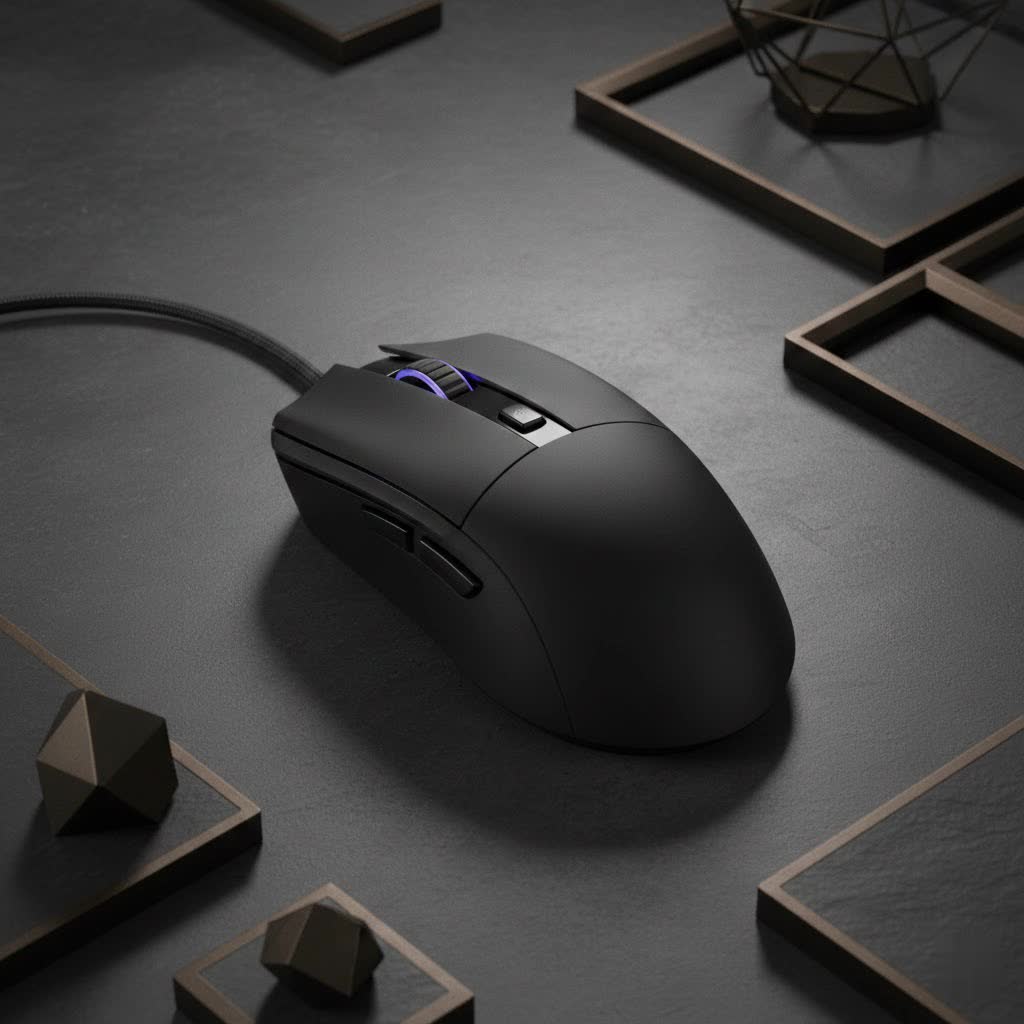
At its core, an ambidextrous gaming mouse is designed with a perfectly symmetrical shape. This means that the left and right sides are mirror images of each other, providing an identical feel whether you hold it in your right or left hand. This design philosophy stands in stark contrast to ergonomic mice, which are specifically contoured to fit the natural curve of a single hand (usually the right).
The two key characteristics are:
- Symmetrical Body: The shell of the mouse doesn’t have a thumb rest or a specific curve that favors one side over the other. This makes it immediately comfortable for a wide range of grip styles and hand orientations.
- Mirrored Button Layout: A “true” ambidextrous design often includes programmable side buttons on both the left and right sides. This ensures that both left- and right-handed players have access to the same functionality without compromise. Cheaper models might omit side buttons altogether to maintain symmetry.
Ambidextrous vs. Ergonomic: Which Is Right for You?
Choosing between an ambidextrous and an ergonomic mouse is a critical decision that directly impacts comfort and performance. There’s no single “better” option; it all comes down to personal preference, hand dominance, and grip style.
The Case for Ergonomic Mice
|
Our Picks for the Best Gaming Mouse in 2026
As an Amazon Associate I earn from qualifying purchases.
|
||
| Num | Product | Action |
|---|---|---|
| 1 | Logitech G502 X Plus Wireless Gaming Mouse - LIGHTSPEED Optical, LIGHTFORCE Switches, LIGHTSYNC RGB, HERO 25K Sensor for PC/Mac - Black |

|
| 2 | Razer Naga V2 HyperSpeed Wireless MMO Gaming Mouse: 19 Programmable Buttons - HyperScroll Technology - Focus Pro 30K Optical Sensor - Mechanical Mouse Switches Gen-2 - Up to 400 Hr Battery Life |
|
| 3 | Razer DeathAdder Essential Gaming Mouse: 6400 DPI Optical Sensor - 5 Programmable Buttons - Mechanical Switches - Rubber Side Grips - Classic Black |
|
| 4 | Razer Basilisk V3 X HyperSpeed Customizable Wireless Gaming Mouse: Mechanical Switches Gen-2-5G Advanced 18K Optical Sensor - Chroma RGB 9 Programmable Controls 535 Hr Battery Classic Black |
|
| 5 | Logitech G703 Lightspeed Wireless Gaming Mouse W/Hero 25K Sensor, PowerPlay Compatible, Lightsync RGB, Lightweight 95G+10G Optional, 100-25, 600 DPI, Rubber Side Grips - Black |
|
| 6 | Razer Viper V3 HyperSpeed Wireless Esports Gaming Mouse: 82g Lightweight - Up to 280 Hr Battery - 30K DPI Optical Sensor - Gen-2 Mechanical Switches - 8 Programmable Controls - Classic Black |
|
| 7 | Razer Viper V3 Pro Wireless Esports Gaming Mouse: Symmetrical - 54g Lightweight - 8K Polling - 35K DPI Optical Sensor - Gen3 Optical Switches - 8 Programmable Buttons - 95 Hr Battery - Black |
|
| 8 | Logitech G502 Lightspeed Wireless Gaming Mouse with Hero 25K Sensor, PowerPlay Compatible, Tunable Weights and Lightsync RGB - Black |
|
| 9 | Logitech G PRO X SUPERLIGHT Wireless Gaming Mouse, Ultra-Lightweight, HERO 25K Sensor, 25,600 DPI, 5 Programmable Buttons, Long Battery Life, Compatible with PC / Mac - Black |
|
| 10 | Razer Basilisk V3 Customizable Ergonomic Gaming Mouse: Fastest Gaming Mouse Switch - Chroma RGB Lighting - 26K DPI Optical Sensor - 11 Programmable Buttons - HyperScroll Tilt Wheel - Classic Black |
|
Ergonomic mice are built for comfort during long sessions. Their sculpted shapes are designed to support your hand in a more natural resting position, reducing strain on your wrist and fingers. For right-handed gamers who primarily use a palm grip, an ergonomic mouse often feels more supportive and locked-in.
The Power of an Ambidextrous Mouse
An ambidextrous gaming mouse offers unmatched versatility. Its neutral shape is a massive advantage for a few key groups of people:
- Left-Handed Gamers: This is the most obvious benefit. The market for dedicated left-handed gaming mice is painfully small, making ambidextrous models the best and often only high-performance option.
- Fingertip and Claw Grippers: Gamers who use fingertip or claw grips often prefer the control and precision offered by a symmetrical, less restrictive shape. It allows for more precise micro-adjustments that can be hindered by the deep curves of an ergonomic mouse.
- Gamers Who Value Flexibility: Some players simply prefer the feel of a symmetrical mouse, regardless of their dominant hand. It offers a different kind of control that feels more direct and unfiltered.
As gaming mouse expert “Helena ‘Glitch’ Petrova” from our Cyexx labs often says, “An ergonomic mouse forces your hand to adapt to its shape, while an ambidextrous mouse adapts to your grip. That freedom is its greatest strength.”
Key Features in a Modern Ambidextrous Gaming Mouse
Not all ambidextrous mice are created equal. If you’re in the market for one, here are the critical features to keep an eye on to ensure you get a top-tier experience.
Modular Side Buttons
The best ambidextrous designs feature modular or swappable side buttons. This allows you to have buttons on one side, both sides, or remove them entirely for a smooth finish. This customization prevents accidental clicks from your ring or pinky finger and ensures you only have the buttons you need. Look for mice that include magnetic or easy-to-swap button covers in the box.
A Top-Tier Optical Sensor
The heart of any gaming mouse is its sensor. For an ambidextrous model, you should expect the same level of performance as any high-end ergonomic mouse. Look for flagship optical sensors that offer high DPI (Dots Per Inch) for sensitivity adjustment, a high polling rate (1000Hz or more) for responsiveness, and flawless tracking with no acceleration or prediction. This ensures your aim is always 1:1 with your hand movements.
Weight and Balance
Because of their symmetrical design, the weight distribution on an ambidextrous gaming mouse is often perfectly centered. This creates a stable and predictable feel when lifting the mouse or making rapid flicks. Modern trends lean toward lighter mice (under 80 grams), as this reduces fatigue and allows for faster movements.
Powerful Software Suite
Customization is key. A good software suite allows you to:
- Re-assign buttons to any function or macro.
- Disable the side buttons you aren’t using.
- Adjust DPI settings and polling rates.
- Customize RGB lighting.
- Create profiles for different games or users.
Frequently Asked Questions (FAQ)
Can a right-handed person use an ambidextrous gaming mouse?
Absolutely. Many right-handed professional players prefer ambidextrous mice, especially those who use a claw or fingertip grip. The symmetrical shape can offer more control and precision for certain playstyles compared to a restrictive ergonomic design.
Are all ambidextrous mice good for left-handed players?
Mostly, but be careful. Some budget models are only ambidextrous in shape and lack side buttons entirely or only have them on the left side (for right-handed thumbs). A “true” ambidextrous mouse for a left-handed player should have configurable buttons on the right side.
Is an ambidextrous mouse a compromise in comfort?
Not necessarily. While it might not offer the palm-hugging support of an ergonomic mouse, it provides a different kind of comfort based on freedom of movement. For many gamers, this lack of a prescribed grip is actually more comfortable and leads to better performance.
Do ambidextrous mice work well for large hands?
Yes, many manufacturers offer ambidextrous models in various sizes. Just like with any other mouse, it’s important to check the dimensions (length, width, and height) to ensure it’s a good fit for your specific hand size.
The Final Verdict
The ambidextrous gaming mouse is far more than just a niche product for left-handed gamers. It’s a powerful and versatile option that offers unparalleled flexibility for a wide variety of grip styles and preferences. By prioritizing a symmetrical design, these mice provide a stable, balanced, and highly controllable platform for competitive play.
Whether you’re a left-handed player seeking a high-performance option, a claw gripper who needs maximum control, or simply a gamer who values choice, an ambidextrous mouse is an excellent contender for your desk. Don’t overlook them—you might just find the perfect fit you’ve been searching for.
