The Logitech G Pro X Superlight wireless gaming mouse remains a top-tier choice for competitive gamers due to its ultralight design (under 63 grams), flawless HERO 25K sensor, and reliable LIGHTSPEED wireless technology, which together provide unparalleled precision and responsiveness in esports. Despite newer competitors, its proven performance and minimalist design continue to make it a preferred tool for serious players.
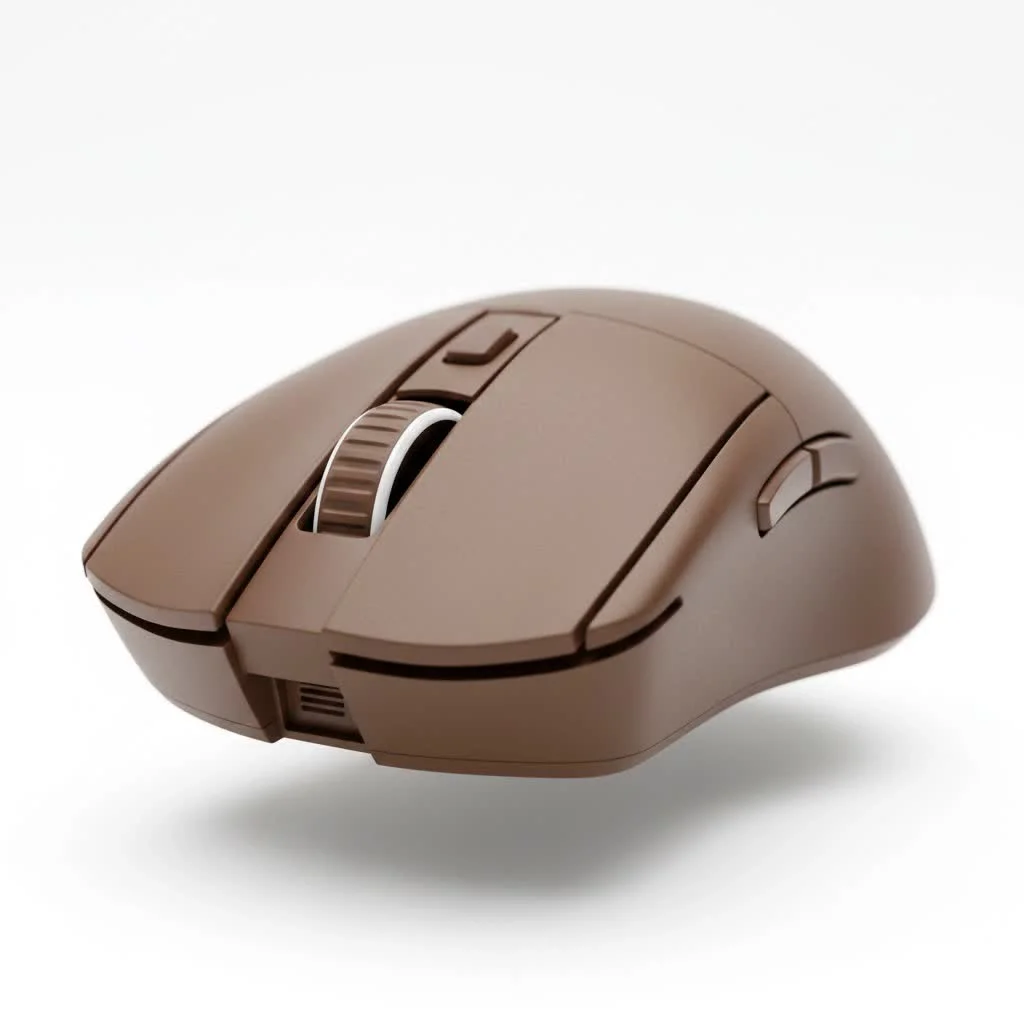
This review examine the technology, design philosophy, and real-world performance that cemented the Superlight’s legendary status. We will explore its core features, target audience, and whether it still represents a worthwhile investment for competitive gaming.
What Makes the G Pro X Superlight a Legend?
At its core, the Superlight is built on a foundation of three key pillars: extreme lightweight design, a flawless sensor, and latency-free wireless technology. This simple formula was executed by Logitech to near perfection.
The Featherlight Advantage: Less Than 63 Grams
The first thing you notice about the Superlight is its astonishing lack of weight, coming in at under 63 grams. This isn’t just a gimmick; a lighter mouse reduces inertia, making it easier to start and stop movements with precision. This translates to faster flicks, less fatigue during long gaming sessions, and a more direct connection to your aim. Logitech achieved this without resorting to honeycomb shell designs, maintaining a solid, comfortable, and durable body.
HERO 25K Sensor: The Pinnacle of Precision
A lightweight frame is useless without a brain to match. The Superlight is powered by Logitech’s proprietary HERO (High Efficiency Rated Optical) 25K sensor. This sensor delivers sub-micron tracking, meaning it can track movement at a level of one-millionth of a meter with zero smoothing, filtering, or acceleration across its entire DPI range.
This means your crosshair goes exactly where you intend it to, every single time, with no prediction or unwanted correction. It’s a raw, 1:1 translation of your hand’s movement to the screen, which is absolutely critical for building consistent muscle memory in FPS titles like Valorant or Counter-Strike.
LIGHTSPEED Wireless: Cutting the Cord, Not Performance
For years, pro gamers were skeptical of wireless technology, fearing latency and dropouts. Logitech’s LIGHTSPEED wireless technology single-handedly changed that perception. It offers a pro-grade, 1 ms report rate that is, in many cases, faster and more stable than its wired counterparts. During testing, the connection was flawless, with absolutely no perceptible lag or interference. It delivers the freedom of a wireless mouse with the rock-solid reliability of a wired one.
“The Superlight’s core appeal is its simplicity,” says David Chen, a professional esports coach. “It removes every possible barrier between the player’s intention and the in-game action. There are no fancy buttons or distracting lights, just pure, unadulterated performance.”
Design and Ergonomics: A Shape Forged in Competition
The Superlight wasn’t designed in a vacuum. Its shape was developed in collaboration with top esports professionals, resulting in a safe, ambidextrous design that caters to a wide variety of hand sizes and grip styles, particularly claw and fingertip grips.
Minimalist and Purpose-Built
|
Our Picks for the Best Gaming Mouse in 2026
As an Amazon Associate I earn from qualifying purchases.
|
||
| Num | Product | Action |
|---|---|---|
| 1 | Razer Naga V2 HyperSpeed Wireless MMO Gaming Mouse: 19 Programmable Buttons - HyperScroll Technology - Focus Pro 30K Optical Sensor - Mechanical Mouse Switches Gen-2 - Up to 400 Hr Battery Life |

|
| 2 | Razer DeathAdder Essential Gaming Mouse: 6400 DPI Optical Sensor - 5 Programmable Buttons - Mechanical Switches - Rubber Side Grips - Classic Black |
|
| 3 | Razer Viper V3 HyperSpeed Wireless Esports Gaming Mouse: 82g Lightweight - Up to 280 Hr Battery - 30K DPI Optical Sensor - Gen-2 Mechanical Switches - 8 Programmable Controls - Classic Black |
|
| 4 | Razer Viper V3 Pro Wireless Esports Gaming Mouse: Symmetrical - 54g Lightweight - 8K Polling - 35K DPI Optical Sensor - Gen3 Optical Switches - 8 Programmable Buttons - 95 Hr Battery - Black |
|
| 5 | Razer Basilisk V3 X HyperSpeed Customizable Wireless Gaming Mouse: Mechanical Switches Gen-2-5G Advanced 18K Optical Sensor - Chroma RGB 9 Programmable Controls 535 Hr Battery Classic Black |
|
| 6 | Razer Basilisk V3 Customizable Ergonomic Gaming Mouse: Fastest Gaming Mouse Switch - Chroma RGB Lighting - 26K DPI Optical Sensor - 11 Programmable Buttons - HyperScroll Tilt Wheel - Classic Black |
|
| 7 | Logitech G703 Lightspeed Wireless Gaming Mouse W/Hero 25K Sensor, PowerPlay Compatible, Lightsync RGB, Lightweight 95G+10G Optional, 100-25, 600 DPI, Rubber Side Grips - Black |
|
| 8 | Logitech G PRO X SUPERLIGHT Wireless Gaming Mouse, Ultra-Lightweight, HERO 25K Sensor, 25,600 DPI, 5 Programmable Buttons, Long Battery Life, Compatible with PC / Mac - Black |
|
| 9 | Logitech G502 X Plus Wireless Gaming Mouse - LIGHTSPEED Optical, LIGHTFORCE Switches, LIGHTSYNC RGB, HERO 25K Sensor for PC/Mac - Black |
|
| 10 | Logitech G502 Lightspeed Wireless Gaming Mouse with Hero 25K Sensor, PowerPlay Compatible, Tunable Weights and Lightsync RGB - Black |
|
The mouse has a very simple, minimalist aesthetic. It features two main buttons, a satisfyingly tactile scroll wheel, and two well-placed side buttons on the left. There is no DPI-switching button on the top or bottom of the mouse (it must be changed in the software), and there is no RGB lighting. Every element of the Logitech G Pro X Superlight wireless gaming mouse was a conscious decision to shave off grams and eliminate potential distractions, keeping the focus purely on what matters most: performance.
Glide and Control with PTFE Feet
On the underside of the mouse, you’ll find large, zero-additive PTFE feet. Polytetrafluoroethylene (PTFE) is known for its incredibly low friction, allowing the Superlight to glide effortlessly across most mousepad surfaces. This smooth glide helps make micro-adjustments feel fluid and natural, ensuring precise aiming.
Is the Logitech G Pro X Superlight Still Worth It?
Even years after its release, the Superlight remains one of the most popular mice in professional gaming. However, the market has become saturated with competitors offering lighter designs, higher polling rates, and more modern features like optical switches. So, is it still a top-tier choice?
The answer is a resounding yes, but with a few caveats.
Who Should Buy the Superlight?
This mouse is built for the serious, competitive gamer. If your primary goal is to maximize your in-game performance, especially in fast-paced shooters, the Superlight is a phenomenal tool. Its combination of a safe shape, light weight, and flawless wireless performance creates an incredibly reliable and consistent platform for aiming.
Potential Downsides to Consider
- Price: The Superlight still commands a premium price tag. While it’s a high-quality product, there are now more budget-friendly alternatives that offer similar performance.
- Micro-USB Port: In an age of USB-C, the Superlight’s use of a Micro-USB charging port feels dated. It’s a minor inconvenience but
- Lack of Features: The minimalist design means you miss out on features like a dedicated DPI button, extra programmable buttons, or RGB lighting. If you want a mouse that does more than just aim, this isn’t it.
- Standard Mechanical Switches: While reliable, the Omron mechanical switches can be prone to developing double-clicking issues over time, a problem that newer optical switches have solved.
Frequently Asked Questions (FAQ)
What is the battery life of the G Pro X Superlight?
The Logitech G Pro X Superlight boasts an impressive battery life of up to 70 hours of constant motion. With typical use, you’ll likely find yourself charging it only once every week or two.
Can the G Pro X Superlight be used by left-handed gamers?
While the mouse has an ambidextrous shape that is comfortable for both left and right-handed users, the side buttons are only located on the left side. This makes it primarily optimized for right-handed use.
Do I need to install software to use the mouse?
You can use the Superlight as a plug-and-play device. However, to customize DPI settings, change polling rates, and create profiles, you will need to install the Logitech G HUB software.
How does the G Pro X Superlight compare to the Razer Viper V2 Pro?
The Razer Viper V2 Pro is one of the Superlight’s main competitors. The Viper is slightly lighter, features optical switches (which are more durable), and uses USB-C charging. However, many users still prefer the safer, more rounded shape of the Superlight. The choice between them often comes down to hand shape and personal preference.
Does the G Pro X Superlight come in different colors?
Yes, the Logitech G Pro X Superlight is available in multiple colors, including the classic black and white, as well as pink and, more recently, a red edition.
The Final Verdict: A Timeless Performer
The Logitech G Pro X Superlight wireless gaming mouse is a shows the power of refined simplicity. It doesn’t try to dazzle with flashy lights or an abundance of features. Instead, it focuses on perfecting the fundamentals of what makes a great competitive gaming mouse: a comfortable shape, an incredibly low weight, a flawless sensor, and a perfect wireless connection.
While newer mice may have surpassed it in specific technical areas, the Superlight’s holistic design and proven track record keep it at the top of the pack. It’s a reliable, no-nonsense tool built for one purpose: to help you win. If you’re a dedicated gamer looking for a mouse that will never let you down, the Superlight remains one of the best investments you can make in your performance.
Frequently Asked Questions
What is the battery life of the G Pro X Superlight?
The Logitech G Pro X Superlight offers an impressive battery life of up to 70 hours of constant motion. This means with typical use, you will likely only need to charge it once every week or two, providing extended gaming sessions without interruption.
Can the G Pro X Superlight be used by left-handed gamers?
While the Logitech G Pro X Superlight features an ambidextrous shape that can be comfortable for both left and right-handed users, its side buttons are exclusively located on the left side. This design choice primarily optimizes the mouse for right-handed use, limiting full functionality for left-handed players.
Do I need to install software to use the mouse?
You can use the Logitech G Pro X Superlight as a plug-and-play device right out of the box for basic functionality. However, to fully customize settings such as DPI, polling rates, and to create personalized profiles, you will need to install the Logitech G HUB software.
How does the G Pro X Superlight compare to the Razer Viper V2 Pro?
The Razer Viper V2 Pro is a direct competitor to the Superlight, offering a slightly lighter build, more durable optical switches, and modern USB-C charging. However, many users still prefer the Superlight's safer, more rounded shape, making the choice often dependent on individual hand shape and ergonomic preference.
Does the G Pro X Superlight come in different colors?
Yes, the Logitech G Pro X Superlight is available in several color options. These include the classic black and white, as well as more vibrant choices like pink and a recently introduced red edition, allowing users to select a style that matches their setup.
Get our weekly buyer guide
Practical specs, not advice. Unsubscribe anytime.

As someone who plays a lot of esports, the G Pro X Superlight has been an absolute revelation. The under 63 grams weight makes flick shots feel effortless, and the battery life is fantastic. It’s clear why so many pros stick with this mouse; it’s built for serious players who demand the best. Definitely a worthwhile investment.
I’ve been using the G Pro X Superlight for about six months now, and it’s truly a game-changer. The ultralight design really makes a difference in long gaming sessions, especially for fast-paced FPS games. My aim has definitely improved since switching to this mouse. The LIGHTSPEED wireless is also incredibly responsive, I’ve never noticed any lag whatsoever.
I wanted to love the Superlight, especially hearing about its legendary status for competitive gaming. While the lightweight feel is nice, I found the scroll wheel a bit too loose for my liking. It’s not a dealbreaker, but for such a premium mouse, I expected a slightly more tactile feel. Still, the overall performance is solid.
This mouse lives up to the hype. The HERO 25K sensor is incredibly precise, and I appreciate the minimalist design – no unnecessary frills, just pure performance. It feels great in the hand and glides smoothly. My only minor gripe is the price point, it’s a bit steep, but you really do get what you pay for in terms of quality.