Welcome to Cyexx, where we dissect the tech that gives you the edge. For years, the idea of using a Bluetooth mouse for serious gaming was almost laughable. The input lag, the instability—it was a recipe for disaster in any competitive scenario. But technology evolves. Today, the conversation around the best bluetooth gaming mouse is not about if you can game with one, but which one you should choose to dominate without cables.
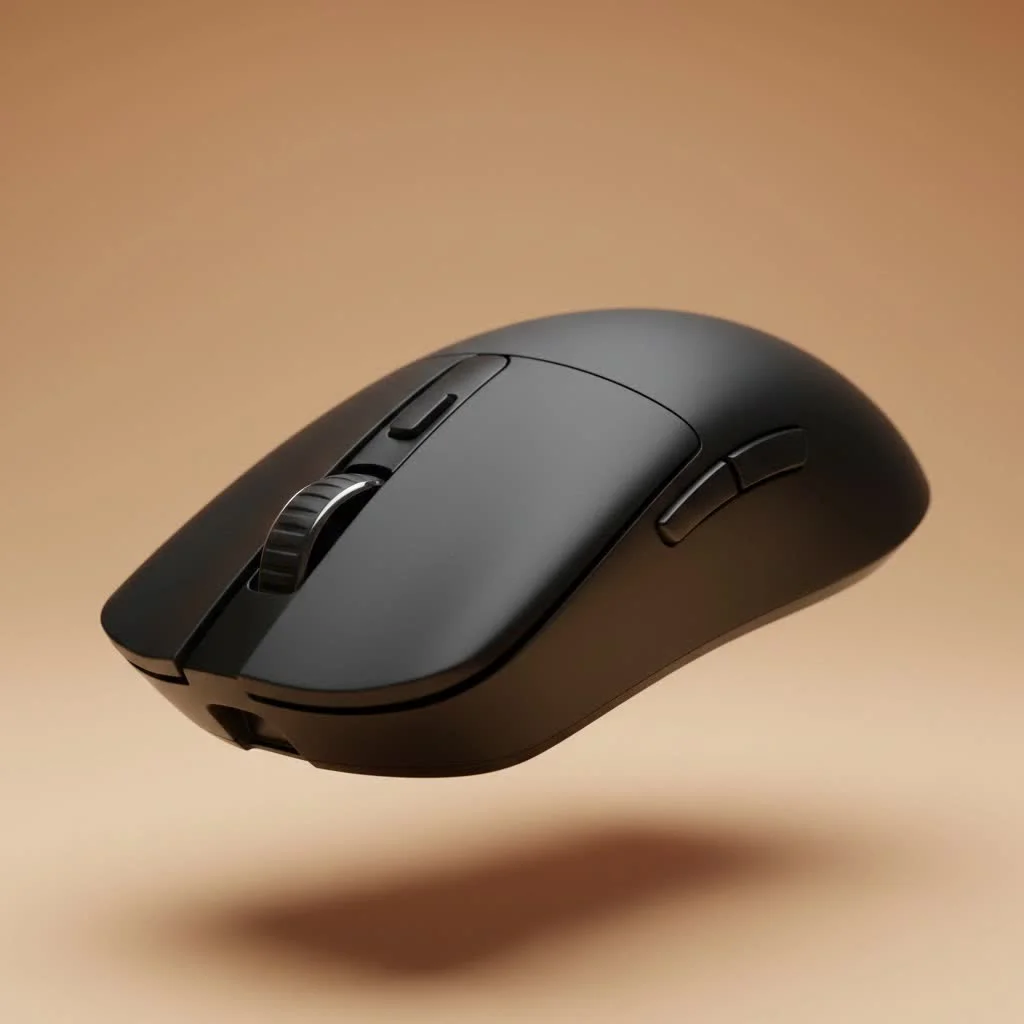
The dream is a clean, wire-free desk setup without sacrificing the snappy response time you need. Modern Bluetooth technology, combined with top-tier sensors and smart power management, has made this dream a reality. Whether you’re a hardcore esports athlete needing a travel-friendly option or a casual gamer who values versatility, a great Bluetooth mouse can be the perfect centerpiece for your setup. Let’s dive into what makes these mice tick and which ones deserve your attention.
Is a Bluetooth Gaming Mouse Actually Good for Gaming?
This is the million-dollar question. The short answer is yes, but with a few important caveats. Modern Bluetooth Low Energy (BLE) technology has significantly closed the gap on its main wireless competitor, the 2.4GHz dongle. For most gaming scenarios, a high-quality Bluetooth mouse is more than capable.
However, for elite-level, twitch-reaction-based gaming like high-ranking CS:GO or Valorant matches, a dedicated 2.4GHz connection is still the undisputed king for the lowest possible latency.
The Great Debate: Bluetooth vs. 2.4GHz Wireless
Think of it like this: a 2.4GHz connection is a private, high-speed lane built specifically for your mouse to talk to your PC. It uses a dedicated USB dongle to create a direct, stable link with minimal interference and the highest polling rates (how often the mouse reports its position).
Bluetooth, on the other hand, is a multi-lane highway. It’s designed for versatility, connecting everything from your headphones to your keyboard using a standardized protocol. While convenient and often built directly into your laptop or PC, this shared highway can occasionally have a little more traffic, leading to slightly higher latency.
“While 2.4GHz is the purist’s choice for raw performance, the convenience of a dongle-free Bluetooth connection for gaming on the go or for hybrid work-and-play setups is undeniable,” notes our lead hardware analyst, Alex ‘Apex’ Foster. “The best models offer both, giving you the ultimate flexibility.”
When Does Bluetooth Make Sense for a Gamer?
A Bluetooth gaming mouse shines in several key areas:
- Versatility: Seamlessly switch between your gaming laptop, work computer, and even a tablet without moving a dongle.
- Portability: Perfect for laptop gamers. No dongle means one less thing to lose or break.
- Battery Life: Bluetooth Low Energy is incredibly efficient, often providing hundreds of hours of use, far surpassing many 2.4GHz mice.
- Casual and Single-Player Gaming: For titles like Baldur’s Gate 3, The Witcher 3, or even many online multiplayer games, the minuscule difference in latency is completely unnoticeable.
Our Top Picks for the Best Bluetooth Gaming Mouse in 2025
After extensive testing here at Cyexx, we’ve narrowed down the field. These are the mice that deliver on performance, comfort, and features, proving that Bluetooth can hold its own in the gaming arena.
1. Razer Orochi V2 – Best Overall Compact Choice
|
Our Picks for the Best Gaming Mouse in 2026
As an Amazon Associate I earn from qualifying purchases.
|
||
| Num | Product | Action |
|---|---|---|
| 1 | Logitech G703 Lightspeed Wireless Gaming Mouse W/Hero 25K Sensor, PowerPlay Compatible, Lightsync RGB, Lightweight 95G+10G Optional, 100-25, 600 DPI, Rubber Side Grips - Black |

|
| 2 | Razer Basilisk V3 X HyperSpeed Customizable Wireless Gaming Mouse: Mechanical Switches Gen-2-5G Advanced 18K Optical Sensor - Chroma RGB 9 Programmable Controls 535 Hr Battery Classic Black |
|
| 3 | Razer DeathAdder Essential Gaming Mouse: 6400 DPI Optical Sensor - 5 Programmable Buttons - Mechanical Switches - Rubber Side Grips - Classic Black |
|
| 4 | Razer Viper V3 HyperSpeed Wireless Esports Gaming Mouse: 82g Lightweight - Up to 280 Hr Battery - 30K DPI Optical Sensor - Gen-2 Mechanical Switches - 8 Programmable Controls - Classic Black |
|
| 5 | Razer Viper V3 Pro Wireless Esports Gaming Mouse: Symmetrical - 54g Lightweight - 8K Polling - 35K DPI Optical Sensor - Gen3 Optical Switches - 8 Programmable Buttons - 95 Hr Battery - Black |
|
| 6 | Razer Basilisk V3 Customizable Ergonomic Gaming Mouse: Fastest Gaming Mouse Switch - Chroma RGB Lighting - 26K DPI Optical Sensor - 11 Programmable Buttons - HyperScroll Tilt Wheel - Classic Black |
|
| 7 | Logitech G PRO X SUPERLIGHT Wireless Gaming Mouse, Ultra-Lightweight, HERO 25K Sensor, 25,600 DPI, 5 Programmable Buttons, Long Battery Life, Compatible with PC / Mac - Black |
|
| 8 | Logitech G502 X Plus Wireless Gaming Mouse - LIGHTSPEED Optical, LIGHTFORCE Switches, LIGHTSYNC RGB, HERO 25K Sensor for PC/Mac - Black |
|
| 9 | Razer Naga V2 HyperSpeed Wireless MMO Gaming Mouse: 19 Programmable Buttons - HyperScroll Technology - Focus Pro 30K Optical Sensor - Mechanical Mouse Switches Gen-2 - Up to 400 Hr Battery Life |
|
| 10 | Logitech G502 Lightspeed Wireless Gaming Mouse with Hero 25K Sensor, PowerPlay Compatible, Tunable Weights and Lightsync RGB - Black |
|
The Razer Orochi V2 is a small marvel of engineering. It’s incredibly lightweight, making it a joy to use for fast-paced games, and its compact shape is perfect for claw or fingertip grips, as well as for gamers with smaller hands. Its biggest selling point is its hybrid connectivity and phenomenal battery life. You get Razer’s HyperSpeed 2.4GHz for serious sessions and a rock-solid Bluetooth mode that can last up to 950 hours on a single AA battery.
- Connectivity: HyperSpeed 2.4GHz & Bluetooth LE
- Sensor: Razer 5G Advanced 18K DPI Optical Sensor
- Battery: Up to 425 hours (2.4GHz) / 950 hours (Bluetooth)
- Weight: <60g (without battery)
2. Logitech G604 LIGHTSPEED – The MMO & Productivity King
If your gaming life involves more than just FPS titles, the Logitech G604 is a powerhouse. With six programmable thumb buttons, it’s a dream for MMOs, MOBAs, or complex productivity tasks. It features Logitech’s class-leading HERO 25K sensor, ensuring flawless tracking. Like the Orochi, it offers dual connectivity, allowing you to switch between a low-latency LIGHTSPEED 2.4GHz connection and a power-sipping Bluetooth mode with the press of a button.
- Connectivity: LIGHTSPEED 2.4GHz & Bluetooth
- Sensor: HERO 25K Sensor
- Battery: Up to 240 hours (2.4GHz) / 5.5 months (Bluetooth)
- Buttons: 15 programmable controls
3. Corsair Dark Core RGB Pro SE – The Comfortable All-Rounder
The Corsair Dark Core RGB Pro SE focuses on ergonomics. Its large, comfortable shape is ideal for palm grip users, and it even includes an interchangeable side grip to customize the feel. It boasts three ways to connect: Corsair’s sub-1ms Slipstream 2.4GHz, Bluetooth, or wired USB-C. A unique feature is its Qi wireless charging capability, making it incredibly convenient to top up the battery on a compatible mousepad.
- Connectivity: Slipstream 2.4GHz, Bluetooth 4.2, USB-C Wired
- Sensor: PixArt PAW3392 18K DPI Optical Sensor
- Features: Qi Wireless Charging, 9-Zone RGB, swappable side grips
4. Razer DeathAdder V2 Pro – Ergonomic Excellence, Now Wireless
The DeathAdder is one of the most iconic shapes in gaming mouse history, and the V2 Pro brings that beloved ergonomic design into the wireless age. It’s a fantastic choice for a wide range of hand sizes and grip styles, especially palm and claw. It offers both HyperSpeed 2.4GHz and Bluetooth connectivity, backed by Razer’s Focus+ Optical Sensor for pixel-perfect accuracy. It’s the classic, refined choice for gamers who want a familiar feel without the cord.
- Connectivity: HyperSpeed 2.4GHz & Bluetooth
- Sensor: Focus+ 20K DPI Optical Sensor
- Battery: Up to 70 hours (2.4GHz) / 120 hours (Bluetooth)
- Weight: 88g
Key Factors When Choosing a Bluetooth Gaming Mouse
Before you make your final decision, keep these crucial elements in mind. This checklist will help you find the perfect fit for your needs.
| Feature | What to Look For | Why It Matters |
|---|---|---|
| Dual Connectivity | Models with both Bluetooth and a 2.4GHz dongle. | Provides the best of both worlds: low-latency 2.4GHz for competitive gaming and convenient Bluetooth for everything else. |
| Sensor Quality | Look for reputable sensors (e.g., Razer Focus+, Logitech HERO). High DPI is a plus, but tracking accuracy (IPS) is more important. | A good sensor ensures your movements are translated 1:1 on-screen with no smoothing or acceleration, which is critical for aiming. |
| Battery Life | Check the manufacturer’s rating for Bluetooth mode specifically. Ratings often exceed 100 hours. | You want a mouse that lasts for weeks or months on a single charge or battery, not days. |
| Ergonomics & Weight | Shape, size, and weight that match your hand size and preferred grip style (palm, claw, fingertip). | Comfort is king. An uncomfortable mouse will lead to fatigue and poor performance over long gaming sessions. |
| Software Customization | Robust software (like Razer Synapse or Logitech G HUB) for remapping buttons, adjusting DPI, and managing profiles. | Allows you to tailor the mouse’s performance and functionality to your specific games and preferences. |
Frequently Asked Questions (FAQ)
Can you be competitive with a Bluetooth mouse?
Yes, absolutely, in most gaming genres. For casual to semi-serious play in FPS, MOBA, and RPG games, a modern Bluetooth connection is perfectly adequate. However, for top-tier esports competition, a 2.4GHz connection is still recommended for its marginally lower and more consistent latency.
Does Bluetooth drain mouse battery faster than 2.4GHz?
No, it’s typically the opposite. Bluetooth Low Energy (BLE) is designed for extreme power efficiency. Most dual-mode mice will list a significantly longer battery life when operating in Bluetooth mode compared to their high-performance 2.4GHz mode.
What is the main disadvantage of a Bluetooth mouse for gaming?
The primary disadvantage is slightly higher input latency compared to a high-quality 2.4GHz or wired mouse. This “lag” is often imperceptible to most users but can be a factor for highly sensitive, professional-level players. It can also be more susceptible to wireless interference in crowded environments.
Do I need a special dongle for a Bluetooth gaming mouse?
No, and that’s the main benefit. If your PC or laptop has Bluetooth built-in, you don’t need any dongles. This frees up a USB port and makes for a cleaner, more portable setup.
How do I reduce input lag on my Bluetooth mouse?
To minimize lag, ensure your PC’s Bluetooth drivers are up to date. Also, reduce wireless interference by moving other wireless devices away from your mouse and PC. Close unnecessary background applications and, if available, use any “performance mode” settings in the mouse’s software.
The Final Verdict
The debate is over: the best bluetooth gaming mouse is no longer a compromise. It’s a smart choice for the modern gamer who values performance, versatility, and a clutter-free setup. Models like the Razer Orochi V2 prove that you can have lightning-fast responsiveness in a compact form, while options like the Logitech G604 cater to those who need a command center at their fingertips.
By choosing a model with dual-connectivity, you get a device that’s ready for a professional tournament on its 2.4GHz connection and perfect for a casual gaming session on your laptop via Bluetooth. The cord has been cut, and the freedom is yours for the taking. Choose wisely, and enjoy the untethered future of gaming.
Get our weekly buyer guide
Practical specs, not advice. Unsubscribe anytime.
