In the world of competitive FPS games like Valorant, Counter-Strike, or Apex Legends, your mouse is more than just a peripheral—it’s an extension of your arm and your aim. The fractional-second difference between landing a critical headshot and staring at a respawn screen often comes down to the hardware in your hand. Finding the best gaming mouse for FPS is about prioritizing raw performance, speed, and precision over flashy lights or a dozen extra buttons.
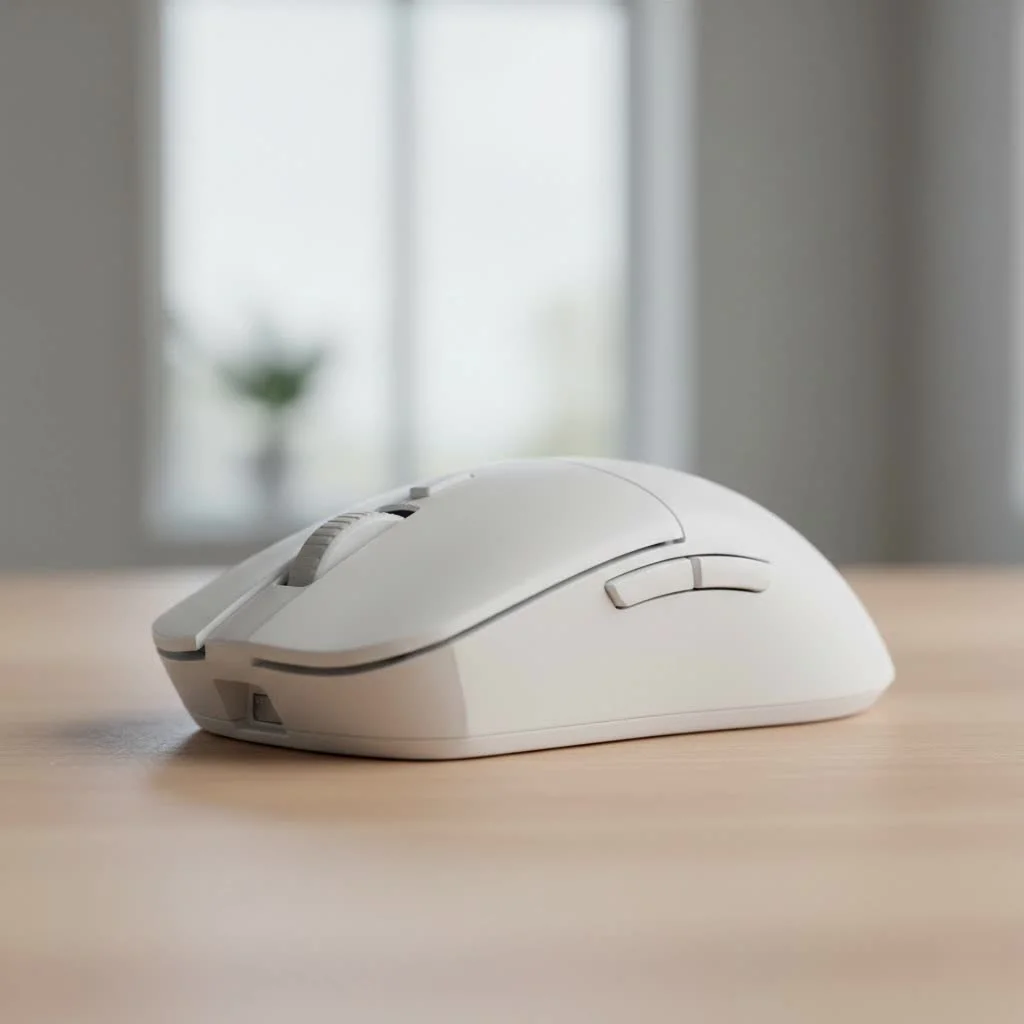
This guide will break down exactly what you need to look for in an FPS mouse, explain the tech without the confusing jargon, and recommend the top models that can give you a competitive edge. Whether you’re a seasoned pro or just looking to improve your K/D ratio, this is your starting point for achieving flawless aim. For browse all reviews articles on this site.
What Truly Makes a Mouse Good for FPS?
Before we jump into specific models, it’s crucial to understand the “why.” What separates a top-tier FPS mouse from an average one? It boils down to a few key principles that all work together to create a seamless connection between your hand’s movement and the action on screen.
It’s All About Weight (Or Lack Thereof)
The single biggest trend in FPS mice over the last few years has been the race to reduce weight. The logic is simple: a lighter mouse requires less force to move and stop. This translates to faster flicks, quicker target acquisition, and significantly less fatigue during long gaming sessions. Most top-tier FPS mice today weigh well under 70 grams, with many ultralight models pushing below the 60-gram mark. This feature alone can make your aim feel more responsive and agile.
The Sensor: The Heart of Precision
Think of a mouse sensor as a tiny, high-speed camera on the bottom of your mouse. It rapidly takes pictures of the surface to track movement. For FPS gaming, you need a “flawless” sensor, which means it translates your hand movements with perfect 1:to:1 accuracy. Here’s what matters:
- DPI (Dots Per Inch): This is just a measure of sensitivity. Ignore the massive 30,000+ DPI numbers in marketing; they are not a measure of quality. Most professional FPS players use a much lower DPI, typically between 400 and 1600, for more controlled and precise aiming.
- IPS (Inches Per Second): This measures the maximum speed at which you can move the mouse while the sensor still tracks accurately. A high IPS (400 or more) is essential to ensure your fastest flicks are registered perfectly.
- Acceleration: A good gaming sensor has zero hardware acceleration. This means if you move your mouse 2 inches quickly or 2 inches slowly, the cursor will move the exact same distance on the screen. This predictability is the foundation of muscle memory.
- Lift-Off Distance (LOD): This is the height at which the sensor stops tracking when you lift the mouse. Low-sensitivity players constantly lift and reposition their mouse. A low LOD is critical to prevent the cursor from jittering or moving unintentionally during these lifts.
Wired vs. Wireless: The Latency Myth Is Dead
|
Our Picks for the Best Gaming Mouse in 2026
As an Amazon Associate I earn from qualifying purchases.
|
||
| Num | Product | Action |
|---|---|---|
| 1 | Razer Basilisk V3 X HyperSpeed Customizable Wireless Gaming Mouse: Mechanical Switches Gen-2-5G Advanced 18K Optical Sensor - Chroma RGB 9 Programmable Controls 535 Hr Battery Classic Black |

|
| 2 | Logitech G PRO X SUPERLIGHT Wireless Gaming Mouse, Ultra-Lightweight, HERO 25K Sensor, 25,600 DPI, 5 Programmable Buttons, Long Battery Life, Compatible with PC / Mac - Black |
|
| 3 | Logitech G703 Lightspeed Wireless Gaming Mouse W/Hero 25K Sensor, PowerPlay Compatible, Lightsync RGB, Lightweight 95G+10G Optional, 100-25, 600 DPI, Rubber Side Grips - Black |
|
| 4 | Razer Basilisk V3 Customizable Ergonomic Gaming Mouse: Fastest Gaming Mouse Switch - Chroma RGB Lighting - 26K DPI Optical Sensor - 11 Programmable Buttons - HyperScroll Tilt Wheel - Classic Black |
|
| 5 | Razer Viper V3 Pro Wireless Esports Gaming Mouse: Symmetrical - 54g Lightweight - 8K Polling - 35K DPI Optical Sensor - Gen3 Optical Switches - 8 Programmable Buttons - 95 Hr Battery - Black |
|
| 6 | Razer Naga V2 HyperSpeed Wireless MMO Gaming Mouse: 19 Programmable Buttons - HyperScroll Technology - Focus Pro 30K Optical Sensor - Mechanical Mouse Switches Gen-2 - Up to 400 Hr Battery Life |
|
| 7 | Razer Viper V3 HyperSpeed Wireless Esports Gaming Mouse: 82g Lightweight - Up to 280 Hr Battery - 30K DPI Optical Sensor - Gen-2 Mechanical Switches - 8 Programmable Controls - Classic Black |
|
| 8 | Logitech G502 Lightspeed Wireless Gaming Mouse with Hero 25K Sensor, PowerPlay Compatible, Tunable Weights and Lightsync RGB - Black |
|
| 9 | Logitech G502 X Plus Wireless Gaming Mouse - LIGHTSPEED Optical, LIGHTFORCE Switches, LIGHTSYNC RGB, HERO 25K Sensor for PC/Mac - Black |
|
| 10 | Razer DeathAdder Essential Gaming Mouse: 6400 DPI Optical Sensor - 5 Programmable Buttons - Mechanical Switches - Rubber Side Grips - Classic Black |
|
In the past, pro gamers stuck to wired mice to avoid input lag. Those days are over. Modern 2.4GHz wireless technology from leading brands like Logitech and Razer is now just as fast—and in some cases, even faster—than its wired counterparts. The freedom from cable drag, where the cord snags or pulls, is a massive advantage in FPS games, allowing for completely unrestricted movement. For competitive play, wireless is no longer a compromise; it’s the new standard.
Shape and Grip: The Comfort Factor
A mouse can have the best technology in the world, but if it doesn’t fit your hand, you’ll never play your best. Shape is a deeply personal choice that depends on your hand size and grip style.
- Palm Grip: Your entire palm rests on the mouse. Larger, ergonomic mice often cater to this style.
- Claw Grip: Your palm touches the back of the mouse, but your fingers are arched in a claw-like shape. Ambidextrous and smaller ergonomic mice often work well.
- Fingertip Grip: Only your fingertips touch the mouse; your palm doesn’t make contact. Small, lightweight, and ambidextrous mice are ideal for this grip.
Ergonomic mice are sculpted for right-handed (or left-handed) users, offering contours that fit the natural shape of the hand. Ambidextrous mice have a symmetrical design that can be used by either hand.
The Best Gaming Mice for FPS in 2025
Here are our top picks for FPS mice that deliver on performance, weight, and design.
1. Logitech G Pro X Superlight 2: The FPS Benchmark
The Logitech G Pro X Superlight has been a dominant force in the esports scene for years, and its successor builds upon that legacy. At just 60 grams, it hits the sweet spot for weight. Its safe, symmetrical shape is comfortable for a wide variety of hand sizes and grip styles, making it an incredibly popular choice among professional players. The HERO 2 sensor provides flawless tracking, and Logitech’s LIGHTSPEED wireless technology ensures a rock-solid, lag-free connection.
- Weight: 60g
- Sensor: HERO 2
- Connectivity: Wireless (LIGHTSPEED)
- Shape: Ambidextrous
- Pros: Extremely popular and proven pro-grade shape, very lightweight, excellent battery life.
- Cons: Expensive, design is very safe and lacks some ergonomic comforts.
2. Razer Viper V3 Pro: The Lightweight Contender
Razer has been at the forefront of ultralight mouse design, and the Viper V3 Pro is a testament to that. As one of the lightest flagship mice available, it feels incredibly fast and agile in-hand. It features Razer’s top-of-the-line Focus Pro optical sensor for pixel-perfect tracking and supports an 8000Hz polling rate for the lowest possible latency. Its updated symmetrical shape is refined for competitive claw and fingertip grips.
- Weight: 54g
- Sensor: Focus Pro 35K Gen-2
- Connectivity: Wireless (HyperSpeed)
- Shape: Ambidextrous
- Pros: Incredibly lightweight, top-tier sensor, supports ultra-high polling rates.
- Cons: Minimalist design may not be for everyone, high polling rate can use more CPU resources.
3. Razer DeathAdder V3 Pro: The Ergonomic Champion
For players who prefer an ergonomic shape over an ambidextrous one, the DeathAdder V3 Pro is arguably the best in its class. This mouse carries the iconic DeathAdder lineage but has been completely redesigned for competitive play, shedding significant weight and refining its curves for optimal comfort. It weighs only 63 grams, making it one of the lightest ergonomic mice on the market. It’s perfect for palm and claw grippers who want pro-level performance without sacrificing comfort.
- Weight: 63g
- Sensor: Focus Pro 30K
- Connectivity: Wireless (HyperSpeed)
- Shape: Ergonomic (Right-Handed)
- Pros: Supremely comfortable ergonomic shape, very lightweight for its size, flawless sensor performance.
- Cons: Shape is only for right-handed users, higher price point.
4. Corsair Katar Pro XT: The Budget Warrior
You don’t have to spend a fortune to get a great FPS mouse. The Corsair Katar Pro XT delivers the core fundamentals of a competitive mouse at a fraction of the price. It’s lightweight at 73 grams, has a comfortable ambidextrous shape, and features a reliable 18,000 DPI optical sensor. While it’s a wired mouse, it comes with a flexible paracord cable that minimizes drag, giving you a near-wireless feel. For gamers on a budget, this is an excellent starting point.
- Weight: 73g
- Sensor: 18,000 DPI Optical
- Connectivity: Wired
- Shape: Ambidextrous
- Pros: Great value for the price, lightweight and nimble, flexible cable.
- Cons: Not as lightweight as premium wireless models, sensor is not top-of-the-line but excellent for the price.
Frequently Asked Questions (FAQ)
Is a lighter mouse always better for FPS?
Generally, yes. For most players, a lighter mouse (under 75g) allows for faster reaction times and causes less strain. However, shape and comfort are just as important. An uncomfortable lightweight mouse is worse than a comfortable heavier one.
What DPI do pro FPS players use?
Most professional players use a DPI between 400 and 1600. They pair this low DPI with a large mousepad, using broad arm movements for large turns and fine wrist/finger adjustments for precise aiming. A high DPI is not a sign of skill or a better mouse.
Is 8000Hz polling rate worth it for FPS?
A polling rate of 8000Hz means the mouse reports its position to your PC 8000 times per second, compared to the standard 1000Hz. This technically reduces latency from 1ms to 0.125ms. While the difference is tiny, it can be beneficial for high-refresh-rate monitors (240Hz and above) and for players seeking every possible competitive advantage. For the average gamer, 1000Hz is more than enough.
How important are mouse feet for an FPS mouse?
Very important. Mouse feet, or skates, are the pads on the bottom of the mouse that make contact with the surface. High-quality feet made from 100% pure PTFE provide a smooth, consistent glide that is crucial for aiming. Many enthusiasts replace stock feet with aftermarket ones for an even better glide.
Can I use an MMO mouse for FPS games?
You can, but it’s not ideal. MMO mice are typically heavier and have a grid of side buttons that can get in the way of a secure grip. FPS gaming prioritizes a lightweight design and a shape that is easy to grip firmly for fast, sweeping movements.
Conclusion
Choosing the best gaming mouse for FPS is a journey into prioritizing what truly matters for competitive aim: a lightweight design for speed, a flawless sensor for accuracy, and a comfortable shape for control. While premium models from Logitech and Razer currently lead the charge with their advanced wireless technology and ultralight builds, the perfect mouse is the one that disappears in your hand and lets you focus solely on the game.
Use this knowledge to analyze your own needs—your grip, your budget, and your playstyle. Whether you choose a proven esports champion or a solid budget contender, the right mouse will feel less like a tool and more like a natural part of your aim. Now, get out there and start clicking heads.
Get our weekly buyer guide
Practical specs, not advice. Unsubscribe anytime.
