In the world of competitive gaming, we obsess over an imperceptible millisecond of input lag and the precise actuation point of a keyboard switch. Yet, one of the most critical components of your setup is often the most overlooked: the surface your mouse lives on. A high-quality Logitech gaming mouse pad isn’t just a placemat for your desk; it’s a performance tool engineered to translate your physical movements into pixel-perfect in-game actions. At Cyexx, we believe that the right surface unlocks the true potential of your mouse, and Logitech has spent years refining its lineup to cater to every type of player.
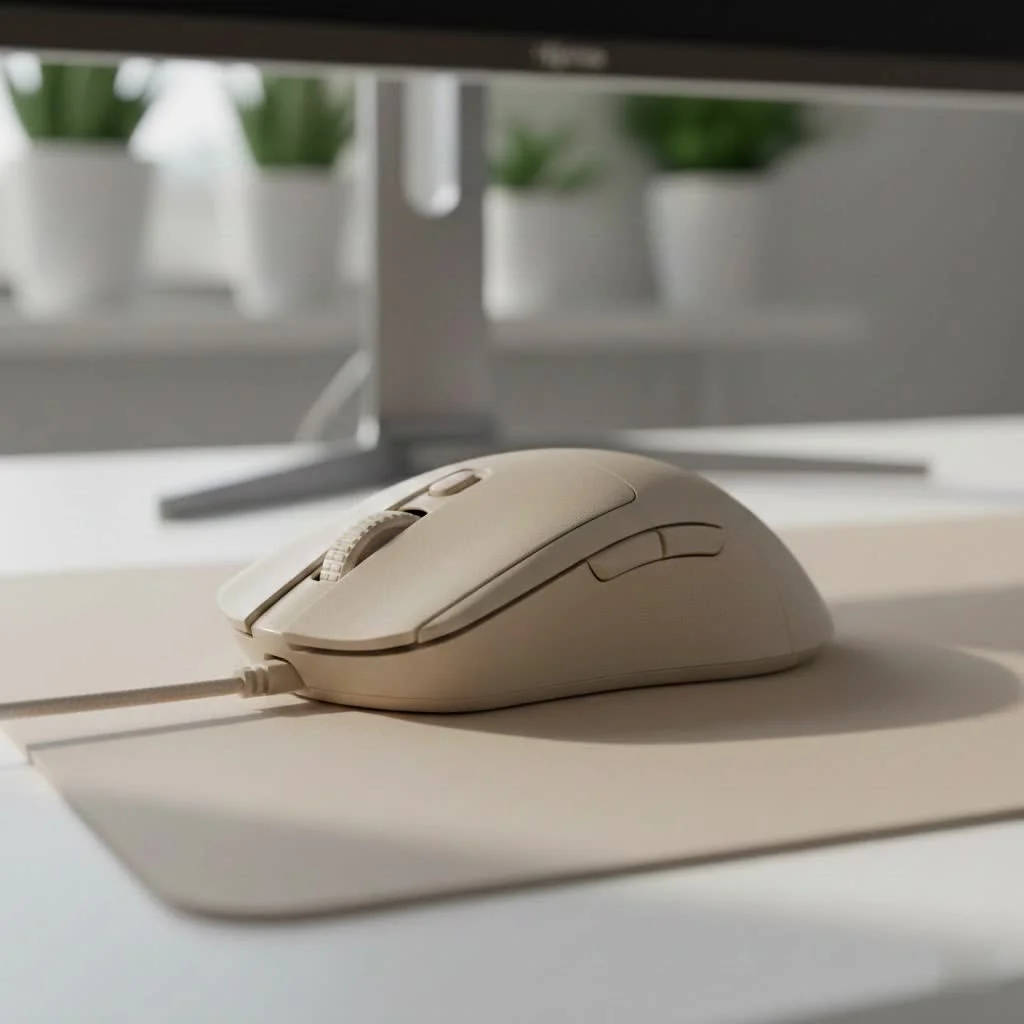
Whether you’re a low-DPI arm aimer needing a massive surface for sweeping turns or a high-DPI wrist player who values consistent, fast glides, the perfect foundation awaits. Let’s dive deep into the world of Logitech’s gaming surfaces to find the one that will elevate your game.
Why a Logitech Gaming Mouse Pad is a Game-Changer
Before we compare models, let’s establish why a dedicated gaming mouse pad is non-negotiable for serious players. Your desk surface, no matter how smooth it seems, is an inconsistent battlefield of microscopic pits and peaks. These imperfections can cause a high-performance sensor, like the HERO sensor in Logitech’s G-series mice, to misread data, leading to cursor jitter, spin-outs, or inconsistent tracking.
A Logitech gaming mouse pad provides a consistent, uniform, and predictable surface. This allows your mouse’s sensor to gather more accurate information, resulting in smoother tracking and a more reliable gaming experience. Logitech specifically tunes its pad surfaces to work in perfect harmony with its own sensors, creating a closed-loop system that ensures maximum performance.
The Science of the Surface: Cloth vs. Hard Pads
Logitech offers two primary surface types, and the choice between them is deeply personal, hinging on your playstyle and preference for speed versus control.
- Cloth Surfaces (e.g., G640, G840): The most popular choice for a reason. Cloth pads offer a moderate level of friction, which provides excellent stopping power and control for precise micro-adjustments. This is ideal for tactical shooters like VALORANT or CS2, where hitting a single headshot is paramount. The soft texture also provides a more comfortable resting place for your wrist during long sessions.
- Hard Surfaces (e.g., G440): If speed is your ultimate goal, a hard pad is your best friend. These low-friction polymer surfaces allow your mouse to glide with minimal effort, making rapid 180-degree turns and fast target switching feel effortless. Players in fast-paced games like Apex Legends or Overwatch often prefer the slick, immediate response of a hard surface.
Finding Your Perfect Size: From Compact to Desk-Sized
|
Our Picks for the Best Gaming Mouse in 2026
As an Amazon Associate I earn from qualifying purchases.
|
||
| Num | Product | Action |
|---|---|---|
| 1 | Razer Viper V3 Pro Wireless Esports Gaming Mouse: Symmetrical - 54g Lightweight - 8K Polling - 35K DPI Optical Sensor - Gen3 Optical Switches - 8 Programmable Buttons - 95 Hr Battery - Black |

|
| 2 | Razer Basilisk V3 Customizable Ergonomic Gaming Mouse: Fastest Gaming Mouse Switch - Chroma RGB Lighting - 26K DPI Optical Sensor - 11 Programmable Buttons - HyperScroll Tilt Wheel - Classic Black |
|
| 3 | Logitech G502 Lightspeed Wireless Gaming Mouse with Hero 25K Sensor, PowerPlay Compatible, Tunable Weights and Lightsync RGB - Black |
|
| 4 | Logitech G703 Lightspeed Wireless Gaming Mouse W/Hero 25K Sensor, PowerPlay Compatible, Lightsync RGB, Lightweight 95G+10G Optional, 100-25, 600 DPI, Rubber Side Grips - Black |
|
| 5 | Razer Viper V3 HyperSpeed Wireless Esports Gaming Mouse: 82g Lightweight - Up to 280 Hr Battery - 30K DPI Optical Sensor - Gen-2 Mechanical Switches - 8 Programmable Controls - Classic Black |
|
| 6 | Logitech G PRO X SUPERLIGHT Wireless Gaming Mouse, Ultra-Lightweight, HERO 25K Sensor, 25,600 DPI, 5 Programmable Buttons, Long Battery Life, Compatible with PC / Mac - Black |
|
| 7 | Razer DeathAdder Essential Gaming Mouse: 6400 DPI Optical Sensor - 5 Programmable Buttons - Mechanical Switches - Rubber Side Grips - Classic Black |
|
| 8 | Razer Basilisk V3 X HyperSpeed Customizable Wireless Gaming Mouse: Mechanical Switches Gen-2-5G Advanced 18K Optical Sensor - Chroma RGB 9 Programmable Controls 535 Hr Battery Classic Black |
|
| 9 | Logitech G502 X Plus Wireless Gaming Mouse - LIGHTSPEED Optical, LIGHTFORCE Switches, LIGHTSYNC RGB, HERO 25K Sensor for PC/Mac - Black |
|
| 10 | Razer Naga V2 HyperSpeed Wireless MMO Gaming Mouse: 19 Programmable Buttons - HyperScroll Technology - Focus Pro 30K Optical Sensor - Mechanical Mouse Switches Gen-2 - Up to 400 Hr Battery Life |
|
Size is not just about aesthetics; it’s about freedom of movement. Your ideal mouse pad size is dictated by your mouse sensitivity (DPI) and how you physically move your mouse.
- Low-DPI Players: If you use a low sensitivity setting (e.g., 400-800 DPI), you make large, sweeping arm movements to navigate the game world. A large or extra-large mouse pad, like the Logitech G840 XL, is essential to avoid running out of room in a critical moment.
- High-DPI Players: Players using high sensitivity settings (1600+ DPI) rely more on small, precise wrist movements. A standard or large-sized pad like the G640 is typically more than sufficient.
Top Logitech Gaming Mouse Pads Explored
Logitech has curated a focused lineup that prioritizes performance. Here’s a breakdown of the most popular and impactful models in their arsenal.
For the Competitive Edge: The Logitech G640 Cloth Gaming Mouse Pad
The G640 is arguably the gold standard in Logitech’s cloth pad lineup and a favorite among esports professionals. It strikes a perfect balance between speed and control. The 3mm thickness provides a comfortable cushion without feeling mushy, and its surface delivers the friction needed to stop on a dime and make tiny aiming corrections. It’s the quintessential all-rounder, large enough for most low-DPI players and perfect for anyone seeking a reliable, tournament-proven surface. The only common critique is the lack of stitched edges, which can lead to fraying over a long period of heavy use.
For Maximum Coverage: The Logitech G840 XL Gaming Mouse Pad
Take everything great about the G640 and stretch it across your entire desk. The G840 XL offers a colossal 900x400mm surface, providing a single, consistent mat for both your keyboard and mouse. This not only gives you virtually limitless mousing real estate but also creates a more stable and aesthetically clean setup. The surface texture is identical to the G640, ensuring you get that same celebrated blend of control and glide. For gamers who never want to worry about running off the edge of their pad again, the G840 XL is the ultimate solution.
The Future is Now: The Logitech G POWERPLAY Wireless Charging System
What if your mouse never had to be plugged in again? That’s the reality with the POWERPLAY system. This is more than just a mouse pad; it’s an ecosystem. The POWERPLAY base creates an electromagnetic energy field that continuously charges a compatible Logitech wireless mouse (like the G Pro X Superlight or G903) while you play. You get the freedom of wireless without ever worrying about battery life. The system includes both a cloth and a hard surface, so you can choose your preferred texture without sacrificing the core charging functionality. It’s a premium investment, but for the dedicated Logitech enthusiast, it represents the pinnacle of convenience and technology.
As our internal expert, Alex ‘Glider’ Chen, often says, “The moment you stop thinking about your mouse’s battery is the moment you can fully immerse in the game. POWERPLAY removes a mental distraction you didn’t even know you had.”
How to Choose the Right Logitech Mouse Pad for You
Feeling overwhelmed? Let’s simplify the decision with a few key questions.
What’s Your Playstyle?
- You need precision and stopping power for tactical shooters: Start with the Logitech G640. Its controlled cloth surface is built for accuracy.
- You thrive on speed and fast-paced action: Consider a hard pad like the Logitech G440. Its low-friction glide is made for quick reactions.
- You want it all and never want to run out of space: The Logitech G840 XL is your answer. It provides the same great surface as the G640 across your entire desk.
- You crave the ultimate in convenience and have a compatible mouse: The POWERPLAY system is your endgame, eliminating battery anxiety forever.
How Much Desk Space Do You Have?
Measure your available area. While the G840 XL is amazing, it won’t do you any good if it’s hanging off the edge of your desk. Ensure the dimensions of the pad you choose fit comfortably in your gaming space, leaving room for your keyboard and monitor.
Frequently Asked Questions (FAQ)
Are Logitech gaming mouse pads worth it?
Absolutely. They provide a consistent and reliable tracking surface specifically tuned for Logitech G mouse sensors. This synergy between mouse and pad ensures you get the maximum performance and accuracy that your hardware is capable of delivering.
How do I clean my Logitech cloth mouse pad?
To clean a cloth pad like the G640 or G840, use a small amount of mild soap and lukewarm water. Gently scrub the surface with a soft cloth or brush, then rinse it thoroughly. Allow it to air dry completely before using it again. Avoid harsh chemicals or machine washing.
Does the Powerplay mouse pad work with any mouse?
No, the POWERPLAY wireless charging system only works with compatible Logitech G wireless mice that are equipped with the POWERCORE module. This includes popular models like the G Pro X Superlight, G502 X PLUS, and G903 HERO.
What is the difference between the G640 and G840?
The primary difference is size. Both mouse pads share the same performance-tuned cloth surface that balances speed and control. The G640 is a large pad (460x400mm), while the G840 is an extra-large desk mat (900x400mm) designed to fit under both your mouse and keyboard.
Do Logitech mouse pads have stitched edges?
Typically, Logitech’s core performance models like the G640 and G840 do not feature stitched edges. While this contributes to a very low-profile and uniform surface, it can be a point of concern for long-term durability against fraying for some users.
Your Foundation for Victory
Choosing the right Logitech gaming mouse pad is a fundamental step in building a high-performance gaming setup. It’s the unsung hero that ensures your high-tech mouse can perform at its peak potential. By understanding your own playstyle—whether you value pinpoint control or blistering speed—and considering the space you have, you can select a surface that feels like a natural extension of your hand. From the tournament-ready G640 to the all-encompassing G840 XL and the revolutionary POWERPLAY, Logitech provides a clear path to a better gaming experience. Now go out there and give your mouse the surface it deserves.
Get our weekly buyer guide
Practical specs, not advice. Unsubscribe anytime.

I’ve been using the Logitech G840 for a few weeks now and it’s a game-changer. My old pad was tiny and I kept running off the edge during intense FPS matches. The sheer size of this thing is perfect for my low-DPI arm aiming style, giving me so much room to maneuver without lifting my mouse. It really does feel like it unlocks the true potential of my G502.
I picked up the G240 cloth pad after reading about how it’s great for consistent, fast glides. It’s definitely an upgrade from my old generic pad, and my high-DPI wrist movements feel much smoother. My only minor complaint is that it tends to attract dust a bit more than I expected, so I have to wipe it down pretty regularly. Still, for the price, it’s a solid performer.
I was excited to try a dedicated Logitech pad, but the G440 hard surface just isn’t quite what I hoped for. While it offers incredibly fast glides, which is good for quick reactions, I found it a little too slick for my preference. Sometimes my mouse feels like it’s sliding a bit too much, making micro-adjustments harder than on a cloth pad. It’s well-made, but maybe not for everyone.
Finally decided to invest in a proper gaming surface and went with the Logitech G640. The difference is night and day! My aim in Valorant has noticeably improved because of the consistent surface texture. No more weird hitches or inconsistent tracking that I used to get with my old cheap pad. It’s clear Logitech spent years refining these, and it shows in the performance.