In the world of PC gaming, performance is king. But let’s be honest, aesthetics are a close second. A clean, cohesive setup can make your gaming station feel like a true command center, and at the heart of that clean look is the white gaming mouse. It’s more than just a peripheral; it’s a statement piece that ties your entire desk together. As the creators behind Cyexx, we’ve spent over a decade testing, tweaking, and living with these devices. We understand that you’re not just looking for a tool to click heads—you’re looking for a mouse that complements your style without compromising on the split-second responsiveness that modern gaming demands.
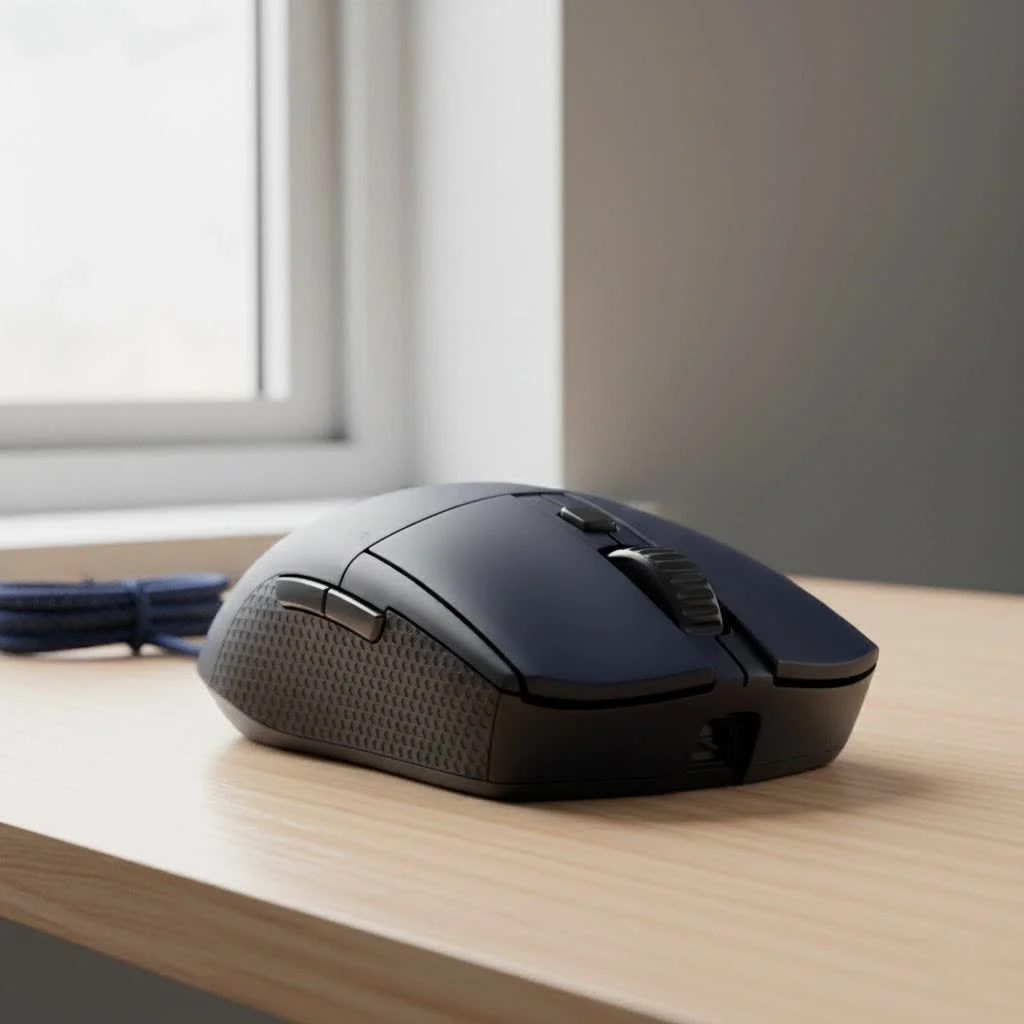
This guide is your one-stop resource for navigating the world of white gaming mice. We’ll break down the tech, explore the practicalities, and help you find the perfect model that delivers both elite performance and a pristine look. For best reviews roundups on this site.
Why Choose a White Gaming Mouse?
The appeal of a white gaming mouse is undeniable. It creates a striking contrast on a dark mousepad or blends seamlessly into a lighter-themed setup. It feels modern, clean, and sophisticated. But beyond looks, is there a difference?
Functionally, a white mouse performs identically to its black or colored counterparts. The internal components—the sensor, the switches, the processor—are the same. The choice is purely cosmetic, but it’s a significant one for gamers who invest time and effort into curating their environment. However, there’s one major consideration that comes with this aesthetic choice: maintenance. White surfaces are less forgiving when it comes to dirt, grime, and the dreaded yellowing that can occur over time. Don’t worry, we’ll cover how to combat that later.
Core Features to Consider Before Buying
Choosing a mouse goes far beyond color. As your primary point of interaction with the game, its performance is critical. Here’s what you, as a discerning gamer, need to look for.
The Sensor: The Heart of the Mouse
The sensor is the single most important component for tracking your movements accurately. A flawless sensor means no spinning out, no jitter, and perfect 1:1 tracking of your hand’s motion.
- DPI (Dots Per Inch): This measures mouse sensitivity. While manufacturers boast about massive DPI numbers (up to 30,000 or more), most pro gamers use a much lower DPI, typically between 400 and 1600. High DPI isn’t a direct measure of quality, but a high-end sensor capable of it is generally more accurate across the entire range.
- Polling Rate: Measured in Hertz (Hz), this is how often the mouse reports its position to the computer. The standard for gaming is 1000Hz (1ms response time). Some newer mice offer 4000Hz or even 8000Hz, providing smoother tracking on high-refresh-rate monitors, though the difference can be subtle for many players.
Switches: The Feel of the Click
|
Our Picks for the Best Gaming Mouse in 2026
As an Amazon Associate I earn from qualifying purchases.
|
||
| Num | Product | Action |
|---|---|---|
| 1 | Logitech G502 Lightspeed Wireless Gaming Mouse with Hero 25K Sensor, PowerPlay Compatible, Tunable Weights and Lightsync RGB - Black |

|
| 2 | Logitech G703 Lightspeed Wireless Gaming Mouse W/Hero 25K Sensor, PowerPlay Compatible, Lightsync RGB, Lightweight 95G+10G Optional, 100-25, 600 DPI, Rubber Side Grips - Black |
|
| 3 | Razer Viper V3 HyperSpeed Wireless Esports Gaming Mouse: 82g Lightweight - Up to 280 Hr Battery - 30K DPI Optical Sensor - Gen-2 Mechanical Switches - 8 Programmable Controls - Classic Black |
|
| 4 | Razer Viper V3 Pro Wireless Esports Gaming Mouse: Symmetrical - 54g Lightweight - 8K Polling - 35K DPI Optical Sensor - Gen3 Optical Switches - 8 Programmable Buttons - 95 Hr Battery - Black |
|
| 5 | Razer Basilisk V3 X HyperSpeed Customizable Wireless Gaming Mouse: Mechanical Switches Gen-2-5G Advanced 18K Optical Sensor - Chroma RGB 9 Programmable Controls 535 Hr Battery Classic Black |
|
| 6 | Logitech G PRO X SUPERLIGHT Wireless Gaming Mouse, Ultra-Lightweight, HERO 25K Sensor, 25,600 DPI, 5 Programmable Buttons, Long Battery Life, Compatible with PC / Mac - Black |
|
| 7 | Razer Basilisk V3 Customizable Ergonomic Gaming Mouse: Fastest Gaming Mouse Switch - Chroma RGB Lighting - 26K DPI Optical Sensor - 11 Programmable Buttons - HyperScroll Tilt Wheel - Classic Black |
|
| 8 | Razer Naga V2 HyperSpeed Wireless MMO Gaming Mouse: 19 Programmable Buttons - HyperScroll Technology - Focus Pro 30K Optical Sensor - Mechanical Mouse Switches Gen-2 - Up to 400 Hr Battery Life |
|
| 9 | Logitech G502 X Plus Wireless Gaming Mouse - LIGHTSPEED Optical, LIGHTFORCE Switches, LIGHTSYNC RGB, HERO 25K Sensor for PC/Mac - Black |
|
| 10 | Razer DeathAdder Essential Gaming Mouse: 6400 DPI Optical Sensor - 5 Programmable Buttons - Mechanical Switches - Rubber Side Grips - Classic Black |
|
Mouse switches determine the feel and durability of your clicks. Modern gaming mice often feature optical switches instead of traditional mechanical ones.
- Optical Switches: These use a beam of light to register a click. They are incredibly fast, eliminate “debounce delay” (a small lag in mechanical switches), and are more durable because they have fewer moving parts that can wear out.
- Mechanical Switches: Still excellent and preferred by some for their distinct tactile feel. Brands like Omron and Kailh are renowned for their quality and satisfying clicks.
Weight: The Lightweight Revolution
The trend in the competitive FPS scene is overwhelmingly towards lighter mice. A lightweight white gaming mouse (typically under 70 grams) is easier to move quickly and can reduce wrist fatigue over long sessions. This is often achieved through perforated honeycomb shells or advanced internal engineering.
“The pursuit of the perfect white gaming mouse is a balancing act. Gamers want a device that looks immaculate on their desk but also disappears in their hand during an intense match. The industry’s shift to sub-60-gram designs, even in wireless models, shows that you no longer have to sacrifice performance for that clean, aesthetic edge.” – Miles ‘Vapor’ Chen, Senior Hardware Analyst at Cyexx
Wired vs. Wireless
The age-old debate has largely been settled. Modern wireless technology from leading brands is now just as fast and reliable as a wired connection.
- Wireless: Offers freedom of movement with no cable drag. Look for mice with long battery life (70+ hours is a good benchmark) and a reliable, lag-free 2.4GHz connection.
- Wired: A foolproof, plug-and-play option that you never have to charge. They are often slightly lighter and more affordable than their wireless counterparts. A mouse with a flexible, paracord-like cable can minimize drag, mimicking the freedom of a wireless device.
How Do You Keep a White Gaming Mouse Clean?
This is the most common question we get at Cyexx, and it’s a valid concern. A pristine white mouse can quickly become grimy from sweat, oils, and dust. Here is a practical, step-by-step guide to keeping it looking brand new.
What You’ll Need:
- Microfiber cloth
- Isopropyl alcohol (70% is ideal)
- Cotton swabs
- A soft-bristled brush (like an old toothbrush)
The Cleaning Process (Weekly Maintenance):
- Disconnect the Mouse: Always unplug your mouse or turn it off if it’s wireless before cleaning.
- Initial Wipe-Down: Use a dry microfiber cloth to wipe away any loose dust and debris.
- Surface Cleaning: Lightly dampen a corner of the microfiber cloth with isopropyl alcohol. Do not soak it. Gently wipe down the main body and buttons of the mouse. The alcohol is excellent for breaking down oils and disinfecting the surface.
- Get into the Crevices: For the seams between buttons and side panels, use a cotton swab lightly dipped in alcohol.
- Scroll Wheel and Side Grips: Use the soft-bristled brush to gently scrub textured grips and the scroll wheel to dislodge any trapped grime.
- Final Dry: Wipe the entire mouse down with a dry part of the microfiber cloth and let it air dry completely before plugging it back in.
Preventing Yellowing: The yellowing of white plastics is often caused by UV exposure and a chemical reaction with the oils from your skin. Keeping the mouse clean is the best defense. Avoid leaving it in direct sunlight for extended periods.
What is the Best Grip for a Gaming Mouse?
There is no single “best” grip; it’s about what is comfortable and gives you the most control. Your hand size and preferred mouse shape will heavily influence your natural grip style.
- Palm Grip: Your entire hand rests on the mouse. This is a very relaxed grip, great for comfort and smooth, sweeping motions. Larger, ergonomic mice are often best for this style.
- Claw Grip: Your palm rests on the back of the mouse, but your fingers are arched up, and you click with your fingertips. This provides a balance of speed and stability. Ambidextrous mice often work well for claw grippers.
- Fingertip Grip: Only your fingertips touch the mouse, with your palm floating above it. This style offers the fastest micro-adjustments and is popular in high-precision FPS games. Small, lightweight mice are ideal for this grip.
Understanding your grip style is crucial for choosing a mouse that feels like an extension of your arm.
Frequently Asked Questions (FAQ)
Q: Do white gaming mice get stained easily?
A: They are more susceptible to visible dirt and oils than black mice. However, most modern white mice use high-quality coatings that resist staining. With regular cleaning (once a week), you can easily keep them looking pristine.
Q: Is there a performance difference between a white mouse and a black mouse?
A: No. The color is purely cosmetic. The internal components, such as the sensor and switches, are identical across different color variants of the same model.
Q: Will a white gaming mouse turn yellow over time?
A: This was a common issue with older, cheaper plastics. Reputable gaming brands now use higher-quality plastics and UV-resistant coatings to prevent yellowing. Consistent cleaning and avoiding direct sunlight are the best ways to ensure it stays white.
Q: What are the best brands for a white gaming mouse?
A: Many top-tier brands offer white versions of their flagship mice. Logitech (G PRO X Superlight), Razer (Viper and Basilisk “Mercury White” editions), and Glorious (Model O/D) are all highly respected for their performance and build quality.
Q: Is a lightweight mouse always better?
A: For fast-paced FPS games, a lightweight mouse is generally preferred as it reduces inertia and fatigue. However, some players prefer the more controlled feel of a heavier mouse, especially for MMO or productivity tasks. It ultimately comes down to personal preference.
Conclusion
A white gaming mouse is the perfect fusion of high-end performance and clean, modern aesthetics. It can be the centerpiece that completes your dream gaming setup. By focusing on the core components that matter—a flawless sensor, responsive switches, and a shape that fits your hand—you can find a device that elevates your gameplay. Don’t let the fear of maintenance hold you back. With just a few minutes of care each week, you can ensure your mouse remains a reliable and stunning part of your arsenal for years to come. Now go out there, choose with confidence, and build the setup you deserve.
Get our weekly buyer guide
Practical specs, not advice. Unsubscribe anytime.
