The best gaming keyboard and mouse combination provides a tangible advantage through speed, accuracy, and comfort, with top picks including the SteelSeries Apex Pro TKL keyboard and Razer DeathAdder V3 Pro mouse for overall performance. These peripherals are critical for competitive gaming, bridging reaction time with in-game action by offering low latency and high precision. As a content creator at Cyexx.com with over a decade of testing peripherals, I’ve compiled this guide to help you navigate the market and find the perfect setup for your playstyle.
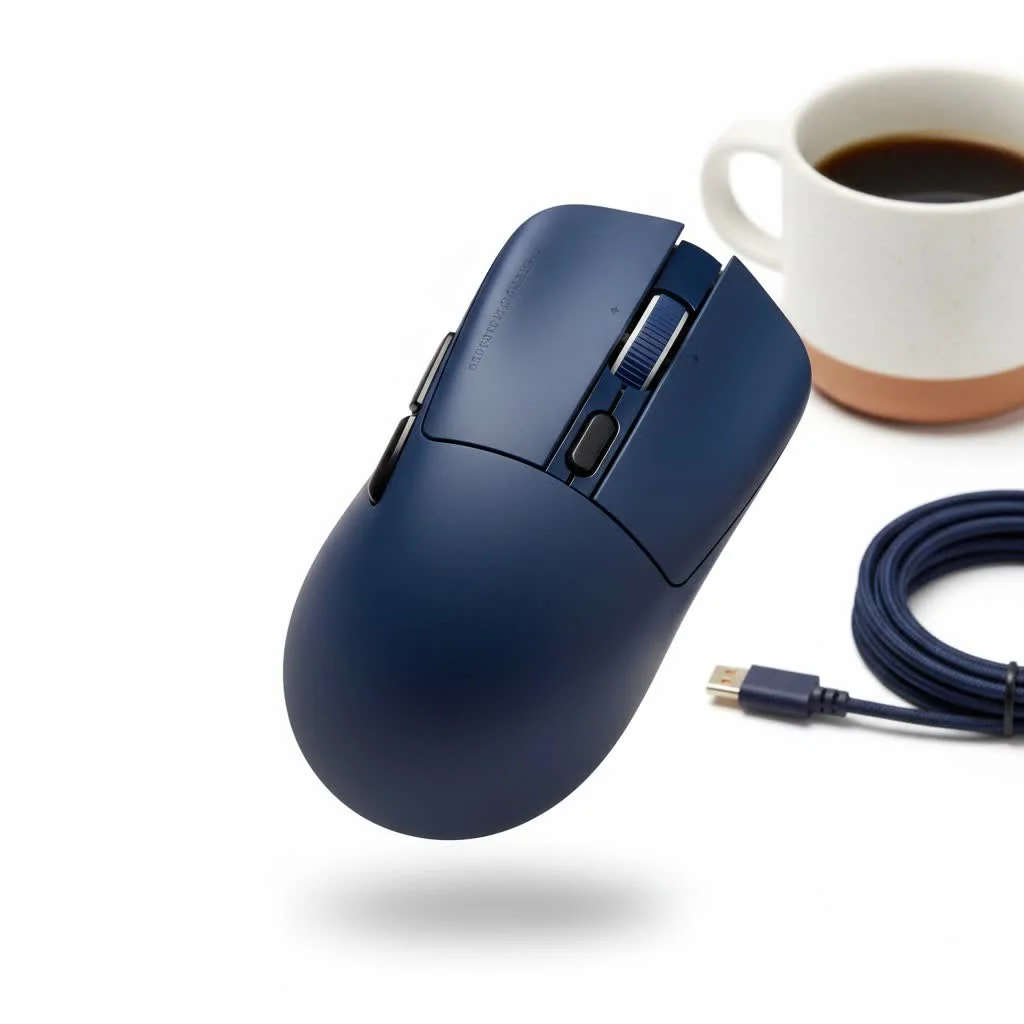
This guide details essential technology, highlights top-tier products, and helps you make an informed decision to elevate your gaming experience.
How to Choose Your Perfect Gaming Peripherals
Before exploring specific models, it’s crucial to understand the differences between standard office peripherals and high-performance gaming setups. The distinction lies in technology designed for low latency and high precision.
What to Look for in a Gaming Keyboard
A gaming keyboard is your primary input device for movement and abilities. The right one offers responsiveness, reliability, and comfort for extended use.
- Switch Type: This is the most important factor.
- Mechanical: The classic choice for gamers, offering satisfying tactile feedback, a distinct “click,” and incredible durability. Common types include Cherry MX, Gateron, and Kailh, each with different feels (e.g., linear, tactile, clicky).
- Optical: These switches use a beam of light to register a keypress, making them incredibly fast—often quicker than traditional mechanical switches—and highly durable due to fewer physical contact points.
- Membrane: Typically found on budget or office keyboards, they feel mushy and lack the precision and speed required for serious gaming. Avoid these if your budget allows.
- Form Factor: The keyboard’s size impacts desk space and ergonomics.
- Full-Size: Includes a number pad, offering maximum functionality.
- Tenkeyless (TKL): A popular choice that removes the number pad, providing more space for your mouse.
- Compact (60%/65%): Removes the function row and arrow keys for a minimalist, portable setup favored by many professionals.
- Key Rollover and Anti-Ghosting: These features ensure every keypress is registered, even when multiple keys are pressed simultaneously. For gaming, look for N-key rollover (NKRO), which registers every key independently.
Decoding the Perfect Gaming Mouse
Your mouse is your aiming tool. Its accuracy, weight, and feel are paramount for tasks from lining up a headshot to executing complex macros.
- Sensor and DPI: The sensor is the mouse’s core. A high-quality optical sensor (like Logitech’s HERO or Razer’s Focus Pro) ensures flawless tracking without acceleration or spin-outs. DPI (Dots Per Inch) measures sensitivity. While manufacturers advertise high numbers (30,000+), most professionals play at lower DPIs (400-1600) for better control. A reliable sensor is key, not the highest DPI.
- Polling Rate: Measured in Hertz (Hz), this indicates how often the mouse reports its position to your computer. The gaming standard is 1000 Hz (1ms response time). Newer mice offer 4000 Hz or even 8000 Hz for smoother, more responsive tracking.
- Weight and Ergonomics: Lighter mice are generally preferred for fast-paced FPS games, reducing fatigue and allowing quicker flicks. Shape is personal; it should comfortably fit your hand and grip style (palm, claw, or fingertip).
“A common mistake is chasing the highest DPI number. Focus on a mouse with a flawless sensor and a shape that feels like an extension of your hand. That’s where true accuracy comes from.” – Alex ‘Apex’ Dawson, former esports professional and Cyexx.com hardware analyst.
Our Top Picks for the Best Gaming Keyboard and Mouse
After extensive testing, here are our top recommendations. We’ve separated the keyboard and mouse to provide flexibility in mixing and matching the best in each category.
Best Overall Gaming Keyboard: SteelSeries Apex Pro TKL
|
Our Picks for the Best Gaming Mouse in 2026
As an Amazon Associate I earn from qualifying purchases.
|
||
| Num | Product | Action |
|---|---|---|
| 1 | Razer Naga V2 HyperSpeed Wireless MMO Gaming Mouse: 19 Programmable Buttons - HyperScroll Technology - Focus Pro 30K Optical Sensor - Mechanical Mouse Switches Gen-2 - Up to 400 Hr Battery Life |

|
| 2 | Logitech G502 X Plus Wireless Gaming Mouse - LIGHTSPEED Optical, LIGHTFORCE Switches, LIGHTSYNC RGB, HERO 25K Sensor for PC/Mac - Black |
|
| 3 | Razer Basilisk V3 X HyperSpeed Customizable Wireless Gaming Mouse: Mechanical Switches Gen-2-5G Advanced 18K Optical Sensor - Chroma RGB 9 Programmable Controls 535 Hr Battery Classic Black |
|
| 4 | Logitech G502 Lightspeed Wireless Gaming Mouse with Hero 25K Sensor, PowerPlay Compatible, Tunable Weights and Lightsync RGB - Black |
|
| 5 | Logitech G PRO X SUPERLIGHT Wireless Gaming Mouse, Ultra-Lightweight, HERO 25K Sensor, 25,600 DPI, 5 Programmable Buttons, Long Battery Life, Compatible with PC / Mac - Black |
|
| 6 | Razer Viper V3 HyperSpeed Wireless Esports Gaming Mouse: 82g Lightweight - Up to 280 Hr Battery - 30K DPI Optical Sensor - Gen-2 Mechanical Switches - 8 Programmable Controls - Classic Black |
|
| 7 | Razer Basilisk V3 Customizable Ergonomic Gaming Mouse: Fastest Gaming Mouse Switch - Chroma RGB Lighting - 26K DPI Optical Sensor - 11 Programmable Buttons - HyperScroll Tilt Wheel - Classic Black |
|
| 8 | Razer Viper V3 Pro Wireless Esports Gaming Mouse: Symmetrical - 54g Lightweight - 8K Polling - 35K DPI Optical Sensor - Gen3 Optical Switches - 8 Programmable Buttons - 95 Hr Battery - Black |
|
| 9 | Razer DeathAdder Essential Gaming Mouse: 6400 DPI Optical Sensor - 5 Programmable Buttons - Mechanical Switches - Rubber Side Grips - Classic Black |
|
| 10 | Logitech G703 Lightspeed Wireless Gaming Mouse W/Hero 25K Sensor, PowerPlay Compatible, Lightsync RGB, Lightweight 95G+10G Optional, 100-25, 600 DPI, Rubber Side Grips - Black |
|
The SteelSeries Apex Pro TKL excels with its innovative OmniPoint 2.0 switches. These adjustable switches allow customization of every key’s actuation point, from a lightning-fast 0.2mm for gaming to a deeper 3.8mm for typing, effectively offering two keyboards in one.
- Switch Type: Adjustable Optical Switches
- Form Factor: Tenkeyless (TKL)
- Key Features: Customizable actuation, OLED smart display, aircraft-grade aluminum frame, detachable USB-C cable.
Best Overall Gaming Mouse: Razer DeathAdder V3 Pro
The DeathAdder V3 Pro perfects its legendary ergonomic shape. It is incredibly lightweight (63g) without a honeycomb design, features Razer’s top-tier Focus Pro 30K Optical Sensor, and supports an impressive 4000 Hz polling rate with the HyperPolling Wireless Dongle. For most gamers, this mouse represents the pinnacle of comfort and performance.
- Sensor: Focus Pro 30K Optical
- Weight: 63g
- Key Features: Ultra-lightweight ergonomic design, Gen-3 optical switches, 90-hour battery life, 4000 Hz polling rate capable.
Best Wireless Performance Duo
For a completely untethered, top-tier experience, combining these two peripherals is a game-changer.
- Keyboard: Logitech G915 TKL: This keyboard is a masterclass in engineering, featuring a sleek, low-profile design with Logitech’s high-performance, low-latency LIGHTSPEED wireless technology. The low-profile mechanical switches provide a fantastic feel for both gaming and typing.
- Mouse: Logitech G Pro X Superlight 2: The successor to a legend, the Superlight 2 is the preferred mouse for countless esports professionals. At just 60g, it feels almost weightless. It features the new HERO 2 sensor and LIGHTFORCE hybrid switches for incredible responsiveness and reliability.
Best Budget-Friendly Power Combo
You don’t need to spend a fortune to achieve a competitive setup. This combination delivers exceptional performance for its price point.
- Keyboard: Keychron C3 Pro: Keychron has revolutionized the enthusiast market, and the C3 Pro brings that quality to the budget segment. It offers a proper mechanical experience with hot-swappable switches and a 1000 Hz polling rate—features uncommon at this price.
- Mouse: HyperX Pulsefire Haste 2 Wireless: This mouse performs far above its weight class. It’s a lightweight (61g), no-frills performance machine with a top-tier sensor, a 100-hour battery life, and a comfortable, ambidextrous shape.
Wired vs. Wireless: Does It Still Matter for Gaming?
A few years ago, wired connections were superior for competitive gaming due to lower latency. Today, this is no longer the case. Top-tier wireless technologies from brands like Razer (HyperSpeed) and Logitech (LIGHTSPEED) are now just as fast—and in some cases, even faster—than their wired counterparts.
The choice now depends on personal preference.
- Go Wireless if: You desire a clean, minimalist desk setup and freedom of movement without cable drag. You are willing to manage battery life.
- Go Wired if: You want to save money, prefer not to worry about charging, and desire the absolute certainty of a physical connection.
Frequently Asked Questions (FAQ)
What is the best brand for gaming keyboards and mice?
There is no single “best” brand. Razer, Logitech, SteelSeries, and Corsair are industry leaders known for producing high-quality peripherals. Brands like HyperX and Keychron offer excellent value. The best choice depends on your specific needs and budget.
How much should I spend on a gaming keyboard and mouse?
A good budget setup can cost around $100-$150 for both peripherals. Mid-range options with more features typically fall between $150-$250. High-end, professional-grade wireless gear can cost $300 or more for the combination.
Is a 1000 Hz polling rate good enough for gaming?
Yes, 1000 Hz (1ms response time) is the industry standard and is more than sufficient for the vast majority of gamers, including competitive players. Higher polling rates like 4000 Hz or 8000 Hz can offer slightly smoother cursor movement, but this is a marginal gain that may not be noticeable to everyone.
Do I really need a mechanical keyboard for gaming?
While not strictly necessary, a mechanical keyboard is highly recommended. The precision, speed, and durability of mechanical or optical switches provide a significant advantage over the mushy and unreliable feel of a membrane keyboard, making it one of the most impactful upgrades.
How do I know which mouse shape is right for me?
The best way to determine the right mouse shape is to try different models in person if possible. Generally, larger, ergonomic mice (like the Razer DeathAdder) are ideal for palm grips, while smaller, ambidextrous mice (like the Logitech G Pro X Superlight) are often preferred for claw and fingertip grips.
Upgrade Your Gear, Elevate Your Game
Choosing the best gaming keyboard and mouse is a foundational step in building a serious gaming station. By understanding core technologies and identifying features that matter most, you can select peripherals that not only complement your setup but also enhance your skill. The right combination will feel responsive, accurate, and comfortable, allowing you to focus on winning. Invest wisely, and you will feel the difference in every click and every keystroke.
Get our weekly buyer guide
Practical specs, not advice. Unsubscribe anytime.

I was looking for a good combo for content creation and gaming, and while the suggestions here were helpful, I found that some of the higher-end options were a bit out of my budget. I ended up going with a mid-range setup, and it’s decent, but I do notice a slight difference in latency compared to what was described for the top-tier products. It’s okay for now, but I’ll probably upgrade later.
I finally upgraded to the SteelSeries Apex Pro TKL and it’s a game-changer. The responsiveness is insane, especially for competitive FPS games. I used to think my old keyboard was fine, but the difference in speed and accuracy is really noticeable. Definitely worth the investment if you’re serious about your gaming.
This guide really helped me understand the difference between standard office peripherals and high-performance gaming setups. I always just bought whatever was on sale, but now I get why low latency and high precision are so important. My new setup has seriously improved my in-game actions and reaction time.
The Razer DeathAdder V3 Pro mouse is fantastic. It’s super lightweight and the tracking is incredibly precise. My only minor complaint is that the battery life, while good, isn’t quite as long as some other wireless mice I’ve used. Still, it charges fast and performs like a dream.