A silent gaming mouse reduces click noise significantly, typically from 50-65 decibels to 25-35 decibels, by using advanced switch technologies like internal dampeners, optical switches, or redesigned mechanisms. These mice offer high performance comparable to standard gaming mice, ensuring precise tracking and low latency while providing a quieter, more focused gaming experience for competitive players, content creators, and those sharing a space.
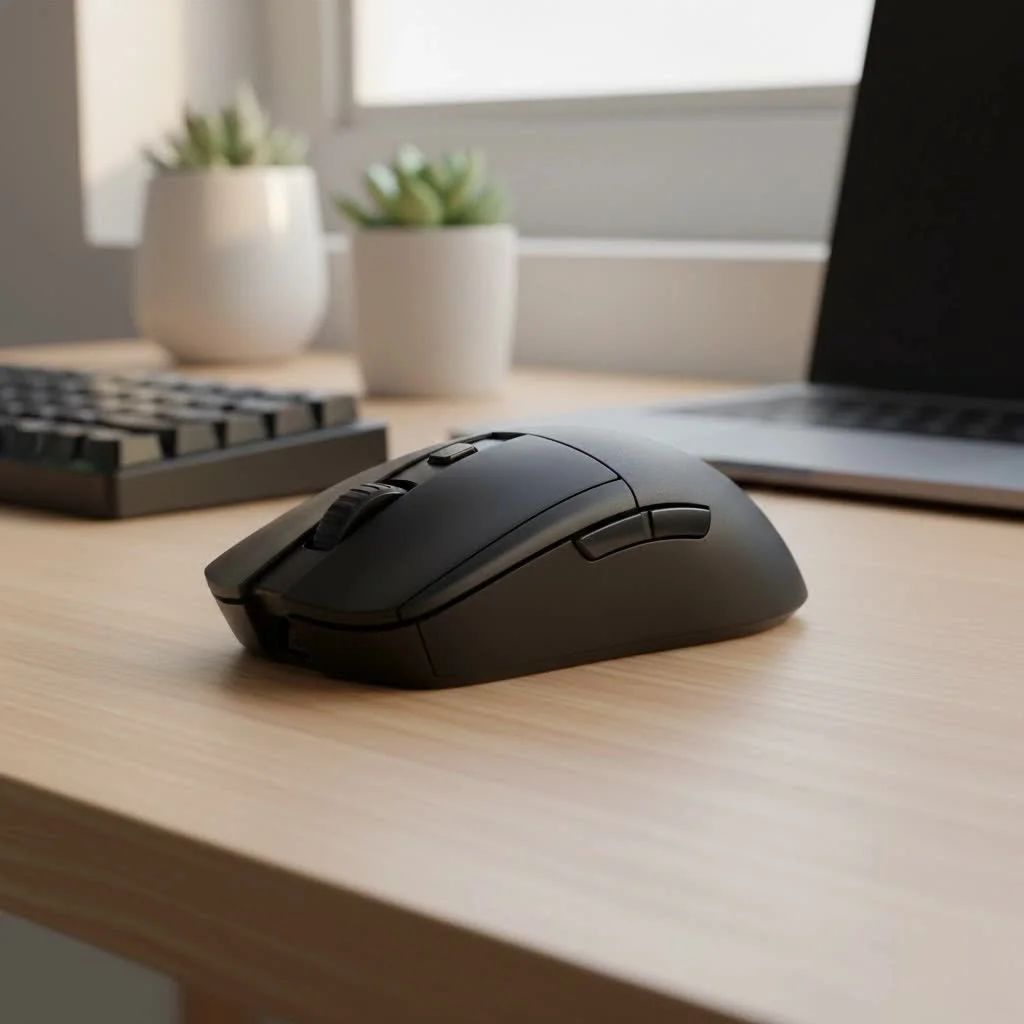
For years, the idea of a “silent” mouse was associated with cheap, mushy office equipment. Gamers believed that to get the crisp, instantaneous response needed for competitive play, you had to accept the loud, audible click. That’s no longer the case. Technology has evolved, and today’s silent gaming mice are engineered to deliver the performance you demand with a sound profile you’ll barely notice. For expert reviews reviews on this site.
What Makes a Gaming Mouse Silent?
A silent gaming mouse isn’t powered by magic; it’s all about advanced switch technology. Unlike traditional mouse switches that create an audible click from a metal leaf snapping into place, silent switches are designed to dampen or eliminate that sound.
This is typically achieved in a few ways:
- Internal Dampeners: The most common method involves placing small rubber or silicone dampeners inside the switch mechanism. These absorb the impact when the switch actuates, drastically reducing the clicking sound without completely eliminating the tactile feel.
- Optical Switches: Some high-end mice use optical switches. These rely on a beam of light to register a click. When you press the button, a stem blocks the light beam, sending the signal. Because there’s less physical contact and no metal leaf snapping, they are inherently quieter and often more durable.
- Redesigned Mechanisms: Manufacturers are constantly innovating new switch designs that are mechanically engineered to be quiet from the ground up, altering the physical components to reduce noise at the source.
The result is a mouse that retains a satisfying tactile bump but transforms the sharp, high-pitched click into a soft, low-pitched thud.
The Real Benefits of a Quiet Experience
You might be thinking, “I don’t mind the noise, so why switch?” The advantages of a silent gaming mouse extend far beyond just being quiet. It can fundamentally improve your gaming environment and overall experience.
Uninterrupted Focus and Immersion
Auditory distractions can pull you out of the zone. The repetitive sound of clicking, especially in high-actions-per-minute (APM) games like MOBAs or RTS titles, can be a subtle but persistent distraction. By eliminating that noise, a silent mouse helps you maintain deeper focus on in-game sounds, team communication, and your overall strategy.
Perfect for Content Creators
|
Our Picks for the Best Gaming Mouse in 2026
As an Amazon Associate I earn from qualifying purchases.
|
||
| Num | Product | Action |
|---|---|---|
| 1 | Razer Basilisk V3 Customizable Ergonomic Gaming Mouse: Fastest Gaming Mouse Switch - Chroma RGB Lighting - 26K DPI Optical Sensor - 11 Programmable Buttons - HyperScroll Tilt Wheel - Classic Black |

|
| 2 | Razer Viper V3 Pro Wireless Esports Gaming Mouse: Symmetrical - 54g Lightweight - 8K Polling - 35K DPI Optical Sensor - Gen3 Optical Switches - 8 Programmable Buttons - 95 Hr Battery - Black |
|
| 3 | Logitech G703 Lightspeed Wireless Gaming Mouse W/Hero 25K Sensor, PowerPlay Compatible, Lightsync RGB, Lightweight 95G+10G Optional, 100-25, 600 DPI, Rubber Side Grips - Black |
|
| 4 | Razer Viper V3 HyperSpeed Wireless Esports Gaming Mouse: 82g Lightweight - Up to 280 Hr Battery - 30K DPI Optical Sensor - Gen-2 Mechanical Switches - 8 Programmable Controls - Classic Black |
|
| 5 | Logitech G502 Lightspeed Wireless Gaming Mouse with Hero 25K Sensor, PowerPlay Compatible, Tunable Weights and Lightsync RGB - Black |
|
| 6 | Razer DeathAdder Essential Gaming Mouse: 6400 DPI Optical Sensor - 5 Programmable Buttons - Mechanical Switches - Rubber Side Grips - Classic Black |
|
| 7 | Razer Naga V2 HyperSpeed Wireless MMO Gaming Mouse: 19 Programmable Buttons - HyperScroll Technology - Focus Pro 30K Optical Sensor - Mechanical Mouse Switches Gen-2 - Up to 400 Hr Battery Life |
|
| 8 | Logitech G502 X Plus Wireless Gaming Mouse - LIGHTSPEED Optical, LIGHTFORCE Switches, LIGHTSYNC RGB, HERO 25K Sensor for PC/Mac - Black |
|
| 9 | Razer Basilisk V3 X HyperSpeed Customizable Wireless Gaming Mouse: Mechanical Switches Gen-2-5G Advanced 18K Optical Sensor - Chroma RGB 9 Programmable Controls 535 Hr Battery Classic Black |
|
| 10 | Logitech G PRO X SUPERLIGHT Wireless Gaming Mouse, Ultra-Lightweight, HERO 25K Sensor, 25,600 DPI, 5 Programmable Buttons, Long Battery Life, Compatible with PC / Mac - Black |
|
If you’re a streamer or YouTuber, your microphone is your most important tool. Unfortunately, it’s also great at picking up every single mouse click, which can be incredibly annoying for your viewers. A silent gaming mouse is a simple and effective solution to clean up your audio, making your content more professional and enjoyable to watch without needing complex noise gate filters.
Keep the Peace at Home
Gaming late at night? Sharing a room or office space? A silent gaming mouse is a courtesy to those around you. It allows you to game freely without worrying about disturbing a sleeping partner, roommate, or family member. It’s the ultimate tool for the considerate gamer.
Do Silent Gaming Mice Compromise on Performance?
This is the most critical question for any serious gamer. For a long time, the answer was yes. Early silent mice often felt mushy and unresponsive. However, the technology has come a long way.
Modern silent gaming mice from reputable brands feature the same top-tier components as their louder counterparts:
- Flawless Optical Sensors: They house high-end sensors like the PixArt 3395, ensuring perfect 1:1 tracking with no acceleration or prediction.
- High Polling Rates: Expect 1000Hz polling rates (or higher) for a smooth, responsive connection that feels instantaneous.
- Low-Latency Wireless: Advanced 2.4GHz wireless technology offers performance that is indistinguishable from a wired connection.
According to hardware analyst, Jonathan Pierce, “The performance gap between standard and silent switches has effectively closed. The debate has shifted from latency to feel. Top-tier silent switches provide a slightly softer, more cushioned actuation. For some players, this unique tactile feedback can even reduce finger fatigue during long sessions.”
The only real “compromise” is the tactile feel, and that comes down to personal preference. While you lose the sharp, audible confirmation of a click, you gain a quieter, often smoother experience. Most gamers find they can adapt to the new feel within a day or two.
Key Features to Look For in a Silent Gaming Mouse
When you’re ready to make the switch, here are the crucial features to evaluate.
The Right Silent Switch
The switch is the heart of the mouse. Look for mice that explicitly mention their silent switch technology. Brands like ASUS ROG with their ROG NX switches or mice using Kailh Silent switches are great places to start. Read reviews and watch sound tests to get an idea of the noise level and tactile feel.
Sensor and DPI
Don’t settle for less. Ensure the mouse has a modern, gaming-grade optical sensor. A high maximum DPI (dots per inch) is standard, but the more important factor is the quality of the sensor itself and its ability to track accurately at various speeds without spinning out.
Ergonomics and Weight
A silent mouse is useless if it’s uncomfortable to hold. Consider the mouse’s shape, size, and your grip style (palm, claw, or fingertip). Weight is also a huge factor in modern gaming mice, with many gamers preferring lightweight designs for faster, less fatiguing movements.
Wired vs. Wireless
This choice comes down to your setup and preference. Modern wireless mice offer incredible freedom without any noticeable latency, but they require charging. Wired mice offer a reliable, plug-and-play experience with no battery concerns.
Frequently Asked Questions (FAQ)
How quiet are silent gaming mice?
They are not 100% silent, but the noise reduction is dramatic. A typical gaming mouse click can be around 50-65 decibels, while a silent mouse is often in the 25-35 decibel range, which is comparable to a whisper.
Do silent switches feel mushy?
While early models did, modern high-quality silent switches are designed to provide a clear tactile bump without the “mushy” or “spongy” feeling. The feel is different—often described as “softer” or more “cushioned”—but it is still precise.
Are silent switches durable?
Yes. Many silent switches, especially optical ones, are rated for even more clicks than their traditional mechanical counterparts. They often have fewer moving metal parts, which can reduce wear and tear over time.
Can I make my current gaming mouse silent?
This is a difficult DIY project that involves desoldering the existing switches and soldering new silent switches onto the mouse’s circuit board. It requires technical skill and will void your warranty. It’s generally much easier to purchase a mouse built to be silent.
Are silent gaming mice more expensive?
They can be, as the technology is newer and sometimes considered a premium feature. However, the price range is broad, and there are now many affordable and excellent silent gaming mouse options available that are competitively priced with standard gaming mice.
The Future is Quiet
The silent gaming mouse is no longer a niche product for office workers; it’s a legitimate, high-performance option for serious gamers. It offers a unique combination of top-tier performance, enhanced focus, and consideration for your environment. By shedding the noise, you lose nothing in terms of speed or accuracy and gain a calmer, more immersive gaming experience. The next time you upgrade your setup, don’t just look for a better sensor or a lighter body—listen for what you can’t hear. Your ears, your stream viewers, and your family will thank you.
Frequently Asked Questions
How much quieter are silent gaming mice compared to standard models?
Silent gaming mice dramatically reduce noise. A typical gaming mouse click registers around 50-65 decibels, while a silent mouse operates in the 25-35 decibel range, which is comparable to a whisper.
Do silent switches in gaming mice feel mushy or unresponsive?
Modern, high-quality silent switches are engineered to provide a clear tactile bump without feeling mushy or spongy. The feel is often described as softer or more cushioned than traditional switches, yet still precise for gaming.
Are silent gaming mouse switches as durable as traditional mechanical switches?
Yes, many silent switches, particularly optical ones, are rated for more clicks than traditional mechanical counterparts. They often feature fewer moving metal parts, which can lead to reduced wear and tear and increased longevity over time.
Can I convert my existing gaming mouse into a silent one?
Converting a standard gaming mouse to a silent one is a complex DIY project. It typically involves desoldering existing switches and soldering new silent ones onto the circuit board, requiring technical skill and voiding the warranty. It is generally more practical to purchase a mouse specifically designed to be silent.
Are silent gaming mice generally more expensive than standard gaming mice?
Silent gaming mice can sometimes be more expensive due to their newer technology and premium features. However, the market offers a broad price range, with many affordable and high-performing silent gaming mouse options now available that are competitively priced with standard models.
Get our weekly buyer guide
Practical specs, not advice. Unsubscribe anytime.

I picked up a silent mouse with internal dampeners, and while the clicks are definitely quieter, I feel like there’s a slight delay compared to my old mouse. It’s not terrible, but for competitive play, every millisecond counts. It’s great for general use and content creation, but I might go back to a standard mouse for ranked matches.
Finally, a mouse that doesn’t sound like a machine gun during intense firefights! The reduction from 60-ish decibels to around 30 is noticeable and appreciated. I still get that satisfying tactile feedback without the loud click. My only minor gripe is that the scroll wheel isn’t quite as silent as the main buttons, but it’s a small trade-off for the overall quietness.
I was skeptical about a silent gaming mouse, thinking it would feel mushy, but I was totally wrong. The optical switches on my new mouse are super responsive, and the clicks are barely audible. It’s made a huge difference for late-night gaming sessions when my partner is sleeping. Highly recommend for anyone sharing a space!
As a content creator, background noise is a constant battle. This silent gaming mouse has been a game-changer for my streaming setup. I can click away without worrying about loud mouse clicks getting picked up by my mic. The tracking is still super precise, which is essential for editing and gaming. So glad I made the switch!