The best wireless gaming keyboard and mouse combinations, such as the Logitech G Pro X TKL and G Pro X Superlight 2, offer peak performance, aesthetics, and freedom from cables, making them a superior choice for serious gamers. Modern wireless technology from brands like Logitech, Razer, and Corsair provides virtually indistinguishable performance from wired counterparts, with polling rates of 1000Hz or higher, eliminating concerns about input lag.
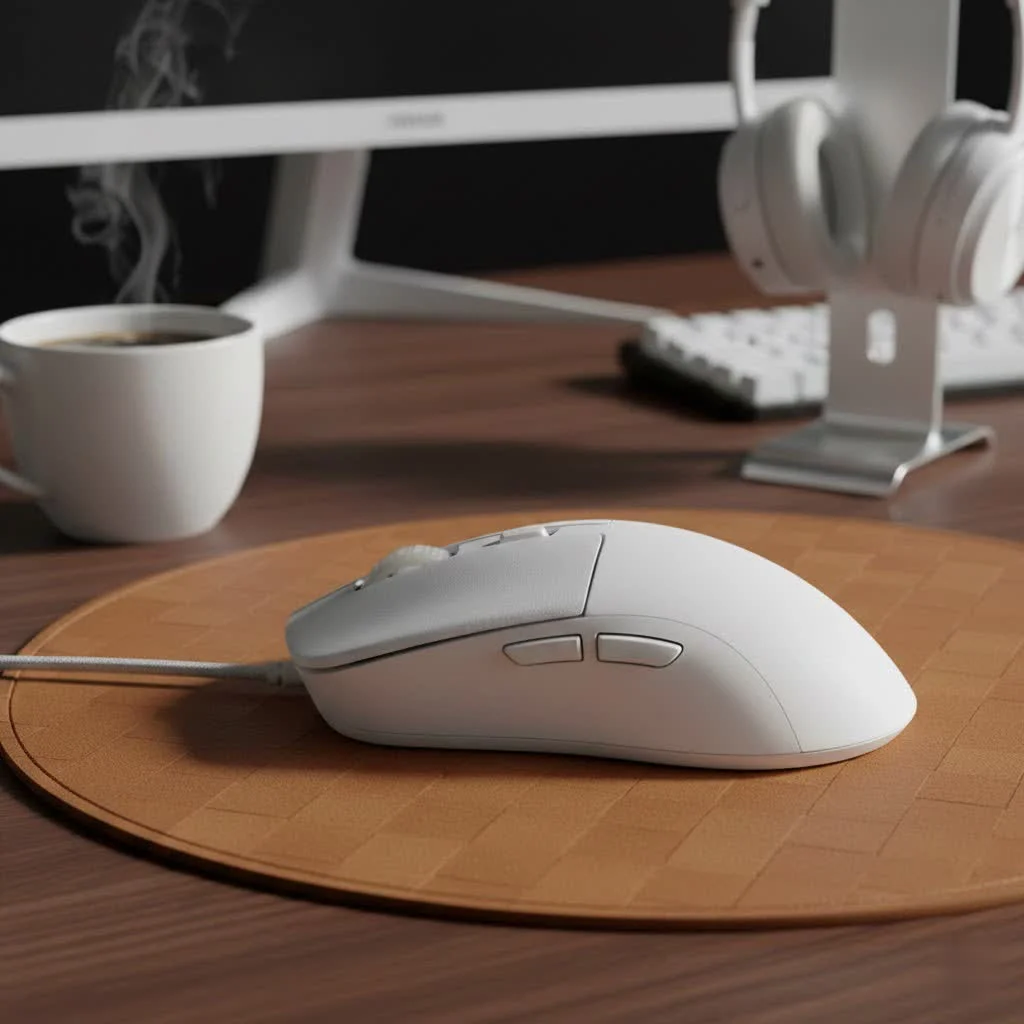
This guide will walk you through everything you need to know to select the perfect wireless duo. We’ll break down the essential technology, highlight what features truly matter, and reveal the top combinations that deliver flawless, wire-free performance for every type of gamer.
Why Go Wireless for Gaming? The Myths and Realities
The biggest concern that held gamers back from wireless peripherals was latency, or input lag. However, modern gaming-grade wireless technology has made this a non-issue. Companies like Logitech (Lightspeed), Razer (HyperSpeed), and Corsair (Slipstream) have developed proprietary 2.4GHz connections that offer polling rates of 1000Hz or higher, making them virtually indistinguishable from their wired counterparts in blind tests.
The benefits are undeniable:
- Unrestricted Movement: No more mouse cable snagging on the edge of your desk during a critical flick shot.
- Clean Aesthetics: Achieve that minimalist, clutter-free battlestation look.
- Versatility: Easily use your peripherals from a distance, whether you’re gaming on a large monitor or a TV across the room.
How to Choose the Best Wireless Gaming Keyboard and Mouse
Finding the right pair involves understanding your personal preferences and playstyle. Let’s break down the key factors for both the keyboard and the mouse.
For the Keyboard: What Matters Most
A great wireless gaming keyboard is about more than just cutting the cable. It’s the primary point of interaction with your game, and the right feel can make all the difference.
- Switch Type: This is arguably the most important decision. Mechanical switches are the standard for gaming and come in three main flavors:
- Linear: Smooth, consistent keystrokes with no tactile bump. Ideal for fast-paced FPS games where rapid, repeated keypresses are common.
- Tactile: A noticeable bump in the middle of the keypress provides feedback that the actuation has registered. A great all-rounder for gaming and typing.
- Clicky: Similar to tactile switches, but with an audible “click” sound to match the bump. Satisfying for typing, but can be loud for streaming or shared spaces.
- Size and Layout: Your desk space and gaming needs dictate the best size.
- Full-Size: Includes the number pad, offering maximum functionality.
- Tenkeyless (TKL): Removes the number pad for a more compact footprint, giving your mouse more room to move. This is a popular choice for most gamers.
- 60%/65%: Extremely compact, removing the function row and arrow keys (or integrating them into other keys). Best for minimalist setups and gamers who need maximum mouse space.
- Battery Life & Connectivity: Look for keyboards that offer dozens of hours of battery life, especially with RGB lighting turned on. USB-C charging has become the standard, which is convenient. A reliable 2.4GHz dongle connection is a must for serious gaming.
For the Mouse: Precision in Your Palm
|
Our Picks for the Best Gaming Mouse in 2026
As an Amazon Associate I earn from qualifying purchases.
|
||
| Num | Product | Action |
|---|---|---|
| 1 | Logitech G502 Lightspeed Wireless Gaming Mouse with Hero 25K Sensor, PowerPlay Compatible, Tunable Weights and Lightsync RGB - Black |

|
| 2 | Razer Basilisk V3 Customizable Ergonomic Gaming Mouse: Fastest Gaming Mouse Switch - Chroma RGB Lighting - 26K DPI Optical Sensor - 11 Programmable Buttons - HyperScroll Tilt Wheel - Classic Black |
|
| 3 | Logitech G703 Lightspeed Wireless Gaming Mouse W/Hero 25K Sensor, PowerPlay Compatible, Lightsync RGB, Lightweight 95G+10G Optional, 100-25, 600 DPI, Rubber Side Grips - Black |
|
| 4 | Razer Naga V2 HyperSpeed Wireless MMO Gaming Mouse: 19 Programmable Buttons - HyperScroll Technology - Focus Pro 30K Optical Sensor - Mechanical Mouse Switches Gen-2 - Up to 400 Hr Battery Life |
|
| 5 | Logitech G PRO X SUPERLIGHT Wireless Gaming Mouse, Ultra-Lightweight, HERO 25K Sensor, 25,600 DPI, 5 Programmable Buttons, Long Battery Life, Compatible with PC / Mac - Black |
|
| 6 | Razer DeathAdder Essential Gaming Mouse: 6400 DPI Optical Sensor - 5 Programmable Buttons - Mechanical Switches - Rubber Side Grips - Classic Black |
|
| 7 | Logitech G502 X Plus Wireless Gaming Mouse - LIGHTSPEED Optical, LIGHTFORCE Switches, LIGHTSYNC RGB, HERO 25K Sensor for PC/Mac - Black |
|
| 8 | Razer Viper V3 Pro Wireless Esports Gaming Mouse: Symmetrical - 54g Lightweight - 8K Polling - 35K DPI Optical Sensor - Gen3 Optical Switches - 8 Programmable Buttons - 95 Hr Battery - Black |
|
| 9 | Razer Basilisk V3 X HyperSpeed Customizable Wireless Gaming Mouse: Mechanical Switches Gen-2-5G Advanced 18K Optical Sensor - Chroma RGB 9 Programmable Controls 535 Hr Battery Classic Black |
|
| 10 | Razer Viper V3 HyperSpeed Wireless Esports Gaming Mouse: 82g Lightweight - Up to 280 Hr Battery - 30K DPI Optical Sensor - Gen-2 Mechanical Switches - 8 Programmable Controls - Classic Black |
|
Your mouse is your aiming tool. Its shape, weight, and sensor are critical to your in-game performance.
- Sensor & DPI: A high-quality optical sensor is non-negotiable. Top-tier sensors from major brands offer flawless tracking with no acceleration or spin-outs. DPI (Dots Per Inch) measures sensitivity; while high numbers are good for marketing, most pros play at lower DPIs (400-1600) for better control.
- Weight & Ergonomics: The trend is toward lighter mice (under 70 grams) as they are easier to move quickly and cause less fatigue. Equally important is the shape. Your grip style—be it palm, claw, or fingertip—will determine whether an ergonomic or ambidextrous mouse feels more comfortable.
- Buttons & Switches: Look for durable switches rated for millions of clicks. Optical mouse switches are becoming more popular as they prevent accidental double-clicking issues and offer slightly faster response times than traditional mechanical ones. The number of programmable buttons depends on your game; FPS players need only a few, while MMO/MOBA players benefit from more.
Top Picks for the Best Wireless Gaming Keyboard and Mouse
While you can mix and match brands, sticking with a single ecosystem often provides a more streamlined experience through unified software. Here are some of the best pairings on the market.
Best Overall: Logitech G Pro X TKL & G Pro X Superlight 2
This combination is a favorite among esports professionals for a reason. The Logitech G Pro X TKL keyboard features Logitech’s pro-grade Lightspeed wireless, a compact TKL layout perfect for competitive gaming, and hot-swappable switches, allowing you to customize the feel without buying a new keyboard.
Pair it with the G Pro X Superlight 2 mouse, an impossibly lightweight (60g) mouse that feels like an extension of your hand. Its HERO 2 sensor is incredibly accurate, and its 95-hour battery life means you’ll rarely have to think about charging. This duo is built for one thing: winning.
The Razer Powerhouse: Razer BlackWidow V4 Pro & Viper V2 Pro
If customization and a vibrant RGB ecosystem are what you’re after, Razer delivers. The Razer BlackWidow V4 Pro is a feature-packed keyboard with a dedicated command dial, macro keys, and some of the most stunning per-key Chroma RGB lighting in the business.
The Razer Viper V2 Pro is its perfect partner. This ultra-lightweight (58g) ambidextrous mouse is armed with Razer’s Focus Pro 30K Optical Sensor and Gen-3 Optical Switches for unmatched speed and durability. Together, they form a high-performance, visually stunning setup controlled by the powerful Razer Synapse software.
The Premium Corsair Contender: Corsair K70 RGB TKL Champion Series & Sabre RGB Pro Wireless
Corsair consistently delivers premium build quality and top-tier performance. The K70 RGB TKL Champion Series keyboard is a tournament-ready board featuring Corsair’s hyper-fast Slipstream wireless technology and an 8,000Hz hyper-polling rate for instantaneous inputs. Its durable aluminum frame and PBT double-shot keycaps are built to last.
The Sabre RGB Pro Wireless mouse is designed with input from esports pros. It features an ergonomic shape comfortable for most hand sizes, ultra-responsive Quickstrike buttons, and Slipstream wireless for a lag-free connection. This pairing is perfect for the gamer who demands premium construction and rock-solid reliability.
Frequently Asked Questions (FAQ)
Is a wireless gaming keyboard and mouse worth it?
Absolutely. Modern wireless technology has eliminated the latency concerns of the past. The freedom from cables provides a tangible benefit to gameplay and desk aesthetics, making it a worthwhile investment for any serious gamer.
Do pro gamers use wireless keyboards and mice?
Yes, a significant number of professional esports players across various games now use wireless mice and keyboards from top brands like Logitech, Razer, and Corsair. Their adoption is a testament to the technology’s reliability and performance.
What’s more important, the keyboard or the mouse for gaming?
For most games, especially first-person shooters, the mouse is more critical for performance as it directly controls your aim. However, a quality keyboard with responsive switches is essential for movement and ability actuation. Both are important parts of a complete setup.
Can I use a wireless keyboard and mouse from different brands?
Yes, you can. A keyboard and mouse from different manufacturers will work perfectly fine together. The only downside is that you will need to run separate software applications to customize the settings for each device.
Conclusion
The debate between wired and wireless is over. Today’s wireless gaming peripherals offer the same level of performance as their wired counterparts, with the added benefits of a cleaner setup and total freedom of movement. When choosing the best wireless gaming keyboard and mouse, focus on the features that matter to you: the feel of the keyboard’s switches, the shape and weight of the mouse, and the reliability of the wireless connection. The combinations listed above represent the best of the best, delivering the speed, precision, and reliability you need to play at your peak, all without a single cable holding you back.
Frequently Asked Questions
Is a wireless gaming keyboard and mouse worth the investment?
Yes, a wireless gaming keyboard and mouse is absolutely worth it. Modern wireless technology has eliminated previous latency concerns, offering performance comparable to wired setups. The freedom from cables enhances gameplay and improves desk aesthetics, making it a valuable upgrade for serious gamers.
Do professional gamers use wireless keyboards and mice in competitions?
Yes, a significant number of professional esports players now use wireless mice and keyboards. Top brands like Logitech, Razer, and Corsair provide reliable, high-performance wireless gear that meets the demands of competitive gaming, proving the technology's effectiveness.
Which is more important for gaming performance: the keyboard or the mouse?
For most games, especially first-person shooters, the mouse is more critical for performance as it directly controls aiming precision. However, a quality keyboard with responsive mechanical switches is essential for efficient movement and ability actuation. Both are vital components of a complete, high-performing gaming setup.
Can I combine a wireless keyboard and mouse from different manufacturers?
Yes, you can use a wireless keyboard and mouse from different manufacturers together without any functional issues. The primary drawback is that you will likely need to use separate software applications to customize the settings for each device, which can be less streamlined than a unified ecosystem.
What are the key benefits of switching to wireless gaming peripherals?
Switching to wireless gaming peripherals offers several key benefits, including unrestricted movement that prevents cable snagging, a cleaner and more minimalist desk aesthetic, and increased versatility for gaming from various distances. Modern 2.4GHz connections ensure virtually no input lag.
How to Choose the Best Wireless Gaming Keyboard and Mouse
Selecting the ideal wireless gaming keyboard and mouse involves understanding key features for both peripherals to match your personal preferences and playstyle.
Consider mechanical switch types: linear for fast FPS games, tactile for balanced gaming and typing, or clicky for audible feedback. This choice significantly impacts typing and gaming feel.
Choose a keyboard size based on desk space and gaming needs. Options include full-size, tenkeyless (TKL) for more mouse room, or 60%/65% for minimalist setups and maximum mouse space.
Ensure the mouse has a high-quality optical sensor for flawless tracking. While high DPI numbers are marketed, most professionals use lower DPIs (400-1600) for better control and precision in games.
Opt for lighter mice (under 70 grams) for quicker movements and less fatigue. Select a shape that matches your grip style (palm, claw, or fingertip) for optimal comfort and performance during long gaming sessions.
Look for peripherals with long battery life, especially with RGB lighting enabled, and convenient USB-C charging. A reliable 2.4GHz dongle connection is crucial for serious gaming to ensure low latency.
Get our weekly buyer guide
Practical specs, not advice. Unsubscribe anytime.

I tried out a Corsair wireless keyboard and mouse set, and while the build quality is solid, I found the mouse a little too heavy for my preference. It’s not bad, but I prefer something lighter for competitive FPS games. The keyboard is great though, and the wireless connection is flawless. Just wish the mouse was a bit more agile.
I picked up a Razer wireless combo after reading about the 1000Hz polling rates, and it’s been fantastic. The performance is definitely on par with wired, and I haven’t noticed any dropped signals. My only minor gripe is that the battery life on the keyboard isn’t quite as long as I’d hoped, but it’s easy enough to charge overnight.
Switching to a wireless setup was the best decision for my gaming rig. I used to have so much cable clutter, and now my desk looks so clean. The performance from my new Logitech G Pro X TKL keyboard is amazing, and I love the tactile feel of the keys. No more snagging cables during intense gaming sessions!
I finally took the plunge and went wireless with the Logitech G Pro X Superlight 2, and wow, what a difference! I was skeptical about input lag, but honestly, it feels just as responsive as my old wired mouse. The freedom from cables is a game-changer for my desk setup, and it’s incredibly lightweight. Highly recommend for serious gamers.