Choosing the best Razer gaming mouse is a critical decision for serious players, as it significantly impacts competitive performance. Razer offers distinct mouse families like the DeathAdder, Viper, Basilisk, and Naga, each tailored with proprietary technologies such as Focus Pro optical sensors and HyperSpeed Wireless to suit different grip styles and game genres, ensuring precision and speed for every gamer.
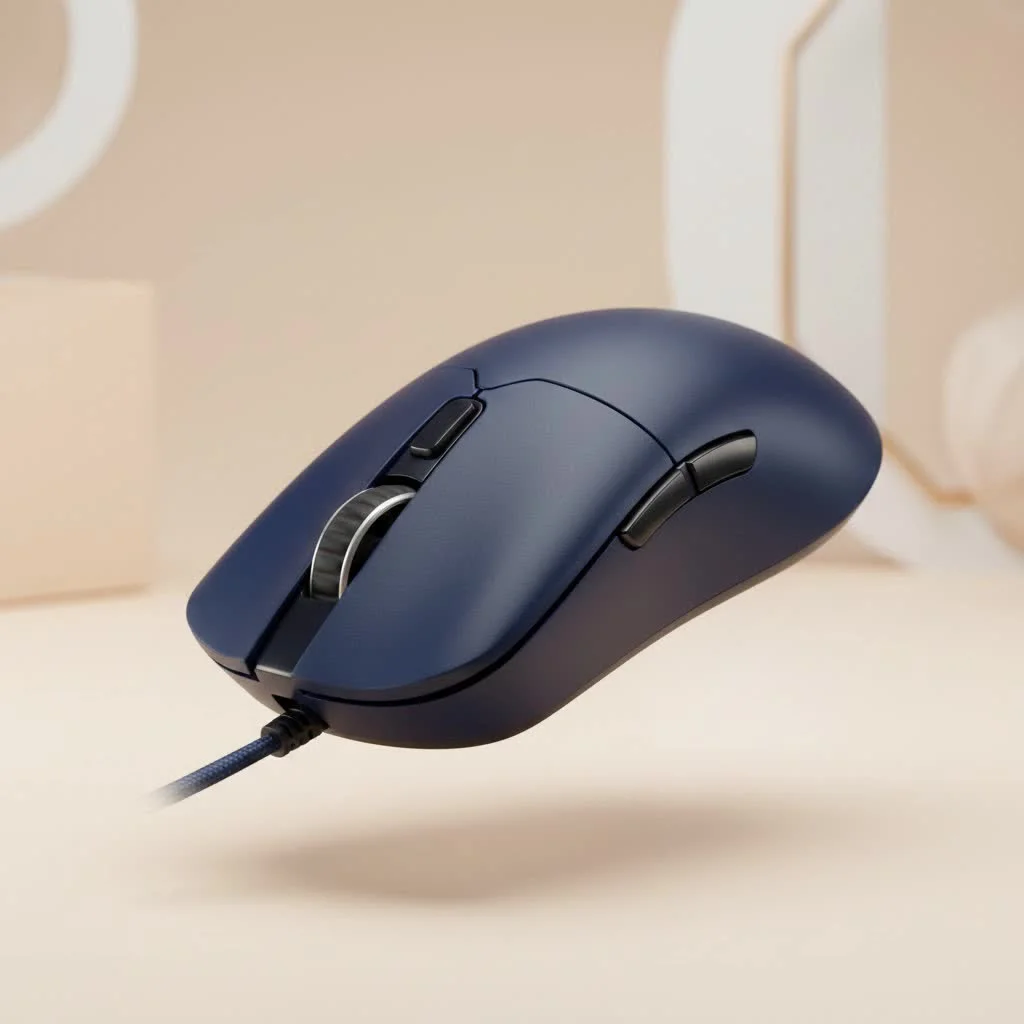
For over a decade, Razer has dominated the gaming peripheral market, known for cutting-edge technology and esports-grade performance. The brand consistently pushes boundaries with revolutionary sensors and lightning-fast optical switches. This guide breaks down Razer’s core lineups, explains key technologies, and helps match a mouse to your specific needs and grip style.
What Makes a Razer Gaming Mouse Stand Out?
Razer’s dominance is built on proprietary technologies designed to give gamers a competitive edge. Understanding these core features is essential before diving into specific models.
- Razer Focus Pro/Focus+ Optical Sensors: These sensors offer incredibly high Dots Per Inch (DPI) counts, flawless tracking, precision, and intelligent functions like Asymmetric Cut-Off for consistent lift-off distance.
- Razer Optical Mouse Switches: Unlike traditional mechanical switches, Razer’s optical switches use a beam of light to register clicks, making them faster, more durable, and incredibly reliable, rated for up to 90 million clicks.
- Razer HyperSpeed Wireless: This technology delivers a wireless connection as fast and stable as wired counterparts, offering freedom of movement without sacrificing performance, addressing previous latency concerns for pro gamers.
- Ergonomics and Design: Razer invests heavily in crafting shapes that cater to different hand sizes and grip styles, from the palm-hugging DeathAdder to the nimble, ambidextrous Viper.
Choosing Your Weapon: The Core Razer Mouse Lineup
Razer organizes its mice into distinct families, each tailored to a specific type of gamer or playstyle. Understanding these differences is the first step in narrowing down your options.
The DeathAdder Series: The Ergonomic Legend
The DeathAdder is an iconic gaming mouse, celebrated for its right-handed ergonomic design and comfort, making it perfect for palm and claw grippers. It excels as an all-rounder in any game genre. Latest iterations, like the DeathAdder V3 Pro, are incredibly lightweight while retaining the signature shape. If you prioritize comfort for long gaming sessions, the DeathAdder is a top choice.
The Viper Series: The Ambidextrous Speedster
Built for speed and precision, the Viper series targets competitive esports players with its true ambidextrous, symmetrical shape, catering to both left- and right-handed gamers. Its low-profile design is ideal for claw and fingertip grips. Models like the Viper V2 Pro are among the lightest mice, allowing for incredibly fast flicks and tracking in FPS titles like Valorant and CS:GO. If you need maximum speed and a nimble grip, the Viper is ideal.
The Basilisk Series: The Customizable Powerhouse
|
Our Picks for the Best Gaming Mouse in 2026
As an Amazon Associate I earn from qualifying purchases.
|
||
| Num | Product | Action |
|---|---|---|
| 1 | Razer Viper V3 HyperSpeed Wireless Esports Gaming Mouse: 82g Lightweight - Up to 280 Hr Battery - 30K DPI Optical Sensor - Gen-2 Mechanical Switches - 8 Programmable Controls - Classic Black |

|
| 2 | Razer Viper V3 Pro Wireless Esports Gaming Mouse: Symmetrical - 54g Lightweight - 8K Polling - 35K DPI Optical Sensor - Gen3 Optical Switches - 8 Programmable Buttons - 95 Hr Battery - Black |
|
| 3 | Logitech G502 X Plus Wireless Gaming Mouse - LIGHTSPEED Optical, LIGHTFORCE Switches, LIGHTSYNC RGB, HERO 25K Sensor for PC/Mac - Black |
|
| 4 | Razer Basilisk V3 X HyperSpeed Customizable Wireless Gaming Mouse: Mechanical Switches Gen-2-5G Advanced 18K Optical Sensor - Chroma RGB 9 Programmable Controls 535 Hr Battery Classic Black |
|
| 5 | Logitech G502 Lightspeed Wireless Gaming Mouse with Hero 25K Sensor, PowerPlay Compatible, Tunable Weights and Lightsync RGB - Black |
|
| 6 | Razer Naga V2 HyperSpeed Wireless MMO Gaming Mouse: 19 Programmable Buttons - HyperScroll Technology - Focus Pro 30K Optical Sensor - Mechanical Mouse Switches Gen-2 - Up to 400 Hr Battery Life |
|
| 7 | Logitech G PRO X SUPERLIGHT Wireless Gaming Mouse, Ultra-Lightweight, HERO 25K Sensor, 25,600 DPI, 5 Programmable Buttons, Long Battery Life, Compatible with PC / Mac - Black |
|
| 8 | Razer Basilisk V3 Customizable Ergonomic Gaming Mouse: Fastest Gaming Mouse Switch - Chroma RGB Lighting - 26K DPI Optical Sensor - 11 Programmable Buttons - HyperScroll Tilt Wheel - Classic Black |
|
| 9 | Logitech G703 Lightspeed Wireless Gaming Mouse W/Hero 25K Sensor, PowerPlay Compatible, Lightsync RGB, Lightweight 95G+10G Optional, 100-25, 600 DPI, Rubber Side Grips - Black |
|
| 10 | Razer DeathAdder Essential Gaming Mouse: 6400 DPI Optical Sensor - 5 Programmable Buttons - Mechanical Switches - Rubber Side Grips - Classic Black |
|
The Basilisk combines a classic ergonomic shape, similar to the DeathAdder, with extensive features. Its defining characteristic is a multi-function paddle under the thumb, customizable for actions like temporarily lowering DPI for sniping or as an extra keybind. The Basilisk also features a customizable scroll wheel with adjustable resistance and a “Smart-Reel” mode, making it versatile for gamers who desire extra buttons and settings without a full MMO mouse.
The Naga Series: The MMO & MOBA Master
For players of World of Warcraft, Final Fantasy XIV, or League of Legends, the Naga series is legendary. Its signature feature is a grid of 12 mechanical side buttons, providing instant access to skills, spells, and macros. Modern versions like the Naga V2 Pro offer interchangeable side plates (12-button, 6-button, or standard 2-button layouts), making it adaptable for various genres. If your game involves complex ability rotations, the Naga is unparalleled.
How Do I Choose the Right Razer Mouse for My Grip Style?
A mouse’s shape is as important as its sensor. Your grip style heavily influences comfort and control.
- Palm Grip: Your entire palm rests on the back of the mouse, with fingers lying flat. This relaxed grip benefits most from larger, contoured ergonomic shapes.
- Best Fit: The DeathAdder and Basilisk series are perfect.
- Claw Grip: Your palm contacts the back, but fingers are arched, with fingertips pressing buttons. This versatile grip works well with many shapes.
- Best Fit: The Viper, DeathAdder, and Basilisk are excellent choices.
- Fingertip Grip: Only your fingertips touch the mouse; your palm does not. This grip offers the most precise, fine-tuned movements.
- Best Fit: The lightweight, low-profile design of the Viper series is ideal.
As our in-house peripherals expert, Alex ‘Cyexx’ Chen, often says, “Gamers obsess over DPI, but pros know that shape is king. A mouse that fits your hand and grip style perfectly will do more for your aim than any sensor spec. Find the right shape in the Razer lineup first, and the performance will follow.”
Frequently Asked Questions
Which Razer mouse is best for small hands?
For smaller hands, the Razer Viper Mini and the Razer Cobra are excellent choices. They offer the top-tier performance of their larger siblings in a more compact and lightweight form factor, ensuring comfort and precision.
How long do Razer gaming mice last?
Razer mice are built to be durable, with optical switches rated for up to 90 million clicks, significantly outlasting many traditional mechanical switches. With proper care, a Razer mouse can easily last for many years of intense gaming, providing reliable performance.
Is Razer Synapse necessary to use the mouse?
While you can use a Razer mouse as a plug-and-play device, Razer Synapse software is necessary to customize DPI settings, change RGB lighting, and set up macros. Many modern Razer mice also feature on-board memory, allowing you to save your profile directly to the mouse for use on any computer without Synapse installed.
Are Razer mice good for more than just gaming?
Absolutely. The precision sensors, comfortable ergonomics, and extra programmable buttons on models like the Basilisk make them fantastic tools for productivity tasks. They are highly effective for photo and video editing or navigating large spreadsheets due to their advanced features.
DeathAdder or Viper: Which one should I get?
Choose the DeathAdder if you prioritize right-handed comfort and a supportive shape for a palm grip, ideal for long gaming sessions. Choose the Viper if you need a lightweight, ambidextrous mouse for fast, competitive FPS gaming and prefer a claw or fingertip grip for quick, precise movements.
The Final Click
Choosing the best Razer gaming mouse is a personal journey dependent on your games, grip style, and desired features. By understanding the core strengths of the DeathAdder, Viper, Basilisk, and Naga families, you are now equipped to make an informed decision. Razer offers meticulously engineered tools designed to help you perform at your peak, whether for ergonomic comfort in an RPG or feather-light speed in an esports final. Find your perfect match and get back in the game.
Frequently Asked Questions
Which Razer mouse is best for small hands?
For smaller hands, the Razer Viper Mini and the Razer Cobra are excellent choices. They offer the top-tier performance of their larger siblings in a more compact and lightweight form factor, ensuring comfort and precision.
How long do Razer gaming mice last?
Razer mice are built to be durable, with optical switches rated for up to 90 million clicks, significantly outlasting many traditional mechanical switches. With proper care, a Razer mouse can easily last for many years of intense gaming, providing reliable performance.
Is Razer Synapse necessary to use the mouse?
While you can use a Razer mouse as a plug-and-play device, Razer Synapse software is necessary to customize DPI settings, change RGB lighting, and set up macros. Many modern Razer mice also feature on-board memory, allowing you to save your profile directly to the mouse for use on any computer without Synapse installed.
Are Razer mice good for more than just gaming?
Absolutely. The precision sensors, comfortable ergonomics, and extra programmable buttons on models like the Basilisk make them fantastic tools for productivity tasks. They are highly effective for photo and video editing or navigating large spreadsheets due to their advanced features.
DeathAdder or Viper: Which one should I get?
Choose the DeathAdder if you prioritize right-handed comfort and a supportive shape for a palm grip, ideal for long gaming sessions. Choose the Viper if you need a lightweight, ambidextrous mouse for fast, competitive FPS gaming and prefer a claw or fingertip grip for quick, precise movements.
How to Choose the Right Razer Gaming Mouse
Selecting the ideal Razer gaming mouse involves understanding your grip style, preferred game genres, and the unique features of each mouse series.
Determine if you use a palm, claw, or fingertip grip. This is crucial because a mouse's shape significantly impacts comfort and control. Different Razer series are optimized for specific grip types.
Match the mouse series to your main games. For example, the Naga series excels in MMOs with its many buttons, while the lightweight Viper is ideal for fast-paced FPS titles. The DeathAdder and Basilisk are versatile for various genres.
Look at features like optical sensors for precision, optical switches for durability, and HyperSpeed Wireless for low-latency performance. If you need extra programmable buttons or adjustable scroll wheels, the Basilisk or Naga series might be best.
For long gaming sessions, ergonomic comfort is key; the DeathAdder is renowned for this. If speed and minimal weight are paramount for competitive play, consider the Viper series. Test different shapes if possible to find the best fit for your hand.
Get our weekly buyer guide
Practical specs, not advice. Unsubscribe anytime.

I finally upgraded to the Razer Viper V2 Pro after using an older model for years, and wow, what a difference! The HyperSpeed Wireless is no joke; I can’t feel any lag at all, which is crucial for the FPS games I play. It’s super lightweight too, perfect for my claw grip. Definitely worth the investment if you’re serious about competitive gaming.
I picked up the Razer Basilisk V3 because I liked the idea of the customizable scroll wheel and the thumb rest. While the build quality is solid and the optical switches are super responsive, I found it a bit too heavy for my fast-paced RTS games. It’s a good mouse, but I think I might need something lighter next time.
As an MMO player, the Razer Naga V2 Pro has been a game-changer for me. The interchangeable side plates are genius, letting me switch between the 12-button layout for raiding and a simpler one for general use. The battery life is also surprisingly good, and I love not having to worry about charging it constantly.
I’ve been a DeathAdder fan for ages, and the latest version with the Focus Pro optical sensor is fantastic. The tracking is incredibly precise, and it feels really comfortable for my palm grip during long sessions. My only minor complaint is that the scroll wheel feels a little less tactile than my previous DeathAdder, but it’s not a dealbreaker.