In the world of competitive gaming, every millisecond and every millimeter counts. While skill is paramount, your gear can be the deciding factor between a win and a loss. The centerpiece of that gear is often the pro gaming mouse. But what exactly separates a standard office mouse from a tool engineered for esports victory? It’s more than just flashy lights and an aggressive design; it’s a combination of precision engineering, featherlight construction, and instantaneous response that gives professional players their critical edge.
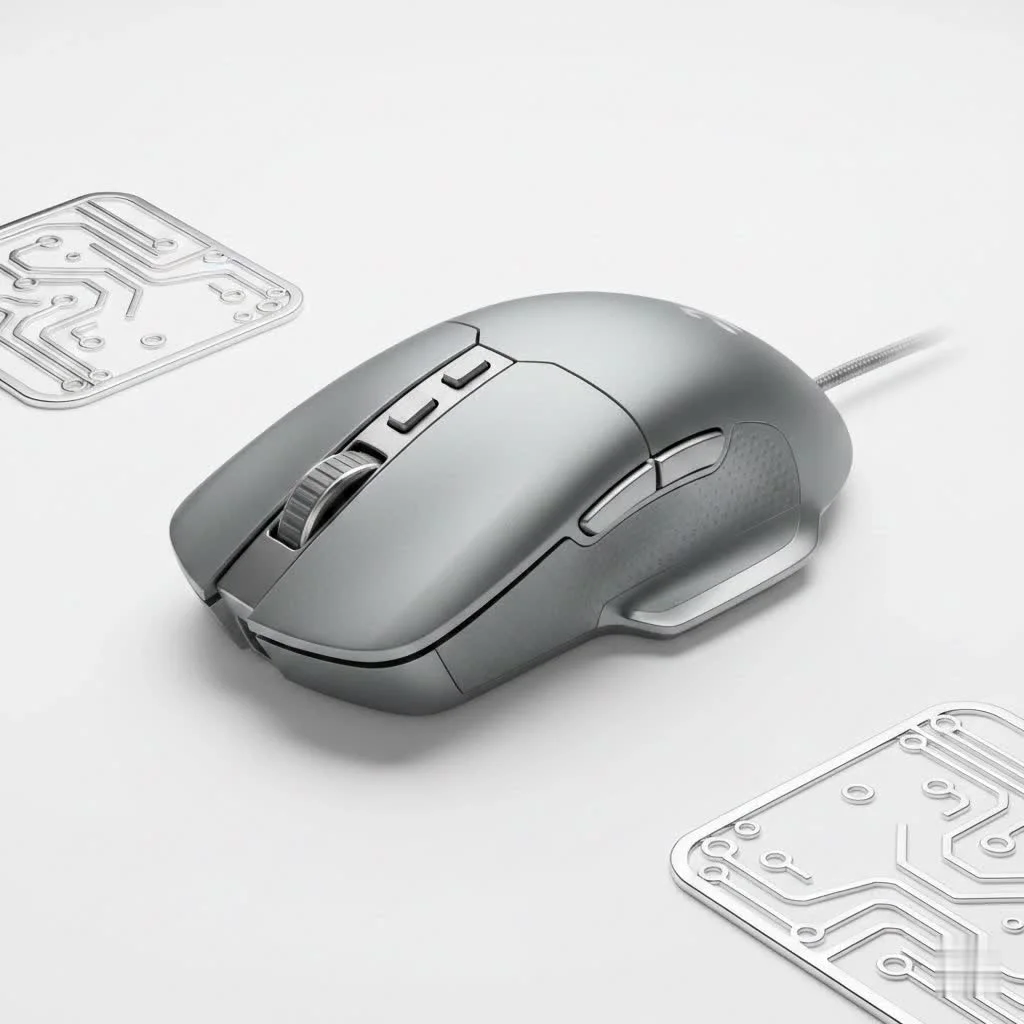
This guide, brought to you by the hardware experts at Cyexx.com, will break down everything you need to know. We’ll explore the core components that define a professional-grade mouse and help you understand how to choose the perfect one to elevate your own gameplay.
What Truly Defines a Pro Gaming Mouse?
Unlike standard mice, a pro gaming mouse is stripped of non-essential features and obsessively optimized for one thing: performance. Manufacturers focus on specific technological advancements that translate directly to in-game accuracy and speed.
The Sensor: The Heart of Precision
The sensor is the most critical component. A pro-grade mouse features a flawless optical sensor that ensures perfect 1:1 tracking. This means the movement of your cursor on the screen perfectly matches the movement of your hand, with no unwanted acceleration, angle snapping, or prediction. This raw, unfiltered input is essential for building muscle memory and achieving consistent aim.
“You need to trust your sensor completely,” says Alex ‘Hawkeye’ Chen, a former professional CS:GO player and hardware analyst at Cyexx.com. “In a high-stakes duel, you can’t be fighting your own hardware. A top-tier sensor feels like a natural extension of your arm, not a piece of technology you have to compensate for.”
Polling Rate: The Speed of Communication
Polling rate, measured in Hertz (Hz), is how often your mouse reports its position to your computer. While a standard mouse might have a 125Hz polling rate, a pro gaming mouse typically starts at 1000Hz, reporting its position 1000 times per second. Some cutting-edge models now even offer 4000Hz or 8000Hz polling rates, providing a noticeably smoother and more responsive feel on high-refresh-rate monitors. This reduces the delay between your physical movement and the on-screen action to an absolute minimum.
Weight and Design: The Ergonomic Edge
The trend in the pro scene is overwhelmingly towards lighter mice. An ultralight mouse (often under 65 grams) reduces fatigue during long gaming sessions and allows for faster, more agile movements like flick shots. This is achieved by using lightweight materials and efficient internal designs, often without the honeycomb shells of the past to maintain structural integrity. The shape, or ergonomic design, is equally crucial, as it must match the player’s hand size and grip style for maximum comfort and control.
Switches and Durability: Clicks That Count
|
Our Picks for the Best Gaming Mouse in 2026
As an Amazon Associate I earn from qualifying purchases.
|
||
| Num | Product | Action |
|---|---|---|
| 1 | Razer Basilisk V3 Customizable Ergonomic Gaming Mouse: Fastest Gaming Mouse Switch - Chroma RGB Lighting - 26K DPI Optical Sensor - 11 Programmable Buttons - HyperScroll Tilt Wheel - Classic Black |

|
| 2 | Razer Viper V3 Pro Wireless Esports Gaming Mouse: Symmetrical - 54g Lightweight - 8K Polling - 35K DPI Optical Sensor - Gen3 Optical Switches - 8 Programmable Buttons - 95 Hr Battery - Black |
|
| 3 | Logitech G PRO X SUPERLIGHT Wireless Gaming Mouse, Ultra-Lightweight, HERO 25K Sensor, 25,600 DPI, 5 Programmable Buttons, Long Battery Life, Compatible with PC / Mac - Black |
|
| 4 | Razer Viper V3 HyperSpeed Wireless Esports Gaming Mouse: 82g Lightweight - Up to 280 Hr Battery - 30K DPI Optical Sensor - Gen-2 Mechanical Switches - 8 Programmable Controls - Classic Black |
|
| 5 | Razer Naga V2 HyperSpeed Wireless MMO Gaming Mouse: 19 Programmable Buttons - HyperScroll Technology - Focus Pro 30K Optical Sensor - Mechanical Mouse Switches Gen-2 - Up to 400 Hr Battery Life |
|
| 6 | Logitech G703 Lightspeed Wireless Gaming Mouse W/Hero 25K Sensor, PowerPlay Compatible, Lightsync RGB, Lightweight 95G+10G Optional, 100-25, 600 DPI, Rubber Side Grips - Black |
|
| 7 | Razer DeathAdder Essential Gaming Mouse: 6400 DPI Optical Sensor - 5 Programmable Buttons - Mechanical Switches - Rubber Side Grips - Classic Black |
|
| 8 | Logitech G502 X Plus Wireless Gaming Mouse - LIGHTSPEED Optical, LIGHTFORCE Switches, LIGHTSYNC RGB, HERO 25K Sensor for PC/Mac - Black |
|
| 9 | Razer Basilisk V3 X HyperSpeed Customizable Wireless Gaming Mouse: Mechanical Switches Gen-2-5G Advanced 18K Optical Sensor - Chroma RGB 9 Programmable Controls 535 Hr Battery Classic Black |
|
| 10 | Logitech G502 Lightspeed Wireless Gaming Mouse with Hero 25K Sensor, PowerPlay Compatible, Tunable Weights and Lightsync RGB - Black |
|
The left and right mouse buttons on a pro gaming mouse use high-quality switches. Increasingly, optical switches are becoming the standard over traditional mechanical ones. Optical switches use a beam of light to register a click, making them significantly faster and eliminating the risk of “double-clicking” issues that can develop in mechanical switches over time. They also offer incredible durability, often rated for 70 to 100 million clicks.
How to Choose the Right Pro Gaming Mouse for You
Selecting a pro gaming mouse is a deeply personal choice. What works for a world champion might not be the best fit for you. Consider these key factors to narrow down your options.
What Is Your Grip Style?
How you hold your mouse is fundamental to your choice. There are three primary grip styles:
- Palm Grip: Your entire hand rests on the mouse. This is a relaxed grip that’s great for comfort. Players with this style often prefer larger, more ergonomically shaped mice.
- Claw Grip: Your wrist is planted on the mousepad, and your fingers are arched up in a claw-like shape. This grip allows for quick and precise micro-adjustments and suits medium-sized, often ambidextrous mice.
- Fingertip Grip: Only your fingertips touch the mouse, with your palm not making contact at all. This style offers the most agility and is best paired with small, extremely lightweight mice.
Match the Mouse to Your Game Genre
The types of games you play can influence your ideal mouse.
- FPS Games (CS:GO, Valorant, Apex Legends): The focus here is on precision aiming and fast reflexes. An ultralight mouse with a flawless sensor and a simple, comfortable shape is king. You don’t need a lot of extra buttons.
- MOBA/MMO Games (League of Legends, World of Warcraft): These games require quick access to numerous abilities and items. While a lightweight build is still nice, players often look for mice with additional programmable side buttons to map their skills.
Frequently Asked Questions (FAQ)
What DPI do most pro gamers use?
Most professional FPS players use a surprisingly low DPI setting, typically between 400 and 1600. They pair this with a lower in-game sensitivity and use large mousepads, making large arm movements for big turns and small wrist movements for precise aiming.
Is a wireless pro gaming mouse as good as a wired one?
Yes. Modern professional-grade wireless technology is now considered flawless. Brands like Logitech (Lightspeed) and Razer (HyperSpeed) offer latency that is indistinguishable from, and in some cases even faster than, their wired counterparts. Many pros have made the switch to wireless for the freedom of movement it provides.
Are heavier mice bad for gaming?
While the trend is towards lighter mice for speed and agility, it’s ultimately a matter of preference. Some players feel a slightly heavier mouse gives them more stability and control for smoother tracking. However, for most competitive games, the benefits of a lightweight design are hard to ignore.
Do I need a mouse with lots of programmable buttons?
For most FPS and general competitive play, you do not. The standard two side buttons are usually sufficient for actions like melee or push-to-talk. More buttons are primarily beneficial for MMO or strategy games where you need to manage many commands.
How much should I expect to spend?
A top-tier pro gaming mouse is an investment in your performance. You can expect to spend anywhere from $80 to $150 for a flagship model from a reputable brand. While cheaper options exist, they often compromise on the sensor, weight, or build quality.
Find Your Perfect Edge
Choosing a pro gaming mouse is about finding a tool that disappears in your hand, allowing your skills to shine without limitation. By focusing on the core elements—a flawless sensor, a lightweight design, a comfortable shape for your grip, and lag-free connectivity—you are investing in consistency, accuracy, and confidence. The perfect mouse won’t make you a pro overnight, but it will give you the reliable, high-performance foundation needed to play at your absolute best. Now it’s time to find the one that fits you perfectly and take your game to the next level.
Get our weekly buyer guide
Practical specs, not advice. Unsubscribe anytime.
