In the world of PC gaming, performance is king. But what if you could have top-tier performance and impeccable style? Enter the White Wireless Gaming Mouse, a component that has transcended from a niche aesthetic choice to a mainstream staple for gamers building a clean, minimalist, or standout setup. Gone are the days of sacrificing functionality for a specific color. Today’s white gaming mice are packed with the same cutting-edge technology as their darker counterparts, offering a pristine look without compromise.
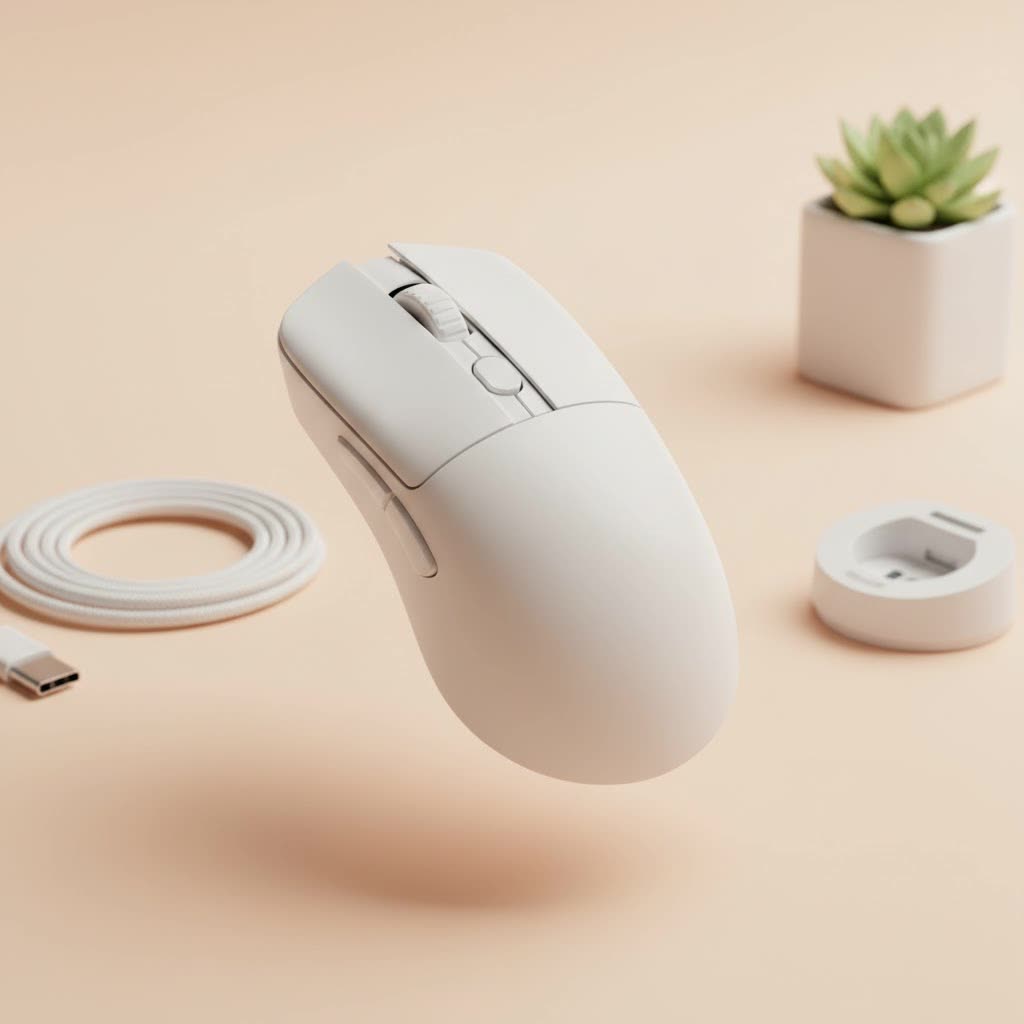
Choosing the right mouse is crucial. It’s your primary connection to the digital battlefield, where every click and flick matters. This guide, brought to you by the experts at Cyexx, will break down everything you need to know to select the perfect white wireless gaming mouse that complements your setup and elevates your gameplay.
Why Go for a White Wireless Gaming Mouse?
The appeal of a white gaming mouse goes beyond just its color. It’s about building a cohesive and visually striking gaming environment. A white mouse can be the centerpiece of a clean, minimalist setup, often paired with a white keyboard and monitor to create a unified look. It also provides a stunning contrast in a darker setup, making your most crucial peripheral pop.
But aesthetics are just the beginning. The biggest advantage is the freedom of movement. A wireless mouse eliminates cable drag, a subtle but significant source of friction and resistance that can interfere with precise movements. For competitive players, this untethered experience can mean the difference between hitting a clutch shot and missing it entirely. Modern wireless technology has also closed the gap on latency, making today’s wireless mice just as responsive as their wired predecessors.
Key Features to Consider Before You Buy
Navigating the specs sheet of a gaming mouse can be daunting. Let’s simplify it by focusing on what truly matters for a white wireless gaming mouse.
Performance: Sensor, DPI, and Polling Rate
The heart of any gaming mouse is its sensor. Look for a top-tier optical sensor, often referred to by names like Logitech’s HERO sensor or Razer’s Focus Pro. These sensors provide flawless 1:1 tracking, meaning the movement on your screen perfectly mirrors the movement of your hand, with no acceleration or prediction.
- DPI (Dots Per Inch): This measures mouse sensitivity. While manufacturers often advertise massive DPI numbers (up to 30,000 or more), most pro players use a much lower setting, typically between 400 and 1600 DPI. A high maximum DPI indicates a capable sensor, but it shouldn’t be the main deciding factor.
- Polling Rate: Measured in Hz, this is how often the mouse reports its position to the computer. The industry standard is 1000Hz (1ms response time). Some advanced mice now offer 4000Hz or even 8000Hz polling rates for even smoother tracking, though the real-world benefit can be marginal for most users.
|
Our Picks for the Best Gaming Mouse in 2026
As an Amazon Associate I earn from qualifying purchases.
|
||
| Num | Product | Action |
|---|---|---|
| 1 | Razer DeathAdder Essential Gaming Mouse: 6400 DPI Optical Sensor - 5 Programmable Buttons - Mechanical Switches - Rubber Side Grips - Classic Black |

|
| 2 | Logitech G PRO X SUPERLIGHT Wireless Gaming Mouse, Ultra-Lightweight, HERO 25K Sensor, 25,600 DPI, 5 Programmable Buttons, Long Battery Life, Compatible with PC / Mac - Black |
|
| 3 | Razer Basilisk V3 X HyperSpeed Customizable Wireless Gaming Mouse: Mechanical Switches Gen-2-5G Advanced 18K Optical Sensor - Chroma RGB 9 Programmable Controls 535 Hr Battery Classic Black |
|
| 4 | Razer Viper V3 HyperSpeed Wireless Esports Gaming Mouse: 82g Lightweight - Up to 280 Hr Battery - 30K DPI Optical Sensor - Gen-2 Mechanical Switches - 8 Programmable Controls - Classic Black |
|
| 5 | Logitech G502 Lightspeed Wireless Gaming Mouse with Hero 25K Sensor, PowerPlay Compatible, Tunable Weights and Lightsync RGB - Black |
|
| 6 | Razer Viper V3 Pro Wireless Esports Gaming Mouse: Symmetrical - 54g Lightweight - 8K Polling - 35K DPI Optical Sensor - Gen3 Optical Switches - 8 Programmable Buttons - 95 Hr Battery - Black |
|
| 7 | Razer Naga V2 HyperSpeed Wireless MMO Gaming Mouse: 19 Programmable Buttons - HyperScroll Technology - Focus Pro 30K Optical Sensor - Mechanical Mouse Switches Gen-2 - Up to 400 Hr Battery Life |
|
| 8 | Logitech G703 Lightspeed Wireless Gaming Mouse W/Hero 25K Sensor, PowerPlay Compatible, Lightsync RGB, Lightweight 95G+10G Optional, 100-25, 600 DPI, Rubber Side Grips - Black |
|
| 9 | Logitech G502 X Plus Wireless Gaming Mouse - LIGHTSPEED Optical, LIGHTFORCE Switches, LIGHTSYNC RGB, HERO 25K Sensor for PC/Mac - Black |
|
| 10 | Razer Basilisk V3 Customizable Ergonomic Gaming Mouse: Fastest Gaming Mouse Switch - Chroma RGB Lighting - 26K DPI Optical Sensor - 11 Programmable Buttons - HyperScroll Tilt Wheel - Classic Black |
|
Connectivity and Battery Life
Modern wireless gaming mice primarily use a proprietary 2.4GHz USB dongle for a low-latency, stable connection. This is essential for gaming. While many also offer Bluetooth as a secondary option, it’s best reserved for productivity tasks, as it has higher latency.
Battery life is a major consideration. Most premium models offer anywhere from 50 to 100 hours of continuous use on a single charge. Look for mice with USB-C charging, which is now the standard, for faster and more convenient power-ups.
“A great wireless mouse should make you forget it’s wireless. The connection must be flawless and the battery long enough that you’re focused on the game, not on charging.” – Liam Carter, Lead Hardware Analyst at Cyexx.
Ergonomics, Weight, and Shape
This is perhaps the most personal aspect of choosing a mouse. How it feels in your hand is paramount.
- Shape: Mice come in two main shapes: symmetrical (ambidextrous) and ergonomic (right-handed). Your choice depends on your grip style (palm, claw, or fingertip) and what feels most comfortable for long sessions.
- Weight: The trend has moved towards lightweight mice, typically under 70 grams. A lighter mouse is easier to move quickly and can reduce fatigue over time. The “sweet spot” for many is between 55 and 65 grams.
Durability and Maintenance
A common concern with white peripherals is that they get dirty easily. While this is true, modern mice often feature coatings that resist stains and oils from your hands. Regular cleaning with a microfiber cloth and a gentle cleaning solution will keep your mouse looking pristine. Also, check the quality of the mouse feet (skates), usually made of PTFE, as they ensure a smooth glide across your mousepad.
Top White Wireless Gaming Mice to Consider
Here are a few of the best models on the market that combine elite performance with a stunning white finish.
1. Logitech G Pro X Superlight
A legend in the esports scene, the Superlight is revered for its safe, ambidextrous shape that fits a wide range of hand sizes and grip styles. Weighing in at just under 63 grams, it feels incredibly nimble. Its HERO 25K sensor is flawless, and the battery life is exceptional. It’s a no-frills, performance-focused mouse that just happens to look fantastic in white.
- Weight: ~63g
- Sensor: HERO 25K
- Battery Life: Up to 70 hours
- Best For: Competitive gamers seeking a reliable, all-around performer.
2. Razer Viper V2 Pro (White Edition)
Razer’s answer to the Superlight, the Viper V2 Pro is even lighter at just 58 grams. It features a flat, symmetrical shape ideal for claw and fingertip grippers. Armed with Razer’s Focus Pro 30K optical sensor and Gen-3 optical switches, it offers some of the most responsive clicks and tracking available. This mouse is built for pure speed and precision.
- Weight: ~58g
- Sensor: Focus Pro 30K
- Battery Life: Up to 80 hours
- Best For: FPS players who prioritize a low-weight design and lightning-fast clicks.
3. Pulsar X2V2
Pulsar has made a massive impact in the enthusiast market. The X2V2 offers a unique shape that is great for claw grip users, providing excellent stability. It’s packed with high-end components, including a PixArt PAW3395 sensor and optical switches, all in an ultra-lightweight package. It’s a top-tier performer at a very competitive price point.
- Weight: ~54g
- Sensor: PixArt PAW3395
- Battery Life: Up to 70 hours
- Best For: Gamers looking for an enthusiast-grade mouse without the premium brand price tag.
Frequently Asked Questions (FAQ)
Q: Do white gaming mice get yellow over time?
A: High-quality mice use UV-resistant coatings and plastics (like ABS or PBT) that are much less prone to yellowing than older plastics. With regular cleaning, your mouse should maintain its white color for years.
Q: Is there a performance difference between a white mouse and a black mouse?
A: No. As long as you are comparing the same model, the color is purely cosmetic. The internal components, sensor, and switches are identical, ensuring you get the same top-level performance regardless of the colorway.
Q: How do I clean a white gaming mouse?
A: Power off the mouse first. Use a slightly damp microfiber cloth for the main body. For tougher grime in crevices, a cotton swab with a small amount of isopropyl alcohol works well. Avoid harsh chemicals or soaking the mouse in liquid.
Q: Is a lightweight mouse always better?
A: Not necessarily. While the trend is toward lighter mice for fast-paced games like FPS titles, some players prefer the stability and control of a slightly heavier mouse for other genres like MOBAs or MMOs. It ultimately comes down to personal preference.
Q: Can I use a white wireless gaming mouse for work too?
A: Absolutely! The high-quality sensors are excellent for precision tasks like graphic design or video editing. Many models have a professional, understated look (especially with RGB lighting turned off) that fits perfectly in a home office environment.
The Final Click
A white wireless gaming mouse is more than just a peripheral; it’s a statement piece that proves you don’t have to choose between aesthetics and performance. By focusing on the core elements—a flawless sensor, a comfortable shape, low-latency wireless, and a weight that suits your playstyle—you can find the perfect mouse to complete your dream setup. Whether you opt for a proven champion like the Logitech G Pro X Superlight or a nimble competitor like the Razer Viper V2 Pro, you’re investing in a tool that will provide a clean look and a competitive edge. Now, go build that perfect setup and claim your victory in style.
