The Logitech G203 Lightsync gaming mouse is an excellent budget-friendly option, offering a balance of performance, features, and price for under $50. It features a classic, comfortable design, a reliable 8,000 DPI Mercury sensor, and vibrant Lightsync RGB lighting with 16.8 million customizable colors, making it a strong contender for competitive and casual gamers alike.
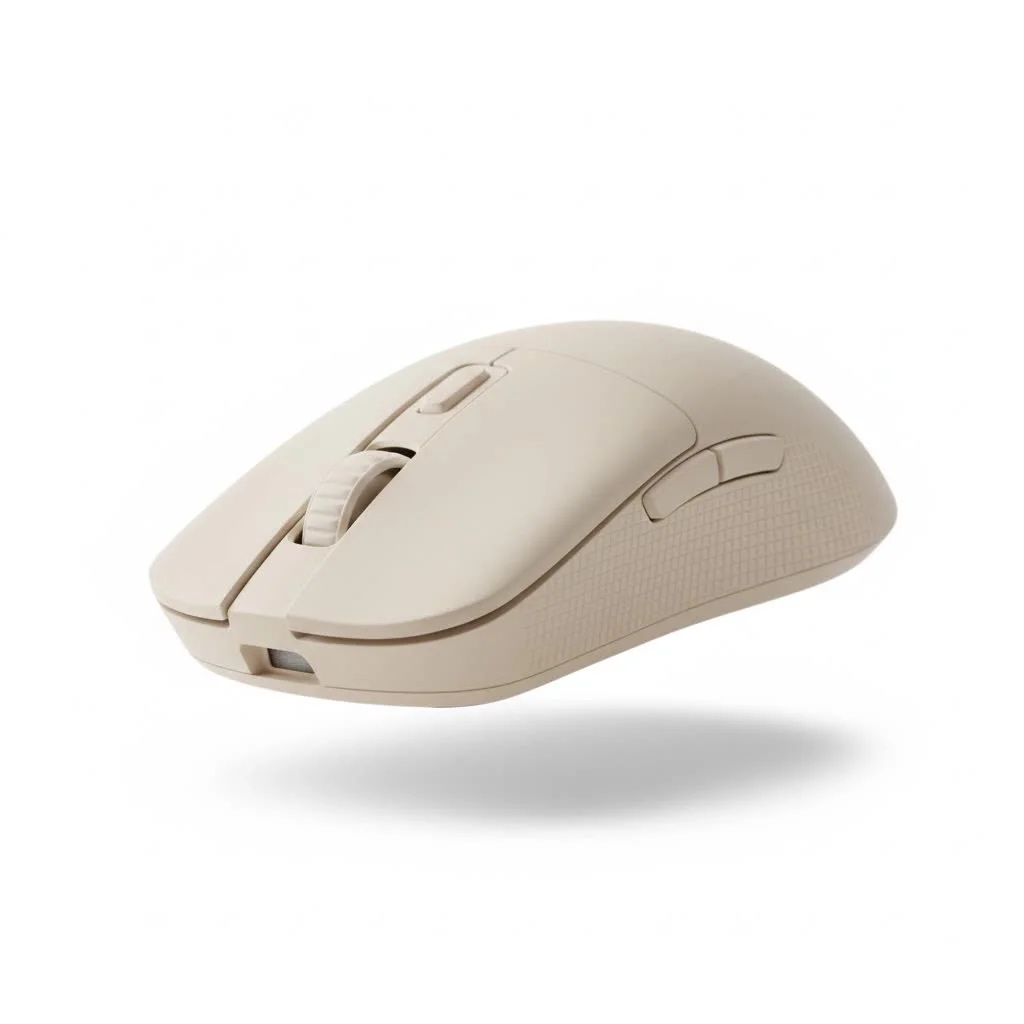
The G203 Lightsync is not merely a stripped-down version of a more expensive mouse; it’s a thoughtfully designed piece of gear built from the ground up to deliver a solid gaming experience. It inherits a classic, beloved shape and packs it with modern technology once reserved for high-end models. From its reliable sensor to its vibrant RGB lighting, this mouse aims to prove that you don’t need to spend a fortune to be competitive. For expert reviews reviews on this site.
Unpacking the G203 Lightsync’s Core Features
So, what exactly makes this mouse a top contender in its price bracket? It’s not just one single feature, but rather a combination of smart design choices and reliable technology that work together seamlesslyLet’s dive into the components that define the Logitech G203 Lightsync experience.
A Timeless Design for Lasting Comfort
The first thing you’ll notice about the G203 Lightsync is its familiar shape. It’s based on the classic Logitech G100s design, a simple, elegant, and comfortable form factor praised by gamers for years. This isn’t a mouse with extreme angles or an overly aggressive “gamer” aesthetic. Instead, it offers a clean, ambidextrous-inspired shape that fits a wide variety of hand sizes and grip styles.
Weighing in at just 85 grams, it strikes a great balance. It’s light enough for quick, snappy movements in fast-paced shooters like Valorant or Apex Legends, but it still has enough substance to feel stable and controlled for precise actions in strategy games. The matte plastic finish provides a secure grip, ensuring the mouse stays firmly in your hand during even the most intense gaming sessions.
The Gaming-Grade “Mercury” Sensor
At the heart of any great gaming mouse is its sensor, and the G203 Lightsync is equipped with a capable one. Logitech has fitted it with their “Mercury” sensor, a reliable tracker that offers a Dots Per Inch (DPI) range from 200 up to 8,000.
But what does that mean for you? A higher DPI isn’t always better, but a wide range gives you the flexibility to find the perfect sensitivity for your playstyle. Whether you prefer low-DPI for precise sniper shots or high-DPI for rapid 360-degree turns, the G203’s sensor can be tuned to your exact preference. More importantly, the sensor provides consistent, 1-to-1 tracking without acceleration or smoothing, meaning your hand movements are translated to the screen with dependable accuracy. This is the kind of reliability that builds confidence in competitive play.
Dazzling Customization with Lightsync RGB
|
Our Picks for the Best Gaming Mouse in 2026
As an Amazon Associate I earn from qualifying purchases.
|
||
| Num | Product | Action |
|---|---|---|
| 1 | Logitech G502 X Plus Wireless Gaming Mouse - LIGHTSPEED Optical, LIGHTFORCE Switches, LIGHTSYNC RGB, HERO 25K Sensor for PC/Mac - Black |

|
| 2 | Razer Basilisk V3 X HyperSpeed Customizable Wireless Gaming Mouse: Mechanical Switches Gen-2-5G Advanced 18K Optical Sensor - Chroma RGB 9 Programmable Controls 535 Hr Battery Classic Black |
|
| 3 | Logitech G703 Lightspeed Wireless Gaming Mouse W/Hero 25K Sensor, PowerPlay Compatible, Lightsync RGB, Lightweight 95G+10G Optional, 100-25, 600 DPI, Rubber Side Grips - Black |
|
| 4 | Logitech G502 Lightspeed Wireless Gaming Mouse with Hero 25K Sensor, PowerPlay Compatible, Tunable Weights and Lightsync RGB - Black |
|
| 5 | Razer DeathAdder Essential Gaming Mouse: 6400 DPI Optical Sensor - 5 Programmable Buttons - Mechanical Switches - Rubber Side Grips - Classic Black |
|
| 6 | Razer Viper V3 Pro Wireless Esports Gaming Mouse: Symmetrical - 54g Lightweight - 8K Polling - 35K DPI Optical Sensor - Gen3 Optical Switches - 8 Programmable Buttons - 95 Hr Battery - Black |
|
| 7 | Logitech G PRO X SUPERLIGHT Wireless Gaming Mouse, Ultra-Lightweight, HERO 25K Sensor, 25,600 DPI, 5 Programmable Buttons, Long Battery Life, Compatible with PC / Mac - Black |
|
| 8 | Razer Basilisk V3 Customizable Ergonomic Gaming Mouse: Fastest Gaming Mouse Switch - Chroma RGB Lighting - 26K DPI Optical Sensor - 11 Programmable Buttons - HyperScroll Tilt Wheel - Classic Black |
|
| 9 | Razer Viper V3 HyperSpeed Wireless Esports Gaming Mouse: 82g Lightweight - Up to 280 Hr Battery - 30K DPI Optical Sensor - Gen-2 Mechanical Switches - 8 Programmable Controls - Classic Black |
|
| 10 | Razer Naga V2 HyperSpeed Wireless MMO Gaming Mouse: 19 Programmable Buttons - HyperScroll Technology - Focus Pro 30K Optical Sensor - Mechanical Mouse Switches Gen-2 - Up to 400 Hr Battery Life |
|
The “Lightsync” in the name is a major draw. The mouse features three distinct RGB lighting zones that blend into a beautiful color gradient along the back and sides. This is a significant step up from the single-zone lighting found on many other budget mice.
Using the Logitech G HUB software, you can customize the lighting with a full spectrum of 16.8 million colors. You can choose from a variety of pre-set animations like Color Wave and Breathing, or you can create your own custom patterns. The best part of Lightsync technology is its ability to synchronize with your games, music, and screen content. Imagine your mouse flashing red when you take damage in a game or pulsing to the beat of your favorite song—it creates a more immersive and dynamic desktop experience.
“The G203 Lightsync truly democratizes premium features,” notes our in-house peripheral analyst, Alex ‘Vector’ Chen. “Getting high-fidelity, multi-zone RGB that can sync with games at this price point is a major upgrade for players building their first real gaming setup.”
Is the Logitech G203 Lightsync Gaming Mouse Right for You?
With its impressive feature set, the G203 is an attractive option, but it’s important to consider if it aligns with your specific needs. Let’s break down who this mouse is truly built for.
The Ideal Player Profile
This mouse is a perfect match for several types of gamers:
- The Budget-Conscious Gamer: This is the most obvious one. If you want the best possible performance without spending over $50, the G203 Lightsync is arguably one of the top choices on the market.
- The New PC Gamer: If you’re just getting into PC gaming, the G203 is a fantastic starting point. It’s simple, reliable, and introduces you to key features like programmable buttons and software customization without being overwhelming.
- The Minimalist: For those who prefer a clean, understated setup, the G203’s classic design is a breath of fresh air compared to more outlandish models. You can set the RGB to a simple, static color or turn it off completely for a professional look.
Mastering Control with Logitech G HUB
To unlock the full potential of your Logitech G203 Lightsync gaming mouse, you’ll need to download the Logitech G HUB software. This powerful yet user-friendly application is your command center for all things customization.
Inside G HUB, you can:
- Adjust DPI Levels: Set up to five different DPI levels that you can cycle through on-the-fly using the dedicated button behind the scroll wheel.
- Program the 6 Buttons: Remap any of the six buttons to perform different in-game actions, keyboard commands, or complex macros. This is perfect for assigning abilities in an MMO or essential functions in a creative application.
- Customize Lighting: Dive deep into the Lightsync RGB settings to create the perfect aesthetic for your setup.
- Save Profiles: Create different profiles for different games or tasks. Your mouse can automatically switch to your Fortnite profile when you launch the game and then revert to your “desktop” profile when you close it.
Frequently Asked Questions (FAQ)
What is the maximum DPI of the Logitech G203 Lightsync?
The G203 Lightsync features a gaming-grade sensor with an adjustable resolution up to 8,000 DPI. You can customize your DPI settings in steps using the Logitech G HUB software to find the perfect sensitivity for your needs.
Is the Logitech G203 Lightsync good for competitive FPS games?
Absolutely. Its lightweight design (85g), reliable sensor, and low-latency clicks make it a very capable mouse for competitive FPS titles like CS:GO, Valorant, and Overwatch. The classic, comfortable shape allows for long gaming sessions without fatigue.
Can you change the colors on the Logitech G203 Lightsync?
Yes, you can. The mouse features three-zone Lightsync RGB technology, which allows for vibrant and smooth color transitions. Using the Logitech G HUB software, you can choose from approximately 16.8 million colors and a variety of effects, or even sync the lighting with your games and media.
Does the G203 Lightsync have onboard memory?
Yes, it does. The Logitech G203 Lightsync comes with onboard memory, which means you can save one custom profile directly to the mouse using G HUB. This allows you to take your preferred settings—like DPI, button assignments, and lighting—with you and use them on another computer without needing the software installed.
Is the Logitech G203 Lightsync a wireless mouse?
No, the Logitech G203 Lightsync is a wired gaming mouse. It connects to your computer via a standard, non-braided USB-A cable that is approximately 2.1 meters long, providing a stable, lag-free connection essential for gaming.
The Final Verdict
After extensive use and analysis, it’s clear that the Logitech G203 Lightsync gaming mouse is more than just a budget option; it’s a statement. It proves that core gaming performance, brilliant RGB lighting, and robust customization don’t have to be exclusive to premium-priced gear. Its classic design offers time-tested comfort, while its modern internals provide the speed and accuracy needed for competitive play.
While it may lack the ultra-lightweight construction or the top-tier sensor of a $150 mouse, it delivers exceptional value and outperforms nearly everything in its class. If you’re building a new gaming rig, upgrading from a basic office mouse, or simply looking for a reliable and stylish peripheral that won’t break the bank, the G203 Lightsync should be at the very top of your list. It’s a workhorse that looks great, feels great, and plays great—a winning combination for any gamer.
Frequently Asked Questions
What is the maximum DPI of the Logitech G203 Lightsync?
The Logitech G203 Lightsync features a gaming-grade Mercury sensor with a maximum adjustable resolution of 8,000 DPI. Users can customize their DPI settings in steps using the Logitech G HUB software to find their preferred sensitivity.
Is the Logitech G203 Lightsync suitable for competitive FPS games?
Yes, the Logitech G203 Lightsync is highly suitable for competitive FPS games. Its lightweight design of 85 grams, reliable Mercury sensor, and low-latency clicks provide the precision and responsiveness needed for titles like CS:GO, Valorant, and Overwatch.
Can users customize the RGB lighting on the Logitech G203 Lightsync?
Yes, users can extensively customize the RGB lighting on the Logitech G203 Lightsync. It features three-zone Lightsync RGB technology, allowing access to approximately 16.8 million colors and various effects via the Logitech G HUB software, including synchronization with games and media.
Does the Logitech G203 Lightsync gaming mouse have onboard memory?
Yes, the Logitech G203 Lightsync includes onboard memory. This feature allows users to save one custom profile, including DPI settings, button assignments, and lighting preferences, directly to the mouse for use on other computers without needing the G HUB software installed.
Is the Logitech G203 Lightsync a wireless or wired gaming mouse?
The Logitech G203 Lightsync is a wired gaming mouse. It connects to a computer using a standard, non-braided USB-A cable that is approximately 2.1 meters long, ensuring a stable and lag-free connection crucial for gaming performance.
Unlock Full Potential of Logitech G203 Lightsync
Learn how to customize your Logitech G203 Lightsync gaming mouse using the Logitech G HUB software to optimize your gaming experience.
First, download and install the Logitech G HUB software from the official Logitech website. This application serves as the command center for all customization options for your G203 Lightsync mouse.
Within G HUB, navigate to the DPI settings. You can set up to five different DPI levels, ranging from 200 to 8,000, which can be cycled through on-the-fly using the dedicated button behind the scroll wheel during gameplay.
Utilize the software to remap any of the six programmable buttons on your G203 Lightsync. Assign different in-game actions, keyboard commands, or complex macros to enhance your control and efficiency in various games or applications.
Explore the Lightsync RGB settings to personalize your mouse's aesthetic. Choose from 16.8 million colors, select pre-set animations like Color Wave, or create custom patterns to match your setup or synchronize with your games and music.
Create and save different profiles for specific games or tasks. G HUB allows your mouse to automatically switch to a custom profile when you launch a particular game, ensuring your settings are always optimized for the task at hand.
Get our weekly buyer guide
Practical specs, not advice. Unsubscribe anytime.

I’ve been using the Logitech G203 Lightsync for a few weeks now and it’s seriously impressive for the price. The 8,000 DPI Mercury sensor is super accurate, which is a huge step up from my old generic mouse. I mostly play competitive FPS games and it keeps up perfectly. Definitely recommend it if you’re on a budget but still want good performance.
This mouse is a solid choice, especially for under $50. The Lightsync RGB lighting is really vibrant and I had fun customizing the colors to match my setup. My only minor gripe is that the cable feels a little stiff compared to some higher-end mice I’ve tried, but it’s not a dealbreaker. Great value overall.
Honestly, this mouse blew me away for the cost. I was looking for something reliable that wouldn’t break the bank and the G203 Lightsync delivered. It’s not just a stripped-down version of an expensive mouse; it feels like a quality piece of gear. Perfect for both gaming and everyday use.
I picked up the G203 Lightsync after hearing good things about its classic, comfortable design. It does feel good in my hand for long sessions, which is important for my casual gaming. However, I found the side buttons a bit too mushy for my liking. They work, but they don’t have that satisfying click I prefer. Still, for the price, it’s hard to complain too much.