A white wireless gaming mouse combines top-tier performance with a clean aesthetic, making it a popular choice for gamers seeking both functionality and style. Modern white gaming mice, such as the Logitech G Pro X Superlight and Razer Viper V2 Pro, offer modern technology like high-precision optical sensors and low-latency 2.4GHz wireless connectivity, ensuring no compromise on gameplay. These peripherals are ideal for creating a minimalist setup or providing a striking contrast in a darker gaming environment.
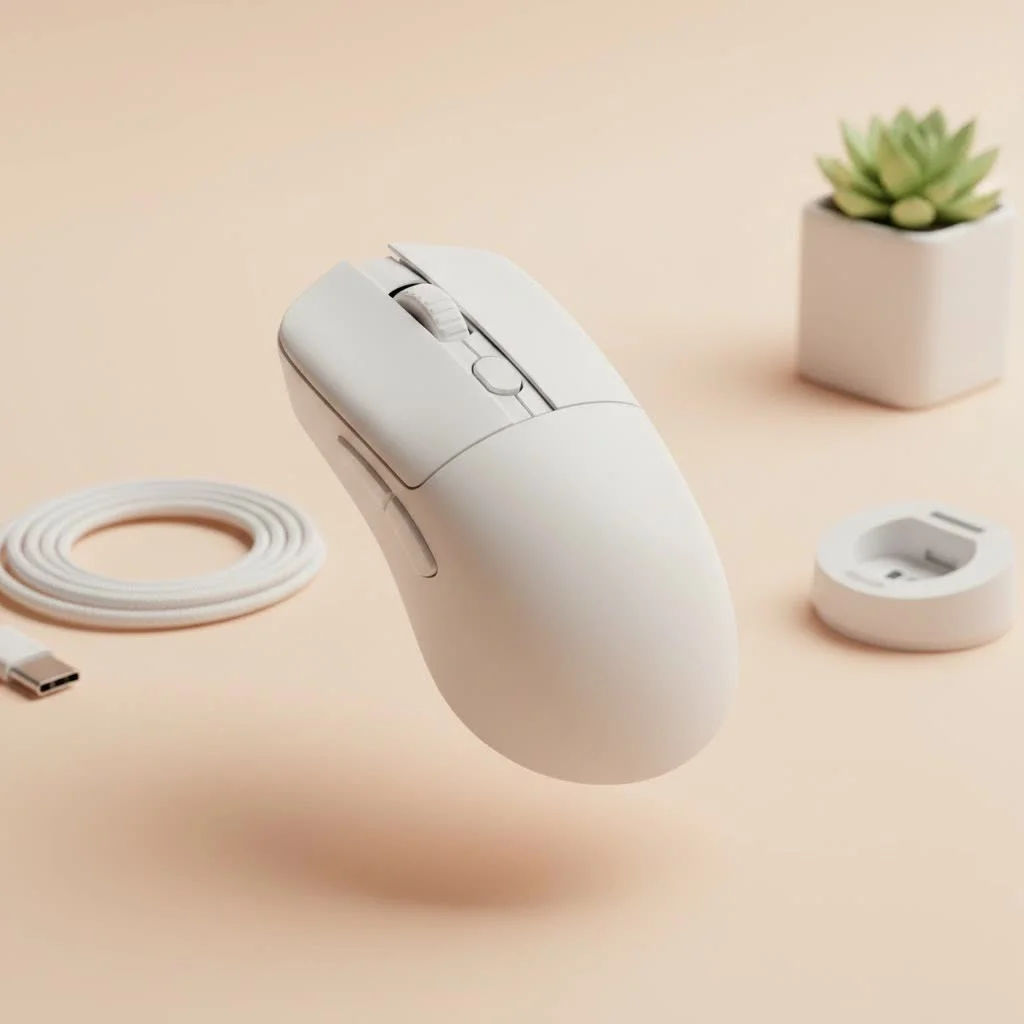
Choosing the right mouse is crucial as it’s your primary connection to the digital battlefield. This guide will help you select the perfect white wireless gaming mouse that complements your setup and elevates your gameplay. For see our reviews recommendations on this site.
Why Choose a White Wireless Gaming Mouse?
The appeal of a white gaming mouse extends beyond its color, contributing to a cohesive and visually striking gaming environment. A white mouse can serve as the centerpiece of a clean, minimalist setup, often paired with a white keyboard and monitor for a unified look. It can also provide a stunning contrast in a darker setup, making your most crucial peripheral stand out.
Beyond aesthetics, the primary advantage is freedom of movement. A wireless mouse eliminates cable drag, a subtle but significant source of friction that can interfere with precise movements. For competitive players, this untethered experience can be critical. Modern wireless technology has also significantly reduced latency, making today’s wireless mice as responsive as their wired counterparts.
Key Features to Consider Before Buying
Navigating the specifications of a gaming mouse can be challenging. Let’s focus on the essential features for a white wireless gaming mouse.
Performance: Sensor, DPI, and Polling Rate
The sensor is the core of any gaming mouse. Look for a top-tier optical sensor, such as Logitech’s HERO sensor or Razer’s Focus Pro. These sensors provide flawless 1:1 tracking, ensuring on-screen movement perfectly mirrors hand movement without acceleration or prediction.
- DPI (Dots Per Inch): This measures mouse sensitivity. While manufacturers advertise high DPI numbers (up to 30,000 or more), most professional players use lower settings, typically between 400 and 1600 DPI. A high maximum DPI indicates a capable sensor but isn’t the sole deciding factor.
- Polling Rate: Measured in Hz, this indicates how often the mouse reports its position to the computer. The industry standard is 1000Hz (1ms response time). Some advanced mice offer 4000Hz or even 8000Hz polling rates for smoother tracking, though the real-world benefit may be marginal for most users.
Connectivity and Battery Life
Modern wireless gaming mice primarily use a proprietary 2.4GHz USB dongle for a low-latency, stable connection, which is essential for gaming. Many also offer Bluetooth as a secondary option, but it’s best reserved for productivity tasks due to higher latency.
Battery life is a significant consideration. Most premium models offer 50 to 100 hours of continuous use on a single charge. Look for mice with USB-C charging, now the standard, for faster and more convenient power-ups.
“A great wireless mouse should make you forget it’s wireless. The connection must be flawless and the battery long enough that you’re focused on the game, not on charging.” – Liam Carter, Lead Hardware Analyst at Cyexx.
Ergonomics, Weight, and Shape
|
Our Picks for the Best Gaming Mouse in 2026
As an Amazon Associate I earn from qualifying purchases.
|
||
| Num | Product | Action |
|---|---|---|
| 1 | Logitech G PRO X SUPERLIGHT Wireless Gaming Mouse, Ultra-Lightweight, HERO 25K Sensor, 25,600 DPI, 5 Programmable Buttons, Long Battery Life, Compatible with PC / Mac - Black |

|
| 2 | Logitech G703 Lightspeed Wireless Gaming Mouse W/Hero 25K Sensor, PowerPlay Compatible, Lightsync RGB, Lightweight 95G+10G Optional, 100-25, 600 DPI, Rubber Side Grips - Black |
|
| 3 | Razer DeathAdder Essential Gaming Mouse: 6400 DPI Optical Sensor - 5 Programmable Buttons - Mechanical Switches - Rubber Side Grips - Classic Black |
|
| 4 | Logitech G502 X Plus Wireless Gaming Mouse - LIGHTSPEED Optical, LIGHTFORCE Switches, LIGHTSYNC RGB, HERO 25K Sensor for PC/Mac - Black |
|
| 5 | Razer Naga V2 HyperSpeed Wireless MMO Gaming Mouse: 19 Programmable Buttons - HyperScroll Technology - Focus Pro 30K Optical Sensor - Mechanical Mouse Switches Gen-2 - Up to 400 Hr Battery Life |
|
| 6 | Razer Basilisk V3 Customizable Ergonomic Gaming Mouse: Fastest Gaming Mouse Switch - Chroma RGB Lighting - 26K DPI Optical Sensor - 11 Programmable Buttons - HyperScroll Tilt Wheel - Classic Black |
|
| 7 | Razer Viper V3 HyperSpeed Wireless Esports Gaming Mouse: 82g Lightweight - Up to 280 Hr Battery - 30K DPI Optical Sensor - Gen-2 Mechanical Switches - 8 Programmable Controls - Classic Black |
|
| 8 | Razer Viper V3 Pro Wireless Esports Gaming Mouse: Symmetrical - 54g Lightweight - 8K Polling - 35K DPI Optical Sensor - Gen3 Optical Switches - 8 Programmable Buttons - 95 Hr Battery - Black |
|
| 9 | Razer Basilisk V3 X HyperSpeed Customizable Wireless Gaming Mouse: Mechanical Switches Gen-2-5G Advanced 18K Optical Sensor - Chroma RGB 9 Programmable Controls 535 Hr Battery Classic Black |
|
| 10 | Logitech G502 Lightspeed Wireless Gaming Mouse with Hero 25K Sensor, PowerPlay Compatible, Tunable Weights and Lightsync RGB - Black |
|
How a mouse feels in your hand is paramount and highly personal.
- Shape: Mice come in symmetrical (ambidextrous) and ergonomic (right-handed) shapes. Your choice depends on your grip style (palm, claw, or fingertip) and what feels most comfortable for long sessions.
- Weight: The trend favors lightweight mice, typically under 70 grams. A lighter mouse is easier to move quickly and can reduce fatigue. Many find the “sweet spot” between 55 and 65 grams.
Durability and Maintenance
A common concern with white peripherals is their susceptibility to dirt. However, modern mice often feature coatings that resist stains and oils. Regular cleaning with a microfiber cloth and a gentle cleaning solution will keep your mouse looking pristine. Also, check the quality of the mouse feet (skates), usually made of PTFE, as they ensure a smooth glide across your mousepad.
Top White Wireless Gaming Mice to Consider
Here are some of the best models on the market that combine elite performance with a stunning white finish.
1. Logitech G Pro X Superlight
A legend in esports, the Superlight is praised for its safe, ambidextrous shape suitable for various hand sizes and grip styles. Weighing just under 63 grams, it feels incredibly nimble. Its HERO 25K sensor is flawless, and the battery life is exceptional, offering up to 70 hours. It’s a performance-focused mouse that looks fantastic in white.
- Weight: ~63g
- Sensor: HERO 25K
- Battery Life: Up to 70 hours
- Best For: Competitive gamers seeking a reliable, all-around performer.
2. Razer Viper V2 Pro (White Edition)
Razer’s competitor to the Superlight, the Viper V2 Pro is even lighter at just 58 grams. It features a flat, symmetrical shape ideal for claw and fingertip grippers. Equipped with Razer’s Focus Pro 30K optical sensor and Gen-3 optical switches, it offers highly responsive clicks and tracking. This mouse is built for pure speed and precision, with up to 80 hours of battery life.
- Weight: ~58g
- Sensor: Focus Pro 30K
- Battery Life: Up to 80 hours
- Best For: FPS players who prioritize a low-weight design and lightning-fast clicks.
3. Pulsar X2V2
Pulsar has significantly impacted the enthusiast market. The X2V2 offers a unique shape excellent for claw grip users, providing superb stability. It includes high-end components like a PixArt PAW3395 sensor and optical switches, all in an ultra-lightweight package. It’s a top-tier performer at a competitive price point, with up to 70 hours of battery life.
- Weight: ~54g
- Sensor: PixArt PAW3395
- Battery Life: Up to 70 hours
- Best For: Gamers looking for an enthusiast-grade mouse without the premium brand price tag.
The Final Click
A white wireless gaming mouse is a statement piece that proves you don’t have to choose between aesthetics and performance. By focusing on core elements—a flawless sensor, a comfortable shape, low-latency wireless, and a weight that suits your playstyle—you can find the perfect mouse to complete your dream setup. Whether you opt for a proven champion like the Logitech G Pro X Superlight or a nimble competitor like the Razer Viper V2 Pro, you’re investing in a tool that will provide a clean look and a competitive edge. Now, go build that perfect setup and claim your victory in style.
Frequently Asked Questions
Do white gaming mice yellow over time?
High-quality white gaming mice use UV-resistant coatings and plastics, such as ABS or PBT, which are less prone to yellowing than older materials. With regular cleaning, your mouse should maintain its white color for many years.
Is there a performance difference between white and black gaming mice?
No, there is no performance difference between a white mouse and a black mouse of the same model. The color is purely cosmetic; internal components, sensors, and switches are identical, ensuring the same top-level performance regardless of colorway.
What is the best way to clean a white gaming mouse?
To clean a white gaming mouse, first power it off. Use a slightly damp microfiber cloth for the main body. For tougher grime in crevices, a cotton swab with a small amount of isopropyl alcohol works well. Avoid harsh chemicals or submerging the mouse in liquid.
Is a lightweight gaming mouse always the better option?
Not necessarily. While lighter mice (typically under 70 grams) are favored for fast-paced games like FPS titles, some players prefer the stability and control of a slightly heavier mouse for genres like MOBAs or MMOs. The ideal weight ultimately depends on personal preference and game type.
Can a white wireless gaming mouse be used for professional work?
Absolutely. The high-quality sensors found in gaming mice are excellent for precision tasks such as graphic design or video editing. Many models also feature a professional, understated look, especially with RGB lighting turned off, making them suitable for a home office environment.
Get our weekly buyer guide
Practical specs, not advice. Unsubscribe anytime.

This guide was super helpful in convincing me to switch to a white wireless mouse. I love the aesthetic it brings to my desk, and the performance is top-notch. The cutting-edge technology really makes a difference, especially the responsiveness. It’s truly elevated my gameplay and looks amazing.
I’ve been using the Logitech G Pro X Superlight in white for a few months now, and it’s absolutely fantastic. The low-latency 2.4GHz wireless connectivity is a game-changer; I’ve experienced zero lag, even in intense FPS matches. Plus, it looks super clean with my all-white setup. Highly recommend for serious gamers!
I finally upgraded to a white wireless mouse after reading about how they can really tie a setup together. I went with the Razer Viper V2 Pro and it’s been great. The high-precision optical sensor is definitely noticeable, and my aim has improved a bit. My only minor gripe is that it shows fingerprints a little more than I expected, but it’s easy enough to wipe down.
I was really excited to get a white wireless gaming mouse for my minimalist setup. The one I picked (a lesser-known brand, not one of the big names mentioned) works fine for general use, but I’ve noticed some occasional stuttering during fast movements in games. It’s not terrible, but it’s enough to be a bit distracting. I probably should have invested in one of the higher-end options for better performance.