The best gaming mouse for big hands combines ergonomic design, appropriate size, and a high-performance sensor to prevent cramping and improve control. Key models like the Logitech G502 X Plus and Razer DeathAdder V3 Pro are specifically designed to accommodate larger palms and longer fingers, offering superior comfort and precision for extended gaming sessions.
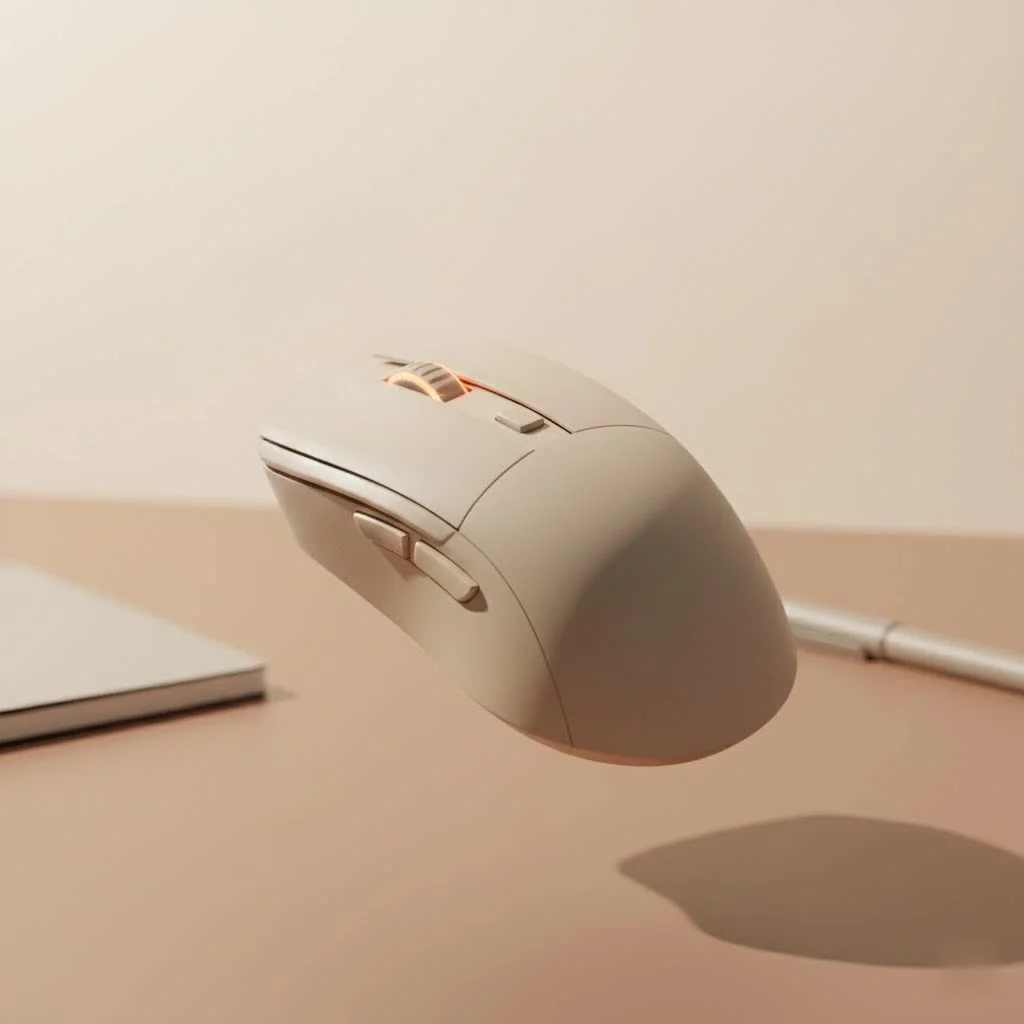
At Cyexx, we believe that your equipment should be an extension of your body, and that starts with finding a mouse that fits you perfectly. This guide will break down exactly what to look for, from ergonomics to sensor technology, and provide our top recommendations to end your search for good.
What Makes a Gaming Mouse Great for Big Hands?
Choosing the right gaming mouse isn’t just about picking the largest one you can find. Several key factors contribute to a comfortable and high-performance experience for gamers with larger palms and longer fingersBefore we dive into specific models, let’s cover the essential features you need to consider.
Ergonomics and Grip Style
Ergonomics are everything. For big hands, a mouse with a contoured, right-handed (or left-handed) ergonomic shape often provides the best support. These mice are designed to fit the natural curve of your hand, reducing strain over long periods.
Your grip style also plays a crucial role:
- Palm Grip: This is the most common grip for users with large hands. Your entire palm rests on the body of the mouse. Look for larger, longer mice with a high back arch for maximum support.
- Claw Grip: Your palm rests on the back of the mouse, but your fingers are arched, and you use your fingertips to click. You’ll still want a substantial mouse, but perhaps one that isn’t as long, with responsive, easy-to-reach buttons.
- Fingertip Grip: You control the mouse exclusively with your fingertips, with your palm hovering. This grip is less common for those with big hands, but if it’s your style, a lighter-weight, large mouse is ideal to allow for quick, precise movements.
Size, Shape, and Weight
The ideal dimensions for a large gaming mouse are typically over 125mm in length and 65mm in width. The shape should feature a comfortable hump that supports your palm and a wide enough base to prevent your pinky finger from dragging on the mousepad.
Weight is a matter of personal preference. Some gamers prefer a heavier, more substantial mouse (around 100-110g) for a feeling of stability and control. Others opt for ultra-lightweight models (under 70g) to reduce fatigue and allow for faster, sweeping motions, especially in FPS games.
Sensor and Performance
|
Our Picks for the Best Gaming Mouse in 2026
As an Amazon Associate I earn from qualifying purchases.
|
||
| Num | Product | Action |
|---|---|---|
| 1 | Razer Viper V3 Pro Wireless Esports Gaming Mouse: Symmetrical - 54g Lightweight - 8K Polling - 35K DPI Optical Sensor - Gen3 Optical Switches - 8 Programmable Buttons - 95 Hr Battery - Black |

|
| 2 | Logitech G PRO X SUPERLIGHT Wireless Gaming Mouse, Ultra-Lightweight, HERO 25K Sensor, 25,600 DPI, 5 Programmable Buttons, Long Battery Life, Compatible with PC / Mac - Black |
|
| 3 | Logitech G703 Lightspeed Wireless Gaming Mouse W/Hero 25K Sensor, PowerPlay Compatible, Lightsync RGB, Lightweight 95G+10G Optional, 100-25, 600 DPI, Rubber Side Grips - Black |
|
| 4 | Logitech G502 X Plus Wireless Gaming Mouse - LIGHTSPEED Optical, LIGHTFORCE Switches, LIGHTSYNC RGB, HERO 25K Sensor for PC/Mac - Black |
|
| 5 | Logitech G502 Lightspeed Wireless Gaming Mouse with Hero 25K Sensor, PowerPlay Compatible, Tunable Weights and Lightsync RGB - Black |
|
| 6 | Razer Naga V2 HyperSpeed Wireless MMO Gaming Mouse: 19 Programmable Buttons - HyperScroll Technology - Focus Pro 30K Optical Sensor - Mechanical Mouse Switches Gen-2 - Up to 400 Hr Battery Life |
|
| 7 | Razer Basilisk V3 X HyperSpeed Customizable Wireless Gaming Mouse: Mechanical Switches Gen-2-5G Advanced 18K Optical Sensor - Chroma RGB 9 Programmable Controls 535 Hr Battery Classic Black |
|
| 8 | Razer Viper V3 HyperSpeed Wireless Esports Gaming Mouse: 82g Lightweight - Up to 280 Hr Battery - 30K DPI Optical Sensor - Gen-2 Mechanical Switches - 8 Programmable Controls - Classic Black |
|
| 9 | Razer DeathAdder Essential Gaming Mouse: 6400 DPI Optical Sensor - 5 Programmable Buttons - Mechanical Switches - Rubber Side Grips - Classic Black |
|
| 10 | Razer Basilisk V3 Customizable Ergonomic Gaming Mouse: Fastest Gaming Mouse Switch - Chroma RGB Lighting - 26K DPI Optical Sensor - 11 Programmable Buttons - HyperScroll Tilt Wheel - Classic Black |
|
A top-tier optical sensor is non-negotiable for serious gaming. Modern flagship sensors, like Logitech’s HERO 25K or Razer’s Focus Pro 35K, offer flawless tracking with no smoothing or acceleration. This ensures that your every movement is translated on-screen with pixel-perfect accuracy. Look for high DPI (Dots Per Inch) for sensitivity adjustment and a high polling rate (1000Hz or more) for near-instantaneous response times.
Top Gaming Mouse Recommendations for Big Hands
We’ve tested and analyzed the best on the market to bring you a curated list of mice that are perfectly suited for gamers with larger hands.
1. Logitech G502 X Plus: The Best All-Rounder
The Logitech G502 has been a fan favorite for years, and the G502 X Plus continues its legacy as a top-tier choice for big hands. Its iconic, ergonomic shape provides incredible comfort, especially for palm grippers. It feels substantial without being overly heavy and is packed with features.
- Key Features: HERO 25K sensor, LIGHTFORCE hybrid optical-mechanical switches, 13 programmable buttons, and a dual-mode scroll wheel.
- Why it’s Great for Big Hands: The sculpted thumb rest and contoured body offer excellent support. Its size and shape are ideal for filling a large palm, providing a secure and comfortable grip for hours.
“The G502 X Plus isn’t just a mouse; it’s a command center. For gamers with big hands, the button placement and ergonomic support mean you have total control without ever feeling cramped,” notes gaming hardware expert Alex ‘The Grip’ Evans.
2. Razer DeathAdder V3 Pro: The Lightweight Ergonomic Champion
If you’re an FPS player who values speed and a lightweight design, the Razer DeathAdder V3 Pro is a major upgrade. Razer has refined the legendary DeathAdder shape to be even more comfortable for large hands, while dramatically cutting down the weight. It’s a minimalist mouse focused purely on performance.
- Key Features: Razer Focus Pro 30K Optical Sensor, ultra-lightweight design (around 63g), and up to 90 hours of battery life.
- Why it’s Great for Big Hands: Its large, flowing shell is perfect for palm and claw grips. The high hump and wide front provide ample support and space, ensuring your hand doesn’t feel constrained during fast-paced action.
3. Logitech G903 LIGHTSPEED: The Ambidextrous Powerhouse
Finding a comfortable ambidextrous mouse for big hands can be tough, but the Logitech G903 LIGHTSPEED nails it. Thanks to its modular design with removable side buttons, it offers a truly symmetrical experience for both right- and left-handed gamers without compromising on size or comfort.
- Key Features: HERO 25K sensor, ambidextrous design with customizable buttons, and LIGHTSPEED wireless technology.
- Why it’s Great for Big Hands: It has a long body and a shape that accommodates larger hands surprisingly well for a symmetrical mouse. It feels balanced, and its flawless ergonomics make it a versatile choice for any game genre.
4. Glorious Model D: The Ultra-Light Honeycomb Option
For those who believe lighter is better, the Glorious Model D is a fantastic ergonomic choice. Its unique perforated honeycomb design keeps the weight incredibly low (around 68g) while maintaining structural integrity. It’s designed for comfort and speed.
- Key Features: PixArt PMW-3360 sensor, ultra-flexible cable (on the wired version), and a lightweight honeycomb shell.
- Why it’s Great for Big Hands: The Model D’s large, ergonomic shape is specifically designed for palm and claw grippers with medium to large hands. It provides excellent support and allows for effortless gliding across your mousepad.
Frequently Asked Questions (FAQ)
What is the best grip style for a gaming mouse for big hands?
For most gamers with big hands, a palm grip is the most comfortable and natural. It allows your entire hand to be supported by the mouse, reducing strain. Therefore, larger ergonomic mice with a high profile, like the Razer DeathAdder V3 or Logitech G502 X, are often the best fit.
Is a heavier mouse better for big hands?
Not necessarily. This is purely personal preference. Some gamers feel a heavier mouse (100g+) offers more stability and deliberate control, while others prefer a lightweight mouse (under 75g) for faster movements and reduced fatigue. Both are valid options, so consider the types of games you play most often.
What are the ideal dimensions for a large gaming mouse?
A good starting point for a large gaming mouse is a length of over 125mm and a grip width of over 65mm. However, the overall shape and how it fits your specific hand and grip style are more important than the raw numbers.
Do I need a wireless gaming mouse?
Modern wireless mice from top brands like Logitech and Razer offer performance that is indistinguishable from their wired counterparts, with no noticeable latency. The freedom of no cable drag is a huge advantage. The main considerations are battery life and cost, but for most, the benefits of going wireless are well worth it.
Which gaming mouse is best for large hands and FPS games?
For large hands and FPS games, the Razer DeathAdder V3 Pro is an excellent choice due to its ultra-lightweight design (around 63g) and refined ergonomic shape. This combination allows for faster, more precise movements and reduces fatigue during intense gaming sessions.
How important is the sensor in a gaming mouse for big hands?
The sensor is critically important for any gaming mouse, regardless of hand size. Flagship optical sensors like Logitech’s HERO 25K or Razer’s Focus Pro 35K ensure pixel-perfect accuracy and flawless tracking, which is essential for competitive gaming performance.
Your Perfect Fit Awaits
Choosing the right gaming mouse for big hands is a critical step toward unlocking your full potential. By focusing on ergonomic shape, a comfortable grip, and a top-tier sensor, you can finally get a mouse that feels like it was made for you. Models like the Logitech G502 X Plus offer incredible versatility, while the Razer DeathAdder V3 Pro provides a lightweight competitive edge.
Don’t settle for a mouse that causes you discomfort. Use this guide to make an informed decision and invest in a piece of gear that will improve your gaming experience for years to come. Now go find your perfect fit and dominate the competition.
Frequently Asked Questions
What is the best grip style for a gaming mouse for big hands?
For most gamers with big hands, a palm grip is the most comfortable and natural, as it allows your entire hand to be supported by the mouse, reducing strain. Therefore, larger ergonomic mice with a high profile, like the Razer DeathAdder V3 or Logitech G502 X, are often the best fit.
Is a heavier mouse better for big hands?
Not necessarily, as this is purely personal preference. Some gamers feel a heavier mouse (100g+) offers more stability and deliberate control, while others prefer a lightweight mouse (under 75g) for faster movements and reduced fatigue. Both are valid options, so consider the types of games you play most often.
What are the ideal dimensions for a large gaming mouse?
A good starting point for a large gaming mouse is a length of over 125mm and a grip width of over 65mm. However, the overall shape and how it fits your specific hand and grip style are more important than the raw numbers.
Do I need a wireless gaming mouse?
Modern wireless mice from top brands like Logitech and Razer offer performance that is indistinguishable from their wired counterparts, with no noticeable latency. The freedom of no cable drag is a huge advantage, and for most, the benefits of going wireless are well worth it despite considerations like battery life and cost.
Which gaming mouse is best for large hands and FPS games?
For large hands and FPS games, the Razer DeathAdder V3 Pro is an excellent choice due to its ultra-lightweight design (around 63g) and refined ergonomic shape. This combination allows for faster, more precise movements and reduces fatigue during intense gaming sessions.
How important is the sensor in a gaming mouse for big hands?
The sensor is critically important for any gaming mouse, regardless of hand size. Flagship optical sensors like Logitech's HERO 25K or Razer's Focus Pro 35K ensure pixel-perfect accuracy and flawless tracking, which is essential for competitive gaming performance.
Get our weekly buyer guide
Practical specs, not advice. Unsubscribe anytime.
This guide really helped me understand what to look for beyond just ‘big.’ The ergonomic design section was super helpful. I ended up getting a mouse that emphasizes palm grip and it’s made a huge difference. Still getting used to the weight, but overall a solid upgrade.
I’ve always struggled with mice feeling too small, leading to hand cramps during long sessions. The recommendation for the Razer DeathAdder V3 Pro was spot on. It fits my hand perfectly and the sensor is incredibly responsive. My aim has definitely improved since switching to this one.
Finally, a mouse that doesn’t make my fingers drag! The focus on longer fingers was exactly what I needed. I picked up one of the recommended models and it feels like it was custom-made for me. No more discomfort, just pure gaming bliss.
I tried the Logitech G502 X Plus based on the suggestions, and while it’s definitely a good size for my hands, I found the extra buttons a bit overwhelming. I keep accidentally hitting them during intense moments. The comfort is there, but I might need something simpler.