Cutting the cord is no longer a compromise; it’s an upgrade. For years, pro gamers and enthusiasts alike clung to their wired mice, fearing the lag, disconnects, and battery woes of a wireless connection. But that era is over. Today, the best wireless gaming mouse offers performance that is not just equal to, but often superior to, its wired counterparts, all without the frustrating cable drag.
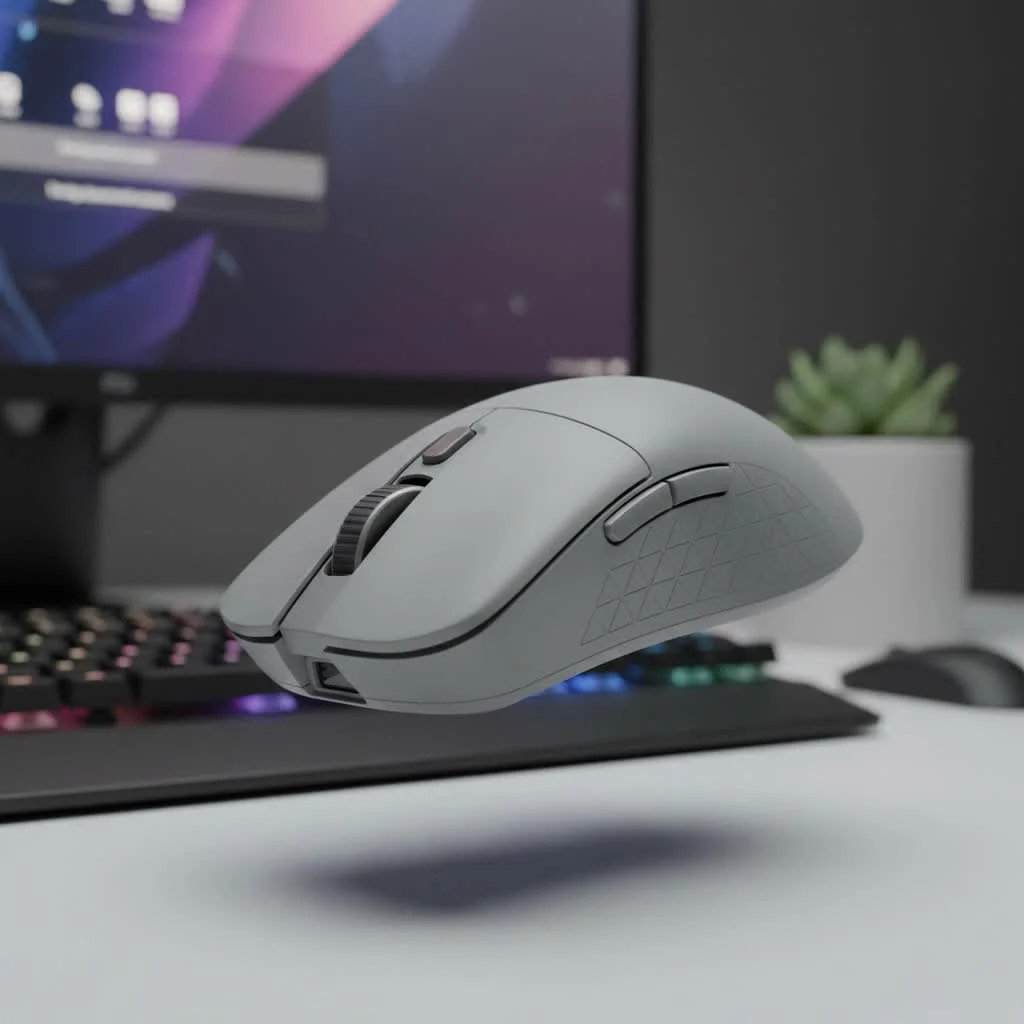
As the founder of Cyexx and a competitive gamer for over a decade, I’ve tested hundreds of mice. I’ve seen wireless technology evolve from a risky proposition to the undisputed champion of the gaming world. In this guide, we’ll break down the top contenders on the market, explain the tech that makes them tick, and help you find the perfect untethered partner for your gaming setup.
Our Top Wireless Gaming Mice for 2025
After extensive testing and analysis, these are the models that stand out from the crowd. We’ve categorized them to help you find the right fit for your playstyle and budget.
1. Logitech G PRO X Superlight 2: The Esports Icon
The original Superlight was a legend, and the sequel builds on that legacy. The Logitech G PRO X Superlight 2 is the quintessential esports mouse. It’s incredibly lightweight at just 60 grams, features a safe, ambidextrous shape that fits most hand sizes and grip styles, and its performance is flawless.
Logitech’s new LIGHTFORCE hybrid optical-mechanical switches provide a crisp, satisfying click with the speed and durability of optical technology. Paired with the HERO 2 sensor and a 2,000Hz polling rate, every movement is translated with perfect precision.
- Weight: 60g
- Sensor: HERO 2
- Max DPI: 32,000
- Battery Life: Up to 95 hours
- Best for: Competitive FPS players and those who want a reliable, no-frills performance king.
2. Razer DeathAdder V3 Pro: The Ergonomic Masterpiece
If comfort is your priority, look no further. The Razer DeathAdder V3 Pro has one of the most celebrated ergonomic shapes in gaming history, refined to perfection. It’s designed for right-handed users and provides incredible support for palm and claw grips during long gaming sessions.
But it’s not just comfortable; it’s a beast. Weighing an astonishing 63 grams, it’s packed with Razer’s top-tier Focus Pro 30K Optical Sensor and Gen-3 optical switches. For those seeking the absolute lowest latency, it’s also compatible with Razer’s HyperPolling Wireless Dongle, which unlocks a true 4,000Hz polling rate.
- Weight: 63g
- Sensor: Focus Pro 30K Optical
- Max DPI: 30,000
- Battery Life: Up to 90 hours
- Best for: Gamers who prioritize ergonomics and comfort without sacrificing top-tier performance.
3. Razer Viper V2 Pro: The Lightweight Speed Demon
|
Our Picks for the Best Gaming Mouse in 2026
As an Amazon Associate I earn from qualifying purchases.
|
||
| Num | Product | Action |
|---|---|---|
| 1 | Razer DeathAdder Essential Gaming Mouse: 6400 DPI Optical Sensor - 5 Programmable Buttons - Mechanical Switches - Rubber Side Grips - Classic Black |

|
| 2 | Logitech G703 Lightspeed Wireless Gaming Mouse W/Hero 25K Sensor, PowerPlay Compatible, Lightsync RGB, Lightweight 95G+10G Optional, 100-25, 600 DPI, Rubber Side Grips - Black |
|
| 3 | Logitech G502 X Plus Wireless Gaming Mouse - LIGHTSPEED Optical, LIGHTFORCE Switches, LIGHTSYNC RGB, HERO 25K Sensor for PC/Mac - Black |
|
| 4 | Razer Viper V3 HyperSpeed Wireless Esports Gaming Mouse: 82g Lightweight - Up to 280 Hr Battery - 30K DPI Optical Sensor - Gen-2 Mechanical Switches - 8 Programmable Controls - Classic Black |
|
| 5 | Logitech G PRO X SUPERLIGHT Wireless Gaming Mouse, Ultra-Lightweight, HERO 25K Sensor, 25,600 DPI, 5 Programmable Buttons, Long Battery Life, Compatible with PC / Mac - Black |
|
| 6 | Razer Naga V2 HyperSpeed Wireless MMO Gaming Mouse: 19 Programmable Buttons - HyperScroll Technology - Focus Pro 30K Optical Sensor - Mechanical Mouse Switches Gen-2 - Up to 400 Hr Battery Life |
|
| 7 | Logitech G502 Lightspeed Wireless Gaming Mouse with Hero 25K Sensor, PowerPlay Compatible, Tunable Weights and Lightsync RGB - Black |
|
| 8 | Razer Basilisk V3 Customizable Ergonomic Gaming Mouse: Fastest Gaming Mouse Switch - Chroma RGB Lighting - 26K DPI Optical Sensor - 11 Programmable Buttons - HyperScroll Tilt Wheel - Classic Black |
|
| 9 | Razer Basilisk V3 X HyperSpeed Customizable Wireless Gaming Mouse: Mechanical Switches Gen-2-5G Advanced 18K Optical Sensor - Chroma RGB 9 Programmable Controls 535 Hr Battery Classic Black |
|
| 10 | Razer Viper V3 Pro Wireless Esports Gaming Mouse: Symmetrical - 54g Lightweight - 8K Polling - 35K DPI Optical Sensor - Gen3 Optical Switches - 8 Programmable Buttons - 95 Hr Battery - Black |
|
For fingertip and claw grip users who demand the lightest mouse possible, the Razer Viper V2 Pro is a dream come true. At a featherlight 58 grams, this mouse feels like an extension of your hand. Its flat, symmetrical shape is built for fast, precise micro-adjustments.
Like its ergonomic cousin, the DeathAdder V3 Pro, the Viper V2 Pro is loaded with Razer’s best technology, including the Focus Pro 30K sensor and Gen-3 optical switches. It’s a testament to incredible engineering that so much performance can be packed into such a lightweight chassis.
- Weight: 58g
- Sensor: Focus Pro 30K Optical
- Max DPI: 30,000
- Battery Life: Up to 80 hours
- Best for: Claw and fingertip grip users who want the lightest possible mouse for maximum speed.
4. SteelSeries Aerox 5 Wireless: The Versatile Multi-Genre Choice
What if you don’t just play FPS games? For players who jump between MOBAs, MMOs, and shooters, the SteelSeries Aerox 5 Wireless offers incredible versatility. It features a nine-button programmable layout, including a unique 5-button side panel with a handy up/down flick switch.
Its perforated, water-resistant shell keeps the weight down to a nimble 74 grams. It also boasts dual connectivity, with a lag-free 2.4GHz connection for gaming and Bluetooth for on-the-go productivity.
- Weight: 74g
- Sensor: TrueMove Air
- Max DPI: 18,000
- Battery Life: Up to 180 hours
- Best for: Gamers who play a variety of genres and need extra programmable buttons.
How to Choose the Best Wireless Gaming Mouse for You
Navigating the specs sheet can be daunting. Let’s break down the key factors to consider when making your choice.
Sensor and Performance
The sensor is the heart of a gaming mouse. Modern flagship sensors from major brands like Logitech (HERO) and Razer (Focus Pro) are essentially flawless, meaning they have no smoothing, acceleration, or prediction. Key terms to know are:
- DPI (Dots Per Inch): This is mouse sensitivity. Higher DPI doesn’t mean better; most pros play between 400-1600 DPI. What matters is having a sensor that is perfectly stable across its entire DPI range.
- Polling Rate (Hz): This is how often the mouse reports its position to the computer. 1000Hz is the standard, meaning 1,000 times per second. Higher rates like 2,000Hz or 4,000Hz can reduce latency further, but the difference is marginal for most players.
“We’ve reached a point of diminishing returns with sensor technology,” notes longtime peripheral analyst David Chen. “The real battleground for performance has shifted to latency, weight, and switch technology. A modern wireless mouse from a reputable brand will have a sensor that is more than capable for any level of play.”
Weight, Shape, and Grip Style
This is perhaps the most personal and crucial factor. A mouse can have the best tech in the world, but if it doesn’t fit your hand, you’ll never play your best.
- Weight: Lighter mice (under 70g) are generally preferred for FPS games that require fast flicks and tracking. Heavier mice can feel more stable and deliberate for other genres.
- Shape: Mice are generally ergonomic (molded for the right hand) or ambidextrous (symmetrical).
- Grip Style:
- Palm Grip: Your entire palm rests on the mouse. Larger, ergonomic mice are usually best.
- Claw Grip: Your palm touches the back, but your fingers are arched. Ambidextrous and smaller ergonomic mice work well.
- Fingertip Grip: Only your fingertips touch the mouse. Small, lightweight, and ambidextrous mice are ideal.
Battery Life and Connectivity
Modern wireless mice have excellent battery life, often lasting 70-100 hours on a single charge. Most use a USB-C port for charging, which is a convenient standard.
For connectivity, always use the included 2.4GHz wireless dongle for gaming. This provides a low-latency, stable connection. Bluetooth is often included as a secondary option, which is great for conserving battery or connecting to a laptop for work, but it’s not suitable for serious gaming due to its higher latency.
Frequently Asked Questions (FAQ)
Q: Is wireless really as good as wired for gaming now?
A: Absolutely. Top-tier wireless technologies like Logitech’s Lightspeed and Razer’s HyperSpeed have been tested and proven to be just as fast and, in some cases, faster than their wired counterparts, with no risk of cable drag.
Q: Will I notice the latency on a wireless gaming mouse?
A: With a modern gaming mouse using its 2.4GHz dongle, you will not notice any latency. The response time is imperceptible to humans and on par with the best wired mice.
Q: What is the difference between optical and mechanical switches?
A: Mechanical switches use physical metal contacts to register a click. Optical switches use a beam of light. When you click, a shutter blocks the light, sending the signal. This makes optical switches faster (no debounce delay), more durable, and eliminates the risk of accidental double-clicking over time.
Q: Do I need a 4,000Hz polling rate?
A: For the vast majority of gamers, no. The standard 1000Hz is more than sufficient. A higher polling rate can provide a smoother-feeling cursor and marginally lower latency, but it requires a high-refresh-rate monitor (240Hz+) and a powerful CPU to see the full benefit. It also consumes more battery.
Q: How important is mouse weight?
A: For fast-paced games like Valorant or Apex Legends, weight is very important. A lighter mouse reduces fatigue and allows for quicker reactions and easier aiming adjustments. For slower-paced games, it’s more a matter of personal preference.
Conclusion: Cut the Cord with Confidence
Choosing the best wireless gaming mouse is about finding the right combination of performance, comfort, and features for your specific needs. Whether you prioritize the all-around excellence of the Logitech G PRO X Superlight 2 or the supreme comfort of the Razer DeathAdder V3 Pro, you can be confident that you are not giving up a single ounce of performance. The freedom from cables is liberating, allowing for a cleaner desk setup and unrestricted movement that can genuinely elevate your gaming experience. Choose the one that fits your hand and playstyle, and you’ll never look back.
Get our weekly buyer guide
Practical specs, not advice. Unsubscribe anytime.
