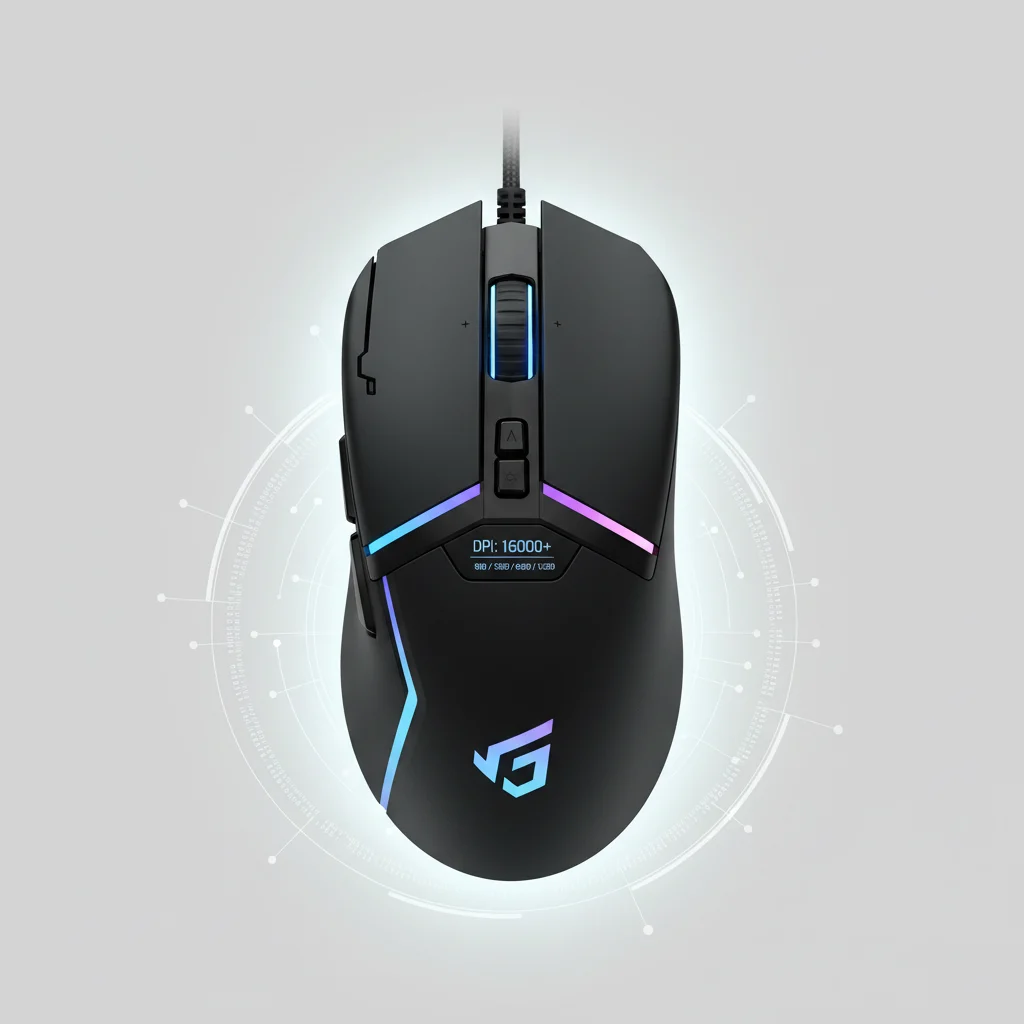
Understanding gaming mouse DPI (dots per inch) is crucial for optimizing your aiming precision and overall gaming performance. While many assume higher DPI is always better, the optimal setting is highly personal and depends on several factors, including your game genre, monitor resolution, and playstyle. Most professional gamers utilize a DPI range between 400 and 1600, often combining it with in-game sensitivity adjustments to achieve their ideal cursor speed.
What is Gaming Mouse DPI?
DPI measures how many pixels your mouse cursor moves on screen for every inch you move your physical mouse. A higher DPI means the cursor travels further with less physical movement, while a lower DPI requires more physical movement for the same cursor travel. It’s a fundamental specification that directly impacts the responsiveness and control you feel during gameplay. For reviews buying guides on this site.
Finding Your Ideal DPI Setting
There isn’t a universal “best” DPI. For fast-paced shooters like Valorant or CS:GO, many players prefer lower DPI (400-800) combined with a larger mousepad for precise micro-adjustments. Conversely, for strategy games or MOBAs where quick cursor traversal across the screen is more important, a higher DPI (1200-1600) might be more suitable. Experimentation is key; start with a moderate DPI and adjust it incrementally until it feels natural and responsive for your primary games.
- Start with a moderate DPI (800-1200) as a baseline.
- Adjust in-game sensitivity to fine-tune cursor speed.
- Consider your monitor resolution; higher resolutions may benefit from slightly higher DPI.
- Test different settings in your favorite games during practice sessions.
- Prioritize comfort and control over raw speed.
DPI vs. In-Game Sensitivity: The Synergy
|
Our Picks for the Best Gaming Mouse in 2026
As an Amazon Associate I earn from qualifying purchases.
|
||
| Num | Product | Action |
|---|---|---|
| 1 | Logitech G502 X Plus Wireless Gaming Mouse - LIGHTSPEED Optical, LIGHTFORCE Switches, LIGHTSYNC RGB, HERO 25K Sensor for PC/Mac - Black |

|
| 2 | Razer Viper V3 Pro Wireless Esports Gaming Mouse: Symmetrical - 54g Lightweight - 8K Polling - 35K DPI Optical Sensor - Gen3 Optical Switches - 8 Programmable Buttons - 95 Hr Battery - Black |
|
| 3 | Logitech G PRO X SUPERLIGHT Wireless Gaming Mouse, Ultra-Lightweight, HERO 25K Sensor, 25,600 DPI, 5 Programmable Buttons, Long Battery Life, Compatible with PC / Mac - Black |
|
| 4 | Logitech G502 Lightspeed Wireless Gaming Mouse with Hero 25K Sensor, PowerPlay Compatible, Tunable Weights and Lightsync RGB - Black |
|
| 5 | Razer DeathAdder Essential Gaming Mouse: 6400 DPI Optical Sensor - 5 Programmable Buttons - Mechanical Switches - Rubber Side Grips - Classic Black |
|
| 6 | Razer Basilisk V3 Customizable Ergonomic Gaming Mouse: Fastest Gaming Mouse Switch - Chroma RGB Lighting - 26K DPI Optical Sensor - 11 Programmable Buttons - HyperScroll Tilt Wheel - Classic Black |
|
| 7 | Logitech G703 Lightspeed Wireless Gaming Mouse W/Hero 25K Sensor, PowerPlay Compatible, Lightsync RGB, Lightweight 95G+10G Optional, 100-25, 600 DPI, Rubber Side Grips - Black |
|
| 8 | Razer Naga V2 HyperSpeed Wireless MMO Gaming Mouse: 19 Programmable Buttons - HyperScroll Technology - Focus Pro 30K Optical Sensor - Mechanical Mouse Switches Gen-2 - Up to 400 Hr Battery Life |
|
| 9 | Razer Basilisk V3 X HyperSpeed Customizable Wireless Gaming Mouse: Mechanical Switches Gen-2-5G Advanced 18K Optical Sensor - Chroma RGB 9 Programmable Controls 535 Hr Battery Classic Black |
|
| 10 | Razer Viper V3 HyperSpeed Wireless Esports Gaming Mouse: 82g Lightweight - Up to 280 Hr Battery - 30K DPI Optical Sensor - Gen-2 Mechanical Switches - 8 Programmable Controls - Classic Black |
|
It’s important to differentiate between your mouse’s DPI and the in-game sensitivity setting. DPI is a hardware setting, determining the raw input from your mouse. In-game sensitivity is a software setting that multiplies or divides that raw input. The most effective approach is to find a comfortable DPI on your mouse and then use in-game sensitivity to make smaller, game-specific adjustments. This allows for consistent muscle memory across different titles.
Many modern gaming mice offer on-the-fly DPI adjustment buttons, allowing you to switch between preset DPI levels for different scenarios, such as sniping in an FPS or navigating menus. This flexibility is a significant advantage for competitive gamers.
Common DPI Ranges for Different Game Genres
While personal preference reigns supreme, certain DPI ranges are commonly favored within specific game genres. For competitive first-person shooters, an effective DPI often falls between 400 and 800, allowing for precise tracking and headshots. Real-time strategy (RTS) and massively multiplayer online (MMO) games might see players opting for 1000-1600 DPI to quickly navigate complex UIs and command units across large maps. For graphic design or general desktop use, a DPI of 1600-2400 can offer a good balance of speed and precision.
Ultimately, the goal is to find a DPI and sensitivity combination that allows you to perform your best without straining your wrist or arm. Don’t be afraid to spend time in practice modes or aim trainers to dial in your perfect settings. Your ideal gaming mouse DPI is the one that feels like an extension of your own hand, providing seamless control and accuracy.
Get our weekly buyer guide
Practical specs, not advice. Unsubscribe anytime.