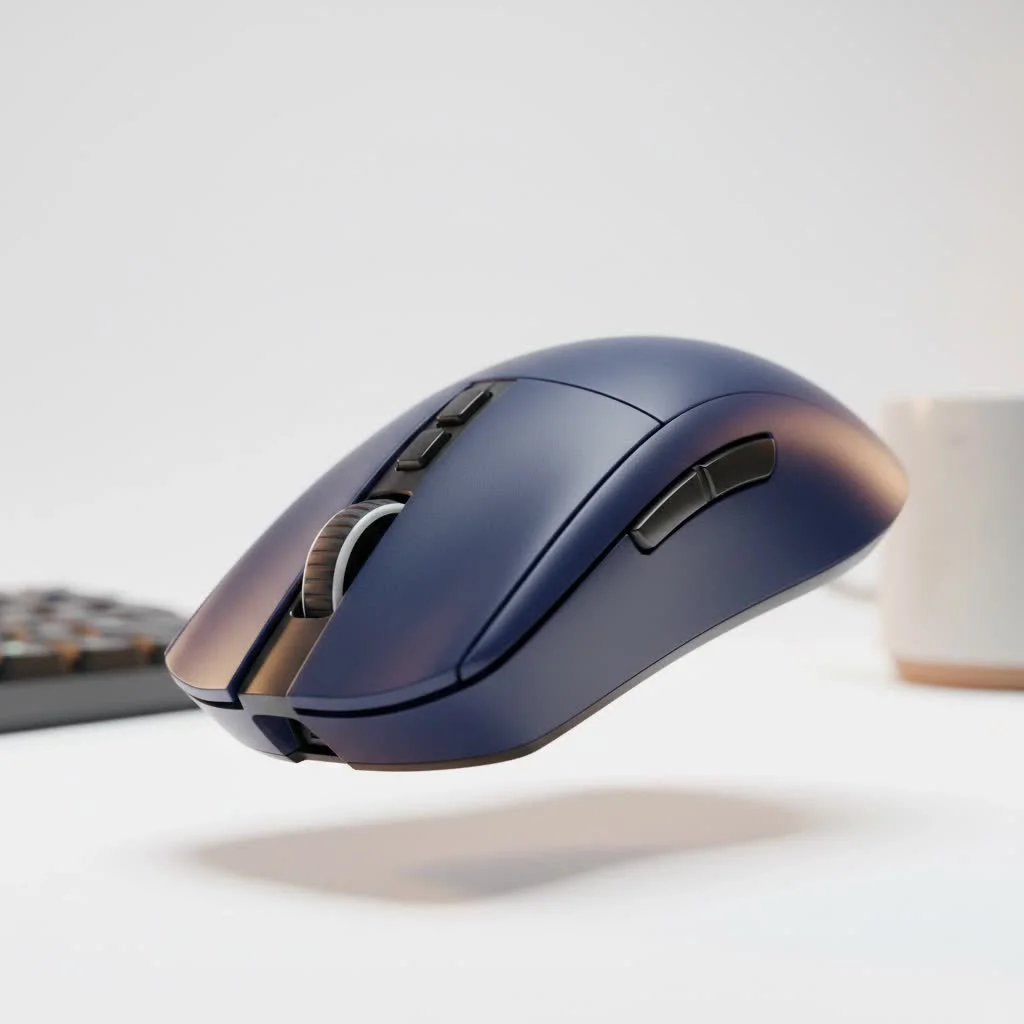
In the complex worlds of Azeroth, Eorzea, or your favorite online universe, speed and efficiency are everything. You have dozens of skills, spells, and macros at your fingertips, but are they truly at your fingertips? If you’re still clicking on-screen abilities or fumbling with keyboard hotkeys, you’re leaving performance on the table. This is where the specialized MMO gaming mouse comes in, a tool designed not just to point and click, but to become a true command center in the palm of your hand. It’s the single biggest hardware upgrade you can make to improve your gameplay, streamline your actions, and elevate your entire experience.
What Defines an MMO Gaming Mouse?
At first glance, an MMO mouse stands out for one defining feature: a grid of programmable buttons on the side, designed to be operated by your thumb. While a standard gaming mouse might have two side buttons, and an FPS mouse might add a “sniper” button, an MMO mouse typically features a 12-button grid, though some designs vary. This thumb grid is the core concept. It allows you to map your entire rotation of abilities, items, and macros directly to your mouse, enabling you to execute complex command sequences without ever moving your fingers from the WASD keys. This means you can move, strafe, and dodge while simultaneously casting spells or using skills, a game-changer for both raiding and PvP. For best reviews roundups on this site.
Why You Absolutely Need an MMO Mouse for Your Favorite RPG
The primary benefit of an MMO mouse is the massive boost to your actions per minute (APM) and overall efficiency. In high-level content, every fraction of a second counts. Being able to fire off an ability with a simple thumb press instead of reaching across your keyboard can be the difference between a successful boss kill and a party wipe.
Think about a typical combat scenario. With a standard mouse, you might use your left hand for movement (WASD) and your right hand to aim and click. When you need to use an ability mapped to the ‘9’ key, your left hand has to leave its post, breaking your movement and rhythm. With an MMO mouse, your movement hand stays planted while your thumb effortlessly handles the entire sequence of attacks.
As our resident hardware expert at Cyexx, Alex ‘Gridmaster’ Chen, often says, “An MMO mouse doesn’t just give you more buttons; it fundamentally changes your interaction with the game. It offloads the cognitive and physical burden from your keyboard hand, freeing you up to focus purely on strategy and movement. It’s about making your character an extension of your will, not a series of keystrokes.”
This streamlined control scheme reduces hand fatigue during long gaming sessions and helps build muscle memory much faster. Once you’re accustomed to the thumb grid, your rotations become second nature, executed with flawless precision.
Key Features of the Best MMO Gaming Mouse
Choosing the right MMO mouse involves more than just counting the buttons. Several critical features separate a good mouse from a great one.
The All-Important Thumb Grid
|
Our Picks for the Best Gaming Mouse in 2026
As an Amazon Associate I earn from qualifying purchases.
|
||
| Num | Product | Action |
|---|---|---|
| 1 | Razer Viper V3 Pro Wireless Esports Gaming Mouse: Symmetrical - 54g Lightweight - 8K Polling - 35K DPI Optical Sensor - Gen3 Optical Switches - 8 Programmable Buttons - 95 Hr Battery - Black |

|
| 2 | Razer Viper V3 HyperSpeed Wireless Esports Gaming Mouse: 82g Lightweight - Up to 280 Hr Battery - 30K DPI Optical Sensor - Gen-2 Mechanical Switches - 8 Programmable Controls - Classic Black |
|
| 3 | Razer DeathAdder Essential Gaming Mouse: 6400 DPI Optical Sensor - 5 Programmable Buttons - Mechanical Switches - Rubber Side Grips - Classic Black |
|
| 4 | Logitech G703 Lightspeed Wireless Gaming Mouse W/Hero 25K Sensor, PowerPlay Compatible, Lightsync RGB, Lightweight 95G+10G Optional, 100-25, 600 DPI, Rubber Side Grips - Black |
|
| 5 | Logitech G502 Lightspeed Wireless Gaming Mouse with Hero 25K Sensor, PowerPlay Compatible, Tunable Weights and Lightsync RGB - Black |
|
| 6 | Logitech G502 X Plus Wireless Gaming Mouse - LIGHTSPEED Optical, LIGHTFORCE Switches, LIGHTSYNC RGB, HERO 25K Sensor for PC/Mac - Black |
|
| 7 | Logitech G PRO X SUPERLIGHT Wireless Gaming Mouse, Ultra-Lightweight, HERO 25K Sensor, 25,600 DPI, 5 Programmable Buttons, Long Battery Life, Compatible with PC / Mac - Black |
|
| 8 | Razer Basilisk V3 Customizable Ergonomic Gaming Mouse: Fastest Gaming Mouse Switch - Chroma RGB Lighting - 26K DPI Optical Sensor - 11 Programmable Buttons - HyperScroll Tilt Wheel - Classic Black |
|
| 9 | Razer Naga V2 HyperSpeed Wireless MMO Gaming Mouse: 19 Programmable Buttons - HyperScroll Technology - Focus Pro 30K Optical Sensor - Mechanical Mouse Switches Gen-2 - Up to 400 Hr Battery Life |
|
| 10 | Razer Basilisk V3 X HyperSpeed Customizable Wireless Gaming Mouse: Mechanical Switches Gen-2-5G Advanced 18K Optical Sensor - Chroma RGB 9 Programmable Controls 535 Hr Battery Classic Black |
|
The star of the show is the thumb grid. While a 3×4 grid of 12 buttons is the most common layout, the design and feel of these buttons are paramount. Look for buttons that are uniquely shaped or angled, making them easy to distinguish by touch alone. Some models, like the Corsair Scimitar, feature an adjustable grid that can slide forward or backward to perfectly match your thumb’s position. The tactile feedback of the switch under each button is also crucial; you want a clear, satisfying click so you know an action has been registered, but not so stiff that it causes fatigue.
Software and Customization
The hardware is only half the story. Powerful, intuitive software is what unlocks the true potential of an MMO gaming mouse. A good software suite should allow you to:
- Remap Buttons: Assign any keyboard key, macro, or media function to any button on the mouse.
- Create Complex Macros: Record and edit long sequences of key presses with precise timing. This is perfect for executing crafting rotations or complex buff sequences with a single click.
- Manage Profiles: Create and save different profiles for various games or even for different characters within the same game. Some mice offer on-board memory to store these profiles directly on the device.
- Adjust DPI and Polling Rate: Fine-tune the sensor’s sensitivity and responsiveness to match your preference and playstyle.
Ergonomics and Grip Style
You’ll be holding this mouse for hours, so comfort is non-negotiable. MMO mice are typically larger and heavier than their FPS counterparts to accommodate the extra buttons and provide a stable platform. Most are designed for a “palm grip,” where your entire hand rests on the mouse. Many models also include features like an adjustable pinky rest to provide extra support and prevent your finger from dragging on the mousepad. Consider the shape and material of the mouse. Does it fit the curve of your hand? Does the texture provide a secure grip even during intense moments?
Sensor Performance: DPI and Polling Rate
While MMOs aren’t as demanding on sensor precision as competitive shooters, a quality sensor is still essential for smooth and reliable tracking.
- DPI (Dots Per Inch): This measures how sensitive the mouse is to movement. A higher DPI means the cursor moves further on the screen with less physical movement of the mouse. While manufacturers often advertise massive DPI numbers (20,000+), most players use settings between 800 and 3200. The key is having a wide range of adjustable options.
- Polling Rate: Measured in Hz, this is how often the mouse reports its position to the computer. A 1000Hz polling rate (the standard for gaming mice) means it reports in 1,000 times per second, ensuring your movements are translated to the screen with virtually no perceptible lag.
Wired vs. Wireless
This choice often comes down to personal preference.
- Wired: Offers a stable, lag-free connection and never needs to be recharged. The only downside is potential cable drag, which can be mitigated with a mouse bungee.
- Wireless: Provides ultimate freedom of movement with no cable to snag. Modern wireless technology from major brands is now virtually indistinguishable from wired in terms of latency. The main considerations are battery life and the need to remember to charge it.
Can You Use an MMO Mouse for Other Games?
Absolutely! While the design is specialized, its functionality is versatile. In MOBAs like League of Legends or Dota 2, the extra thumb buttons are perfect for activating items and abilities. In productivity tasks, you can map copy, paste, undo, and other shortcuts to the thumb grid to speed up your workflow in applications like Photoshop or Premiere Pro.
While you can use it for FPS games, it’s generally not ideal. The heavier weight and wider body can make the rapid, precise “flick” movements required in shooters more difficult compared to a lightweight, minimalist FPS mouse.
Frequently Asked Questions (FAQ)
How many buttons do I really need on an MMO mouse?
For most MMO players, the standard 12-button grid is the sweet spot. It provides enough buttons to cover a primary action bar and key cooldowns. Some players may prefer fewer, larger buttons if they only need a few extra keybinds, while others might utilize shift-modifiers to double the functionality of the 12 buttons.
Is a heavier mouse better for MMOs?
Generally, a bit of heft is good for an MMO mouse as it provides stability. Since MMO gameplay doesn’t require the constant lifting and flicking that FPS games do, a heavier weight is less of a concern and can even feel more premium and controlled.
Can I use an MMO mouse for work?
Yes, it’s an excellent productivity tool. You can program the side buttons to handle commands like copy, paste, switching between applications, opening new tabs, or executing complex macros in software like Excel or Blender, significantly speeding up your workflow.
What’s the difference between an MMO and a MOBA mouse?
While similar, MOBA mice often have fewer side buttons (typically 5-7) arranged in a circular or arc pattern around the thumb. This design is intended for quicker access to a smaller set of crucial abilities, whereas the 12-button grid of an MMO mouse is designed for accessing a much larger library of skills.
How long does it take to get used to an MMO mouse?
There is a learning curve. Expect it to feel awkward for the first few days. The key is to commit fully. Start by mapping just a few of your most-used abilities to the thumb grid. As you build muscle memory, gradually add more. After a week or two of consistent use, it will start to feel like second nature.
Conclusion: Take Command of Your Game
An MMO gaming mouse is more than just a peripheral; it’s a transformative tool that redefines how you interact with your favorite online worlds. By moving key commands from the keyboard to your thumb, you unlock a new level of speed, efficiency, and fluid movement that simply isn’t possible with a standard mouse. It takes time to master, but the investment pays off with a more immersive and rewarding gameplay experience. If you’re serious about your MMO performance, choosing the right MMO gaming mouse is the single most impactful upgrade you can make for your setup.
Get our weekly buyer guide
Practical specs, not advice. Unsubscribe anytime.

This guide really hit home about leaving performance on the table. I used to click on-screen abilities in Elder Scrolls Online, and it was such a waste of time. Switching to an MMO mouse with its dedicated side buttons has made a huge difference. My reaction time is through the roof, and I can execute complex rotations without even thinking about it. It truly elevates the entire experience.
I finally took the plunge and got an MMO mouse after reading about how much it could streamline actions. Seriously, it’s a game-changer for my FFXIV raids! Having all my healing spells mapped to the thumb grid means I can react so much faster without fumbling for keyboard hotkeys. My DPS has definitely improved, and I feel way more in control during intense boss fights. Best upgrade I’ve made all year.
I’ve been using a standard gaming mouse for years, but the idea of a dedicated command center really appealed to me for WoW. The programmable buttons on the side are fantastic for my rotation, and it took less time to get used to than I expected. My only minor gripe is that the software for mapping the buttons felt a little clunky at first, but once I got it set up, it’s been smooth sailing. Definitely recommend for anyone serious about their online universe.
I was excited to try an MMO mouse to improve my gameplay in Guild Wars 2, especially with all the skills and macros. While the concept of the thumb grid is great, I found the mouse itself a bit too heavy for my hand. It made long gaming sessions a little uncomfortable, which was a bummer. I’m still trying to get used to the weight, but the efficiency it adds is undeniable.