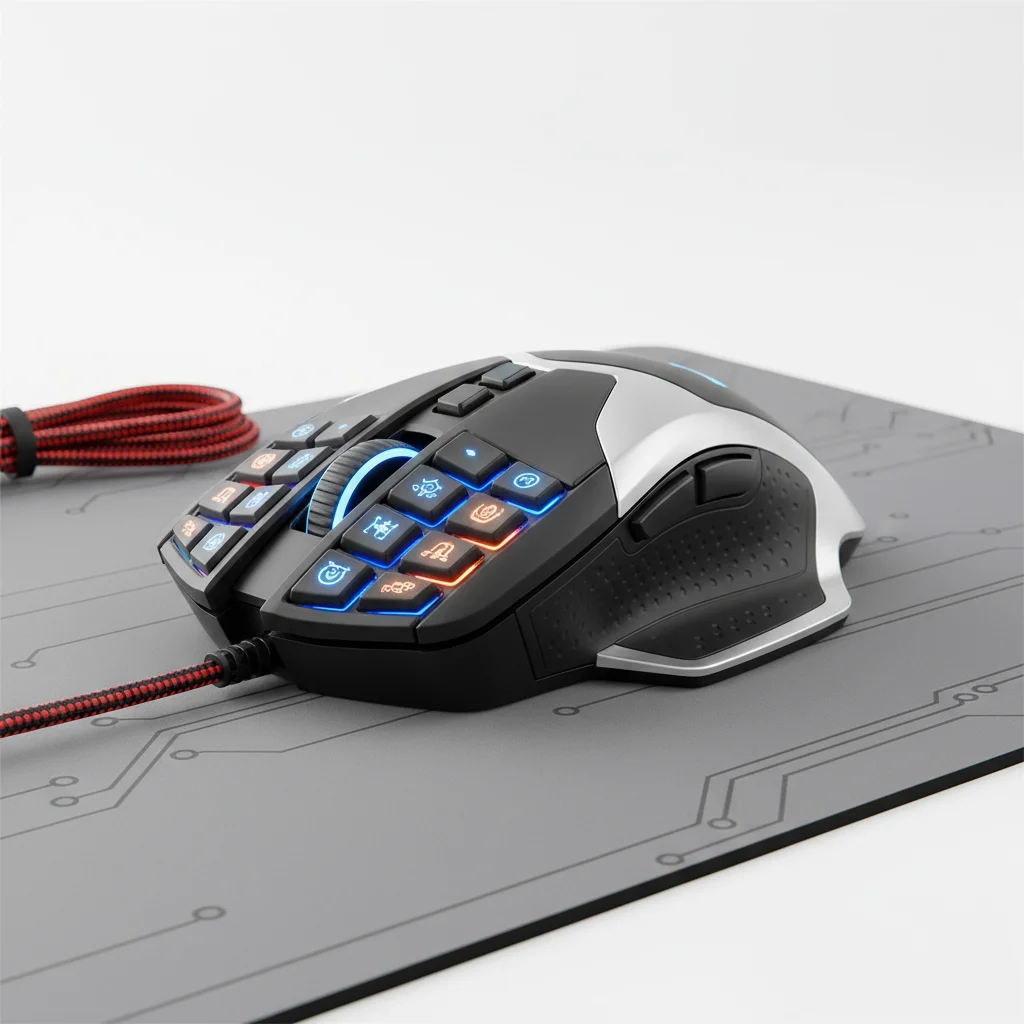
Choosing the right gaming mouse for MMOs is crucial for dominating epic raids and complex rotations. The best MMO gaming mice offer a combination of programmable buttons, comfortable ergonomics, and reliable performance to handle the demands of games like World of Warcraft, Final Fantasy XIV, and Elder Scrolls Online. Our top 5 picks focus on mice that provide the tactical advantage you need, ensuring every spell and ability is at your fingertips.
Why a Specialized MMO Mouse Matters
MMO games often require quick access to a multitude of abilities, spells, and macros. A standard gaming mouse, while capable, typically lacks the sheer number of programmable buttons necessary to efficiently manage these complex command sets. Specialized MMO mice are designed with a thumb grid featuring 6 to 12 buttons, allowing players to bind numerous actions directly to their mouse. This significantly reduces reliance on keyboard shortcuts, streamlining gameplay and improving reaction times during critical moments. For best reviews roundups on this site.
Beyond button count, the software accompanying these mice is equally important. Robust customization options allow users to create profiles for different games or even different characters within the same game, ensuring optimal button layouts for every scenario. The ability to remap buttons, create macros, and adjust DPI settings on the fly provides an unparalleled level of control.
Key Features to Look For
When selecting an MMO gaming mouse, several features stand out as essential. The most obvious is the number and placement of programmable buttons, particularly the thumb grid. Look for buttons that are tactile, responsive, and easy to distinguish by feel, preventing misclicks during intense gameplay. Ergonomics are also paramount; MMO sessions can last for hours, so a comfortable grip that reduces strain is vital. Consider the mouse’s weight, shape, and whether it accommodates your preferred grip style (palm, claw, or fingertip).
Sensor performance is another critical factor. A high-quality optical or laser sensor with a wide DPI range ensures precise tracking and responsiveness, which is important even in MMOs where pinpoint accuracy might not be as critical as in FPS games, but still contributes to a smooth experience. Finally, consider whether you prefer a wired or wireless connection. Wired mice offer zero latency and no battery concerns, while wireless options provide greater freedom of movement.
- Programmable thumb grid with 6-12 buttons
- Comfortable ergonomic design for long sessions
- High-performance optical or laser sensor
- Durable switches for consistent clicks
- Intuitive software for customization and macros
Top Picks for MMO Dominance
|
Our Picks for the Best Gaming Mouse in 2026
As an Amazon Associate I earn from qualifying purchases.
|
||
| Num | Product | Action |
|---|---|---|
| 1 | Razer DeathAdder Essential Gaming Mouse: 6400 DPI Optical Sensor - 5 Programmable Buttons - Mechanical Switches - Rubber Side Grips - Classic Black |

|
| 2 | Logitech G PRO X SUPERLIGHT Wireless Gaming Mouse, Ultra-Lightweight, HERO 25K Sensor, 25,600 DPI, 5 Programmable Buttons, Long Battery Life, Compatible with PC / Mac - Black |
|
| 3 | Razer Viper V3 Pro Wireless Esports Gaming Mouse: Symmetrical - 54g Lightweight - 8K Polling - 35K DPI Optical Sensor - Gen3 Optical Switches - 8 Programmable Buttons - 95 Hr Battery - Black |
|
| 4 | Razer Basilisk V3 Customizable Ergonomic Gaming Mouse: Fastest Gaming Mouse Switch - Chroma RGB Lighting - 26K DPI Optical Sensor - 11 Programmable Buttons - HyperScroll Tilt Wheel - Classic Black |
|
| 5 | Razer Basilisk V3 X HyperSpeed Customizable Wireless Gaming Mouse: Mechanical Switches Gen-2-5G Advanced 18K Optical Sensor - Chroma RGB 9 Programmable Controls 535 Hr Battery Classic Black |
|
| 6 | Razer Naga V2 HyperSpeed Wireless MMO Gaming Mouse: 19 Programmable Buttons - HyperScroll Technology - Focus Pro 30K Optical Sensor - Mechanical Mouse Switches Gen-2 - Up to 400 Hr Battery Life |
|
| 7 | Logitech G703 Lightspeed Wireless Gaming Mouse W/Hero 25K Sensor, PowerPlay Compatible, Lightsync RGB, Lightweight 95G+10G Optional, 100-25, 600 DPI, Rubber Side Grips - Black |
|
| 8 | Razer Viper V3 HyperSpeed Wireless Esports Gaming Mouse: 82g Lightweight - Up to 280 Hr Battery - 30K DPI Optical Sensor - Gen-2 Mechanical Switches - 8 Programmable Controls - Classic Black |
|
| 9 | Logitech G502 Lightspeed Wireless Gaming Mouse with Hero 25K Sensor, PowerPlay Compatible, Tunable Weights and Lightsync RGB - Black |
|
| 10 | Logitech G502 X Plus Wireless Gaming Mouse - LIGHTSPEED Optical, LIGHTFORCE Switches, LIGHTSYNC RGB, HERO 25K Sensor for PC/Mac - Black |
|
Our selection of top MMO gaming mice includes options that excel in different aspects, catering to various player preferences. The Razer Naga Pro stands out for its modular side plates, offering different button layouts for MMO, FPS, and MOBA games, making it incredibly versatile. Its optical sensor is top-tier, and the wireless connectivity is robust. For those who prefer a more traditional, yet highly effective, design, the Logitech G600 MMO Gaming Mouse remains a strong contender with its dedicated G-shift button and comfortable shape.
Another excellent choice is the Corsair Scimitar RGB Elite, which features a unique Key Slider system allowing you to reposition the 12 side buttons to perfectly fit your thumb. This level of customization is invaluable for finding your ideal ergonomic setup. The SteelSeries Aerox 9 Wireless offers a lightweight design for an MMO mouse, combined with excellent battery life and a precise sensor, appealing to players who value agility. Lastly, the Redragon M908 Impact MMO Gaming Mouse provides an incredibly budget-friendly option without sacrificing too many essential features, making it a great entry point for new MMO players.
Customization and Software
The software suite that accompanies your MMO gaming mouse is just as important as the hardware itself. High-quality software allows for extensive customization, including remapping every button, creating complex macros, and setting up multiple profiles. This means you can have a specific button layout for healing in one game, and a completely different one for damage dealing in another, or even switch profiles on the fly within the same game for different situations. Look for software that is intuitive, easy to navigate, and offers robust macro capabilities, including delays and repeat functions.
Many mice also offer onboard memory, allowing you to save your profiles directly to the mouse. This is particularly useful if you frequently switch computers or attend LAN parties, as your custom settings will travel with your mouse without needing to reinstall software. RGB lighting customization, while not directly impacting performance, adds a personal touch and can be synchronized with other peripherals for a cohesive setup.
Wired vs. Wireless for MMOs
The debate between wired and wireless mice is ongoing, and for MMOs, both have their merits. Wired mice offer the advantage of zero latency and never needing to worry about battery life. They are generally lighter and can be more affordable. For competitive MMO players where every millisecond counts, a wired connection provides peace of mind.
Wireless MMO mice, on the other hand, offer unparalleled freedom of movement, reducing cable drag and clutter on your desk. Modern wireless technology, such as Logitech’s LIGHTSPEED or Razer’s HyperSpeed, has significantly reduced latency to near-wired levels, making them viable for even the most demanding players. The trade-off is typically a higher price point and the need to periodically charge or replace batteries. However, many wireless MMO mice now boast impressive battery life, often lasting for days or even weeks on a single charge.
Get our weekly buyer guide
Practical specs, not advice. Unsubscribe anytime.