In the world of PC gaming, your mouse is more than just a pointer; it’s your sword, your scope, and your command center. A standard office mouse just can’t keep up with the fast-paced, precision-demanding environment of modern games. Choosing the right pc gaming mouse can be the difference between a clutch win and a frustrating loss. But with a sea of technical jargon like DPI, polling rates, and sensor types, finding the perfect one can feel overwhelming. That’s where we come in. This guide will demystify the tech and empower you to select a mouse that feels like a true extension of your hand.
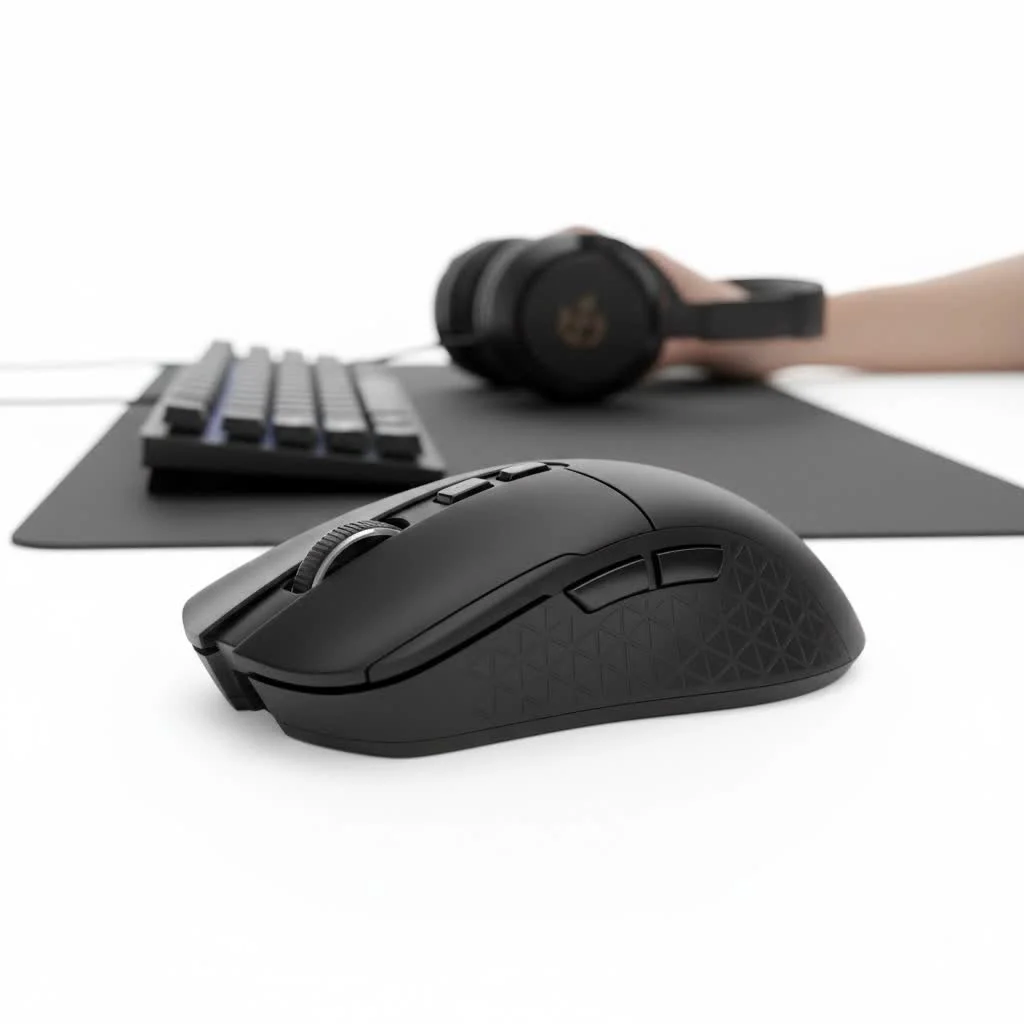
What Exactly Makes a PC Gaming Mouse Different?
At first glance, a gaming mouse might look like a regular mouse with flashy lights. However, the real differences are under the hood. Unlike their office counterparts designed for simple navigation, gaming mice are engineered for superior performance, accuracy, and durability.
Key differentiators include:
- Advanced Sensors: They feature high-precision optical or laser sensors that can track rapid movements without losing accuracy.
- Higher DPI and Polling Rates: These specs allow for faster and more responsive cursor movement, which is critical in competitive gaming.
- Durable Switches: The buttons on a gaming mouse are built to withstand millions of clicks, ensuring longevity through intense gaming sessions.
- Ergonomic Designs: Comfort is paramount. Gaming mice are shaped to fit various grip styles, reducing fatigue during long hours of play.
- Customization: From programmable buttons to adjustable weights and RGB lighting, a pc gaming mouse offers a level of personalization you won’t find elsewhere.
Key Features to Consider in a PC Gaming Mouse
Navigating the specifications of a pc gaming mouse can be tricky. Let’s break down the most important features so you know exactly what to look for.
Sensor: The Heart of the Mouse
The sensor is arguably the most crucial component. It’s the eye that tracks your movement and translates it to the screen. The two main types are optical and laser.
- Optical Sensors: These use an LED light to track movement against a surface. They are highly regarded for their raw accuracy and reliability on cloth mousepads, making them the top choice for most professional gamers.
- Laser Sensors: These use a laser for illumination and can track on a wider variety of surfaces, including glass. However, they can sometimes be too sensitive, picking up microscopic surface imperfections that can lead to jitter or inaccurate tracking.
For most gamers, a high-quality optical sensor is the safest and most effective choice.
DPI and CPI: Understanding Sensitivity
|
Our Picks for the Best Gaming Mouse in 2026
As an Amazon Associate I earn from qualifying purchases.
|
||
| Num | Product | Action |
|---|---|---|
| 1 | Logitech G PRO X SUPERLIGHT Wireless Gaming Mouse, Ultra-Lightweight, HERO 25K Sensor, 25,600 DPI, 5 Programmable Buttons, Long Battery Life, Compatible with PC / Mac - Black |

|
| 2 | Razer Viper V3 HyperSpeed Wireless Esports Gaming Mouse: 82g Lightweight - Up to 280 Hr Battery - 30K DPI Optical Sensor - Gen-2 Mechanical Switches - 8 Programmable Controls - Classic Black |
|
| 3 | Logitech G502 Lightspeed Wireless Gaming Mouse with Hero 25K Sensor, PowerPlay Compatible, Tunable Weights and Lightsync RGB - Black |
|
| 4 | Razer Naga V2 HyperSpeed Wireless MMO Gaming Mouse: 19 Programmable Buttons - HyperScroll Technology - Focus Pro 30K Optical Sensor - Mechanical Mouse Switches Gen-2 - Up to 400 Hr Battery Life |
|
| 5 | Razer Basilisk V3 Customizable Ergonomic Gaming Mouse: Fastest Gaming Mouse Switch - Chroma RGB Lighting - 26K DPI Optical Sensor - 11 Programmable Buttons - HyperScroll Tilt Wheel - Classic Black |
|
| 6 | Logitech G703 Lightspeed Wireless Gaming Mouse W/Hero 25K Sensor, PowerPlay Compatible, Lightsync RGB, Lightweight 95G+10G Optional, 100-25, 600 DPI, Rubber Side Grips - Black |
|
| 7 | Logitech G502 X Plus Wireless Gaming Mouse - LIGHTSPEED Optical, LIGHTFORCE Switches, LIGHTSYNC RGB, HERO 25K Sensor for PC/Mac - Black |
|
| 8 | Razer Basilisk V3 X HyperSpeed Customizable Wireless Gaming Mouse: Mechanical Switches Gen-2-5G Advanced 18K Optical Sensor - Chroma RGB 9 Programmable Controls 535 Hr Battery Classic Black |
|
| 9 | Razer Viper V3 Pro Wireless Esports Gaming Mouse: Symmetrical - 54g Lightweight - 8K Polling - 35K DPI Optical Sensor - Gen3 Optical Switches - 8 Programmable Buttons - 95 Hr Battery - Black |
|
| 10 | Razer DeathAdder Essential Gaming Mouse: 6400 DPI Optical Sensor - 5 Programmable Buttons - Mechanical Switches - Rubber Side Grips - Classic Black |
|
DPI (Dots Per Inch) or CPI (Counts Per Inch) measures how sensitive your mouse is. A higher DPI means the cursor will move further on the screen with less physical movement of the mouse. While manufacturers often tout incredibly high DPI numbers (upwards of 20,000), it’s mostly a marketing gimmick.
“Most professional FPS players use a DPI setting between 400 and 1600,” notes Alex ‘Apex’ Riley, a hardware analyst at Cyexx. “Extremely high DPI makes precise aiming nearly impossible. What matters more is a flawless sensor that tracks perfectly at the DPI you’re comfortable with.”
Look for a mouse with a reliable sensor and a wide range of adjustable DPI settings so you can find what works best for you. Many mice come with a dedicated “sniper button” that temporarily lowers the DPI for steady shots.
Polling Rate: The Speed of Response
Polling rate, measured in Hertz (Hz), is how often your mouse reports its position to your computer. A higher polling rate means a smoother, more responsive feel because the data is being sent more frequently.
- 125 Hz: Standard for office mice (8ms response time).
- 500 Hz: A noticeable improvement (2ms response time).
- 1000 Hz: The standard for gaming mice (1ms response time).
While some mice now offer polling rates of 4000Hz or even 8000Hz, the difference beyond 1000Hz is often imperceptible to most players and can consume more CPU resources. For the vast majority of gamers, 1000Hz is the gold standard.
Switches: Clicks That Count
The microswitches underneath the mouse buttons determine the feel and durability of your clicks. Mechanical switches, like those made by Omron or Kailh, are popular for their tactile feedback and long lifespan, often rated for 50 million clicks or more. More recently, optical switches have gained traction. They use a light beam to register a click, resulting in faster response times and even greater durability since there are no metal parts that can wear down.
Ergonomics and Grip Style
A mouse that isn’t comfortable is a mouse you won’t perform well with. Your ideal shape will depend on your hand size and preferred grip style.
- Palm Grip: Your entire hand rests on the mouse. This grip is comfortable and works well with larger, ergonomically contoured mice.
- Claw Grip: Your palm rests on the back of the mouse, but your fingers are arched, ready to click. This grip benefits from ambidextrous or smaller mice with a pronounced rear hump.
- Fingertip Grip: Only your fingertips touch the mouse, with your palm floating above it. This style demands a small, lightweight mouse for maximum control.
Wired vs. Wireless: The Modern Debate
For years, pro gamers swore by wired mice to avoid the latency and signal dropouts of wireless technology. That’s no longer the case. Modern wireless technologies like Logitech’s LIGHTSPEED and Razer’s HyperSpeed offer performance that is indistinguishable from their wired counterparts.
- Wired: No need to worry about batteries and generally cheaper. However, the cable can drag or get snagged.
- Wireless: Offers complete freedom of movement. The main downsides are the need to recharge and a higher price tag.
The choice is now largely a matter of personal preference and budget.
How to Choose the Right PC Gaming Mouse for Your Genre
Different game genres have different demands. Here’s a quick guide to help you narrow down your options.
For FPS Games (e.g., VALORANT, Call of Duty)
In first-person shooters, precision and speed are everything.
- Key Feature: Lightweight design (ideally under 80 grams).
- Sensor: A flawless optical sensor is non-negotiable.
- Shape: An ergonomic shape that fits your grip style for quick, comfortable aiming.
- Buttons: Fewer buttons are often better to avoid accidental clicks.
For MMO/MOBA Games (e.g., World of Warcraft, League of Legends)
These games require quick access to a multitude of abilities and macros.
- Key Feature: A grid of programmable side buttons (often 12).
- Software: Robust software is essential for programming complex macros.
- Ergonomics: A comfortable shape is needed to support your hand through long raids or matches.
For RTS and Strategy Games (e.g., StarCraft II)
Strategy games require a blend of speed, precision, and the ability to issue multiple commands quickly.
- Key Feature: A balanced design with a few well-placed, programmable buttons.
- Durability: High click durability is important due to the high actions-per-minute (APM) nature of the genre.
Frequently Asked Questions (FAQ)
What is a good DPI for a gaming mouse?
There is no single “best” DPI. Most competitive gamers use a setting between 400 and 1600. It’s more important to choose a DPI that allows you to aim comfortably and consistently and then stick with it to build muscle memory.
Is a higher polling rate always better?
A polling rate of 1000Hz (1ms response time) is the industry standard and provides a perfectly smooth and responsive experience for nearly all users. While higher polling rates exist, they offer diminishing returns and can use more system resources.
How much should I spend on a PC gaming mouse?
A great pc gaming mouse can be found at various price points. Solid budget options start around $30-$40, mid-range mice with more features sit in the $50-$90 range, and premium wireless models can cost upwards of $100-$150.
Do pro gamers use wired or wireless mice?
It’s a mix. While wired mice were once the only choice, modern wireless technology is now so reliable that many pros have switched over for the freedom of movement it provides. The choice between them is now purely personal preference.
How long does a gaming mouse last?
With heavy use, a good quality gaming mouse should last 2-5 years. The most common points of failure are the switches (double-clicking issues) or the cable. The mouse feet can also wear down, but they are often replaceable.
Conclusion
Choosing the right pc gaming mouse is a deeply personal journey that involves balancing technical specifications with physical comfort. Don’t get lost in the marketing hype of sky-high DPI numbers. Instead, focus on the fundamentals: a flawless sensor, a comfortable ergonomic shape for your grip style, and the features that matter for the games you play most. By understanding these core concepts, you’ll be well-equipped to find a mouse that not only enhances your performance but also makes your time gaming more enjoyable and immersive. Now go out there and find your perfect peripheral.
Get our weekly buyer guide
Practical specs, not advice. Unsubscribe anytime.
