The Logitech G Pro Wireless Gaming Mouse remains a highly competitive option for gamers in 2026, despite newer, lighter alternatives. Its enduring appeal stems from a universally comfortable 80-gram ambidextrous design, the flawless HERO 25K sensor, and Logitech’s Lightspeed wireless technology, which delivers a 1ms report rate for lag-free performance. This combination ensures it is still a top-tier choice for competitive play, prioritizing reliability and proven performance.
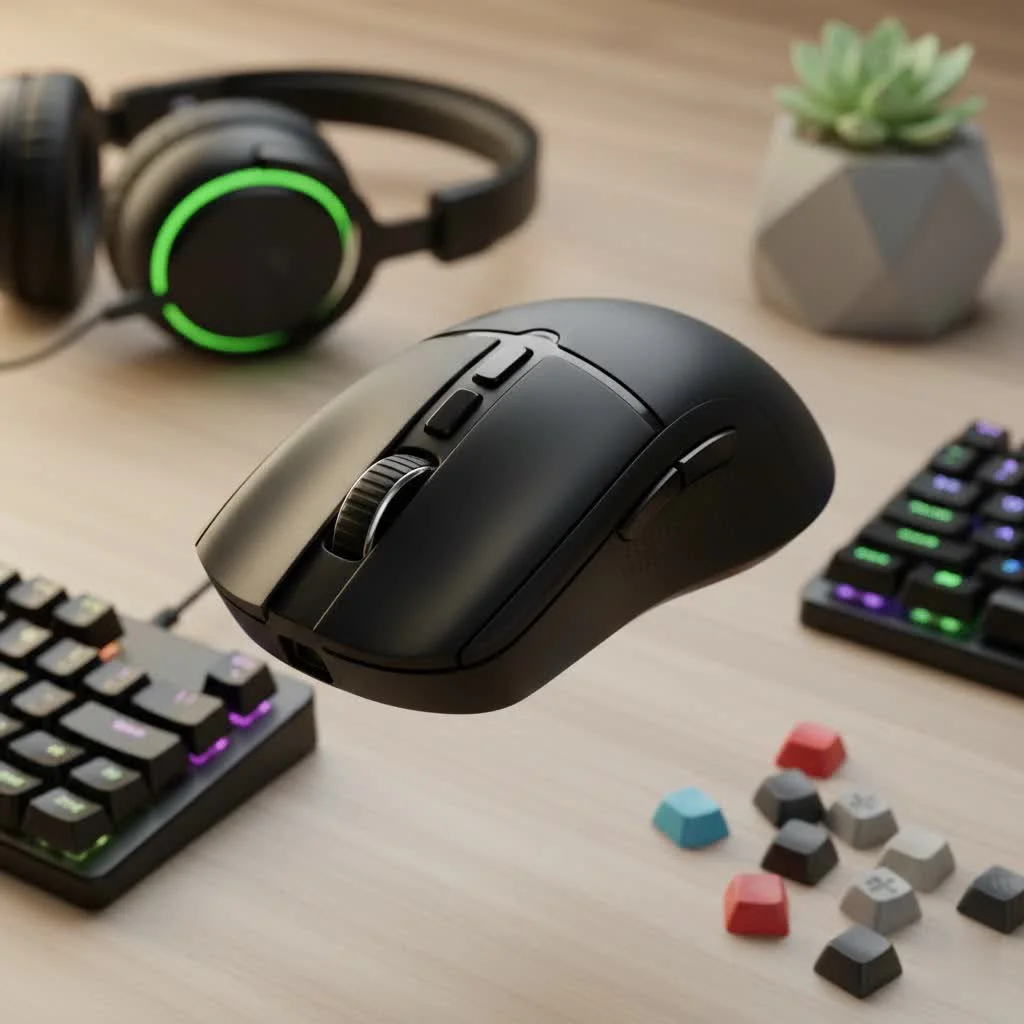
This deep dive explores the technology, design, and feel of a mouse that has shaped a generation of gamers, breaking down what made it a champion’s choice and assessing its place in the modern gamer’s arsenal.
Design and Ergonomics: The Shape of Victory
The G Pro Wireless features a deceptively simple, “safe” shape that is its greatest strength. This ambidextrous design comfortably fits a wide range of hand sizes and grip styles, including palm, claw, and fingertip. Weighing just 80 grams, it was revolutionary at its release, light enough for rapid motions without fatigue, yet substantial for precise micro-adjustments. The matte plastic finish provides a secure grip during intense gaming.
Modular Side Buttons for True Ambidexterity
One of the most brilliant design features of the Logitech G Pro Wireless Gaming Mouse is its modularity. It includes magnetic button covers and two pairs of side buttons, allowing users to place buttons on the left, right, both, or neither. This makes it a truly ambidextrous mouse, not just one with a symmetrical shape. The simple process of snapping magnetic buttons into place offers a level of customization that remains a benchmark for competitors.
Unrivaled Performance: The Engine Within
A comfortable shape is ineffective without a flawless core, and the G Pro Wireless excels here. Its performance is built on two key pillars: the HERO sensor and Lightspeed wireless technology.
The Legendary HERO 25K Sensor
At its heart is Logitech’s High Efficiency Rated Optical (HERO) sensor, renowned for raw, unfiltered tracking accuracy across its entire 100 to 25,600 DPI range. It delivers zero smoothing, filtering, or acceleration, translating hand movements to the screen with perfect 1:1 precision. This ensures unfailing reliability for both pixel-perfect sniper shots and frantic 180-degree turns.
“In professional play, you can’t blame your tools. The G Pro Wireless became the standard because its sensor is utterly predictable. You know that every movement, no matter how small or fast, will be tracked perfectly. That trust is priceless,” notes Alex ‘Apex’ Carter, a former professional Valorant player and lead hardware analyst at Cyexx.com.
Lightspeed Wireless: Cutting the Cord Without Compromise
|
Our Picks for the Best Gaming Mouse in 2026
As an Amazon Associate I earn from qualifying purchases.
|
||
| Num | Product | Action |
|---|---|---|
| 1 | Razer Basilisk V3 X HyperSpeed Customizable Wireless Gaming Mouse: Mechanical Switches Gen-2-5G Advanced 18K Optical Sensor - Chroma RGB 9 Programmable Controls 535 Hr Battery Classic Black |

|
| 2 | Logitech G703 Lightspeed Wireless Gaming Mouse W/Hero 25K Sensor, PowerPlay Compatible, Lightsync RGB, Lightweight 95G+10G Optional, 100-25, 600 DPI, Rubber Side Grips - Black |
|
| 3 | Logitech G PRO X SUPERLIGHT Wireless Gaming Mouse, Ultra-Lightweight, HERO 25K Sensor, 25,600 DPI, 5 Programmable Buttons, Long Battery Life, Compatible with PC / Mac - Black |
|
| 4 | Razer Basilisk V3 Customizable Ergonomic Gaming Mouse: Fastest Gaming Mouse Switch - Chroma RGB Lighting - 26K DPI Optical Sensor - 11 Programmable Buttons - HyperScroll Tilt Wheel - Classic Black |
|
| 5 | Razer DeathAdder Essential Gaming Mouse: 6400 DPI Optical Sensor - 5 Programmable Buttons - Mechanical Switches - Rubber Side Grips - Classic Black |
|
| 6 | Logitech G502 Lightspeed Wireless Gaming Mouse with Hero 25K Sensor, PowerPlay Compatible, Tunable Weights and Lightsync RGB - Black |
|
| 7 | Razer Viper V3 HyperSpeed Wireless Esports Gaming Mouse: 82g Lightweight - Up to 280 Hr Battery - 30K DPI Optical Sensor - Gen-2 Mechanical Switches - 8 Programmable Controls - Classic Black |
|
| 8 | Razer Viper V3 Pro Wireless Esports Gaming Mouse: Symmetrical - 54g Lightweight - 8K Polling - 35K DPI Optical Sensor - Gen3 Optical Switches - 8 Programmable Buttons - 95 Hr Battery - Black |
|
| 9 | Logitech G502 X Plus Wireless Gaming Mouse - LIGHTSPEED Optical, LIGHTFORCE Switches, LIGHTSYNC RGB, HERO 25K Sensor for PC/Mac - Black |
|
| 10 | Razer Naga V2 HyperSpeed Wireless MMO Gaming Mouse: 19 Programmable Buttons - HyperScroll Technology - Focus Pro 30K Optical Sensor - Mechanical Mouse Switches Gen-2 - Up to 400 Hr Battery Life |
|
Logitech’s Lightspeed technology was a major upgrade, eliminating latency concerns for wireless gaming. With a 1ms report rate, the connection is as fast and stable as a wired mouse. During testing, we experienced zero dropouts, lag, or stuttering, feeling instantaneous. This freedom from cable drag allows for more consistent and fluid aim, proving wireless is optimal for competitive play.
Battery Life and Connectivity
The HERO sensor’s efficiency contributes to outstanding battery life. Logitech claims up to 48 hours with default RGB lighting on and up to 60 hours with lighting off, which our experience confirms. A full charge can easily last a week of heavy gaming. The only modern critique is its reliance on a Micro-USB port for charging, which feels dated compared to the current USB-C standard.
Switches and Build Quality
The G Pro Wireless uses Omron switches rated for 50 million clicks, providing light, crisp, and tactile main clicks. However, some users reported a “double-clicking” issue over its lifespan, a documented concern. The scroll wheel is well-defined and tactile, balancing smooth scrolling with distinct steps for in-game weapon switching.
Customization with Logitech G HUB Software
Customization is managed through the Logitech G HUB software. While sometimes clunky, it is powerful, allowing users to:
- Adjust DPI settings: Set multiple DPI stages and an assignable “DPI shift” button.
- Customize button assignments: Remap any button to keyboard commands, macros, or media controls.
- Manage power settings: Adjust the polling rate and power-saving modes.
- Control RGB lighting: Customize the single “G” logo with Lightsync RGB.
The mouse also features onboard memory, crucial for competitive players who save profiles directly to the device for use across different PCs at home and tournaments.
Is the Logitech G Pro Wireless Still Worth It?
In a market now filled with ultralight mice weighing 50-60 grams and featuring the latest optical switches, the G Pro Wireless is no longer the undisputed king of specs. However, it remains an incredibly compelling option. Its “safe” shape, flawless sensor, and rock-solid wireless technology make it one of the most reliable and consistent gaming mice ever made. It’s a tool proven at the highest levels of competition. For gamers prioritizing a trusted shape and top-tier performance over chasing the absolute lowest weight, the Logitech G Pro Wireless Gaming Mouse is still a phenomenal choice.
Final Verdict: An Enduring Legacy
The Logitech G Pro Wireless Gaming Mouse is more than hardware; it’s gaming history. It set the standard for wireless competitive mice. While newer models may surpass it in weight, its combination of a universally comfortable shape, a flawless sensor, and lag-free wireless performance ensures it remains a top-tier option. If you seek a reliable, proven, and versatile gaming mouse, the G Pro Wireless is a confident choice.
Frequently Asked Questions
What is the exact weight of the Logitech G Pro Wireless gaming mouse?
The Logitech G Pro Wireless gaming mouse weighs approximately 80 grams. This weight provides a balance, making it light enough for rapid movements while retaining sufficient heft for stability during precise actions.
Is the Logitech G Pro Wireless suitable for gamers with small hands?
Yes, the Logitech G Pro Wireless is suitable for gamers with small hands. Its safe, ambidextrous shape is designed to be comfortable for a wide range of hand sizes, accommodating all major grip styles including palm, claw, and fingertip.
Does the Logitech G Pro Wireless gaming mouse support Bluetooth connectivity?
No, the Logitech G Pro Wireless gaming mouse does not support Bluetooth connectivity. It exclusively uses Logitech's high-performance Lightspeed wireless technology, which requires a dedicated USB dongle for connection.
Can I use the G Pro Wireless mouse while it is actively charging?
Yes, you can absolutely use the G Pro Wireless mouse while it is charging. By plugging in the included Micro-USB cable, the mouse functions as a wired device, ensuring you experience no downtime during charging.
What are the key differences between the G Pro Wireless and the G Pro X Superlight?
The G Pro X Superlight is the successor to the G Pro Wireless, sharing the same fundamental shape but with significant weight reduction, coming in at around 63 grams. The Superlight also features improved mouse feet and omits the right-side modular buttons and RGB lighting to achieve its lighter profile.
Get our weekly buyer guide
Practical specs, not advice. Unsubscribe anytime.

I was hesitant to spend this much on a mouse, but the G Pro Wireless is totally worth it. The ‘safe’ shape really does fit my hand perfectly, and I appreciate that it’s not overly aggressive in its design. It’s incredibly reliable, and I haven’t had any connection drops or weird tracking issues. Highly recommend for anyone looking for a dependable gaming mouse.
I’ve been using the G Pro Wireless for years now, and it’s still my go-to. The ambidextrous design is super comfortable, even for long gaming sessions. I tried a few of the newer, lighter mice, but I always come back to this one. The HERO 25K sensor is just flawless, never had a single issue with tracking.
This mouse is fantastic for competitive play. The Lightspeed wireless technology really does make a difference; I’ve never noticed any lag. My only minor gripe is that I wish the battery life was a little longer, but it’s easy enough to charge overnight. Definitely a solid choice if you’re serious about gaming.
It’s a good mouse, don’t get me wrong. The 80-gram weight feels really balanced, and the build quality is top-notch. However, I found the side buttons a bit too flush for my liking, making them hard to distinguish by feel sometimes. For the price, I expected a slightly more tactile experience there, but otherwise, it performs well.